Scan Date:Apr 1, 2026
Show More
Are you so engrossed in your smartphone that you have been disconnected from your real life? Has your indulgence with your smartphone taken a toll on your health, productivity, and interests? Do you wish to overcome smartphone addiction?
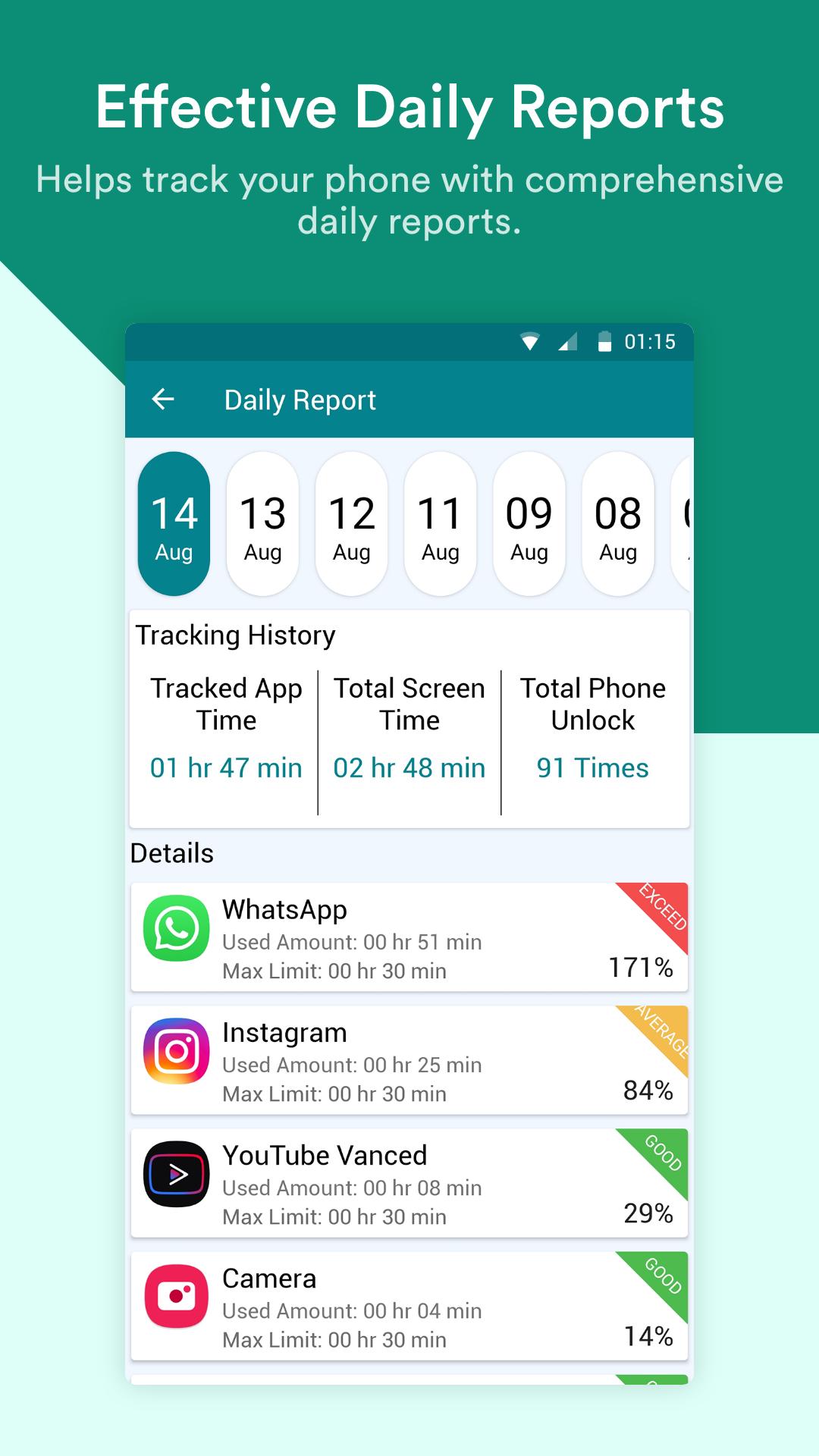
If the answer is yes, Social Fever by Systweak Software has come to your rescue. It is a smartphone usage tracker app that lets you monitor and manage your daily app usage while helping you focus on your interests. It can show app tracking reports along with total screen time and reminds you to take care of your health.
KEY HIGHLIGHTS
● Track App Usage: For all the apps that you added, you can see a detailed chart of the usage along with the most used apps. You can even add or remove apps from being tracked.
● Set App Time Limit: Set a time limit to apps and get alerts when you exceed it with the best phone usage tracker.
● Tracking Summary: Monitor mobile usage with total screen time & number of phone unlocks.
● Spend Quality Time: And by that, we mean without your smartphone! Put down your smartphone for a while and set aside some time to engage in a quality time activity. Tap on the Quality Time icon and set the reminders for various activities. During this your phone is set to Do Not Disturb Mode.
● Whitelist Contact: While using DND, you do not need to miss on important calls. As using this feature you can easily add the contacts allowed to contact you in the DND mode on Quality Time hours.
● Floating Timer: A floating timer is displayed when the selected app is in use.
● Track Water Intake: Forget to drink enough water? Worry not! Social Fever gives you reminder notifications so that you can reach your water intake goals and stay healthy. Tap on Water Intake from bottom, add the Water Reminder Start Time and Apply Changes.
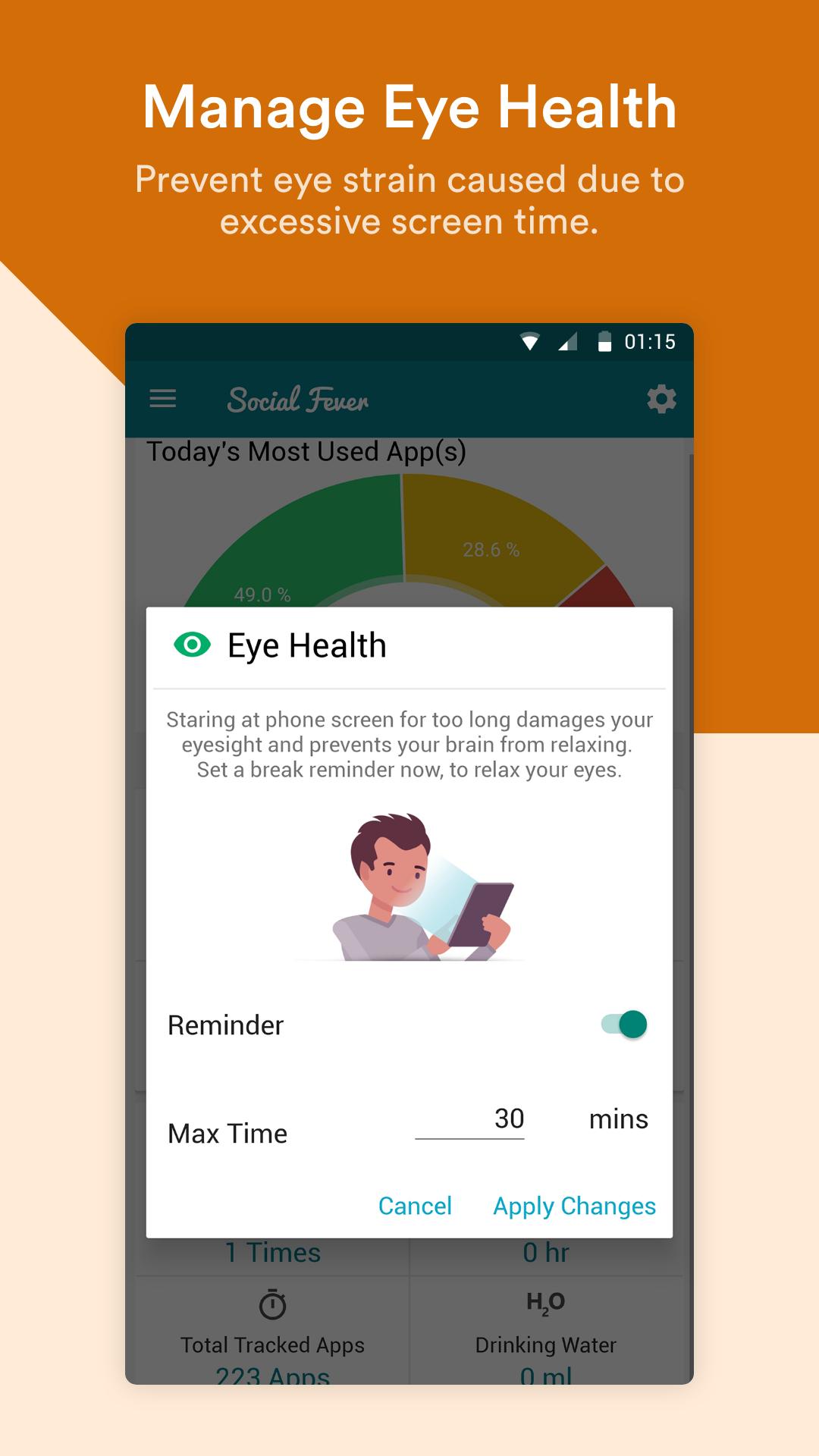
● Manage Eye Health: You can set a time after which Social Fever will remind you to take a break and look away from your smartphone’s screen, thereby relaxing both your eye and brain. Tap on the Eye icon from bottom and set the Max Time and Apply Changes.
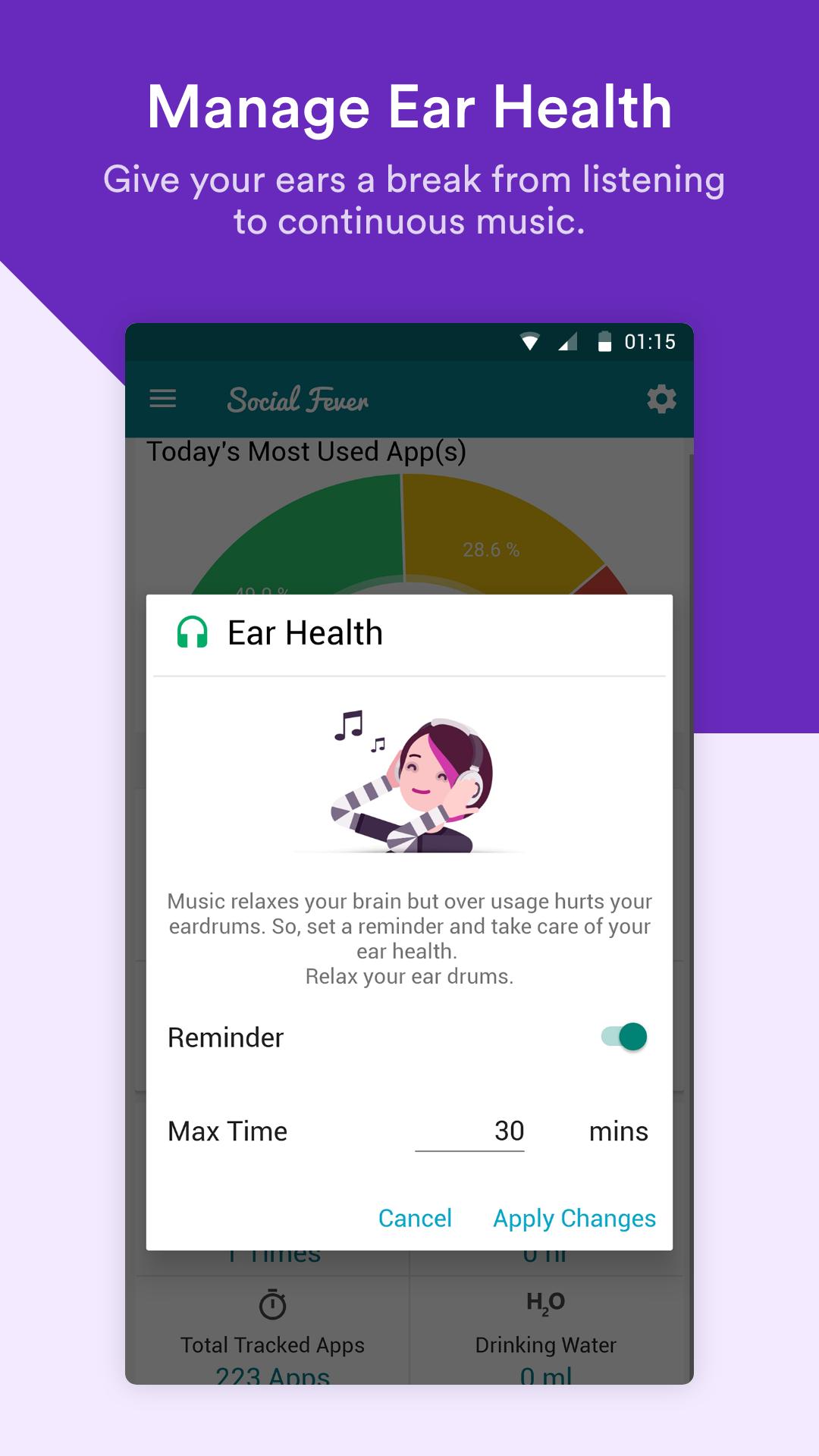
● Manage Ear Health: Are you constantly on office calls? Are you an avid music listener? Time to relax your eardrums by setting a reminder to take off your earphones or headphones. Tap on the Headphones icon from bottom and set the Max Time and Apply Changes.
● Clear History: Clear current and old tracking history, as well as entire app data in one tap. Go Settings, tap on “Clear History” and select the options. Next, tap on “Apply Changes”.
Why Use Social Fever?
We are so addicted to our smartphones that we can’t stay away from them. Social media apps keep us glued to our smartphone screens. This gravely affects our health and makes mobile addiction tracker a necessity. For instance, some of the ill effects of constantly looking at your smartphone’s screen include weak eyesight, constant headache and anxiety. Social Fever by Systweak Software is an effective Android monitoring app which can help you break phone addiction.
How To Use Social Fever?
Developed and designed with the utmost care, Social Fever is easy to use. It makes tracking apps on Android and taking care of your health a fun process.
● To Limit App Usage:
1. Tap on the “Home Screen icon” from the bottom.
2. Tap on “View Details”, go to ‘All’ tab. Here you can see your most-used apps as well under the ‘Recommended’ tab.
3. From the list of apps, tap on edit and set a maximum time limit for a particular app.
4. Tap on “Apply Changes”.
Limit app usage for other apps using the same steps.
Now, when you exceed this time limit for the apps added in this list, you’ll be notified.
● Set Water Intake Reminder
1. Tap on “H2O” from the bottom.
2. Turn the ON/OFF slider on.
3. Tap on “Start From” and assign a time.
4. Now as you receive a reminder to drink water, tap on the “+” or “-” till you’ve reached the amount of water you want to drink.
Latest Version
9.02.05.49Uploaded by
Bala Sudhan
Requires Android
Android 8.0+
Category
Free Productivity AppContent Rating
Everyone
Security Report
Report
Flag as inappropriateLast updated on Apr 1, 2026
1.More user friendly interface with Summary Screen and new tabs
2.Upgraded tracking engine
3.Promot tracking results
4.Latest OS support with faster tracking technics
5. Other miscellaneous improvements





APKPure - A multi-platform app store primarily focused on Android, providing extensive app-related content. Discover the app you want easier, faster, and safer, with quick and efficient downloads and installations.