Package Name:co.blocksite
SHA-256:e397f25731c024eb6f19fc1910e88645baa786b4b64ef61fcf8a659951041efc
Show More

BlockSite helps users who struggle to stay focused during study, work, or rest. It reduces unplanned screen time and keeps distractions out of reach, so goals are easier to follow through on. With clear controls and flexible rules, it supports steady routines across busy days. If you need a practical way to build better digital habits, download BlockSite to set limits that match your schedule and stick to them without constant micromanaging.
Custom app and site blocking
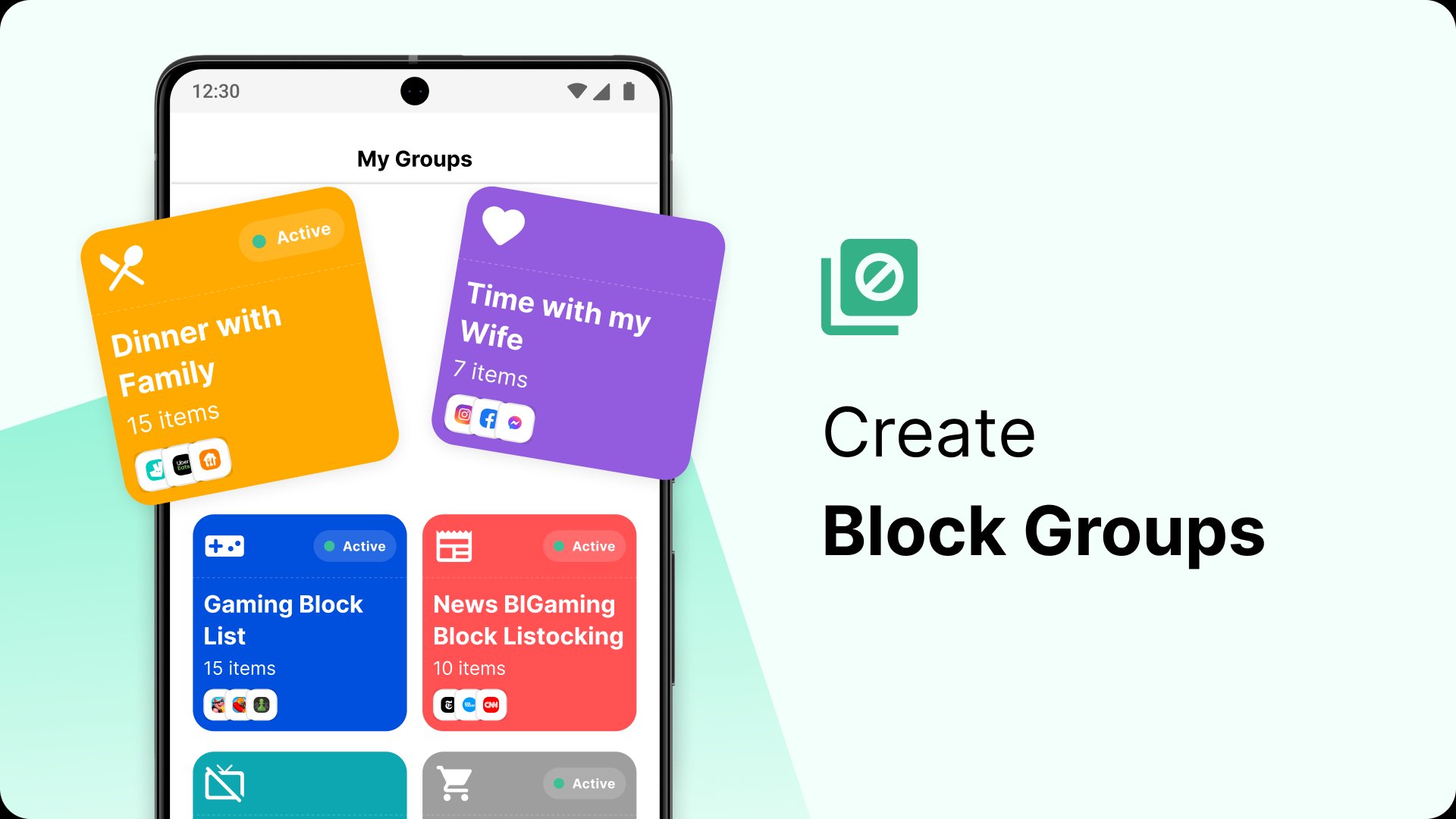
BlockSite lets you create tailored block lists, so specific apps and websites are unavailable when focus matters. You can also set daily time limits on social, news, streaming, or gaming apps to curb endless scrolling. This creates straightforward guardrails that reduce impulse checks without removing the apps you still need.
Focus Mode and Schedule Mode
The Focus Mode of BlockSite structures your day with Pomodoro-style sessions that alternate work and break times. Meanwhile, Schedule Mode applies recurring blocks during set hours, such as workdays, class periods, or bedtime. Together, they provide reliable structure, so your rules keep running even when attention wanes.
Category and keyword filters
The app lets you block entire categories like adult content, social media, shopping, sports, news, or gambling in a single tap. Keyword blocking also stops any URL that contains selected words, which helps catch new sites that mimic old distractions. This approach works well for users who want broad coverage without managing long lists.
Redirect Mode and custom block pages
Instead of seeing a tempting feed, you can redirect blocked sites to a goal-supportive page, image, quote, or short reminder. Many BlockSite app users point social sites to a study planner or a blank page to reset attention. Over time, these nudges replace automatic habits with more deliberate choices.
Accountability, cross-device sync, and Insights
Password protection and uninstall prevention make it harder to bypass rules in stressful moments. With cross-device sync across Android and supported browsers, BlockSite keeps the same logic at home, school, and the office. Insights reporting highlights time-wasters and reveals patterns, while Slack blocking helps reduce message checks during deep work.
Students who need quiet focus for reading and problem sets can block social feeds and set short Pomodoro cycles for review sprints. Remote workers who juggle chat pings can mute Slack access during deep work windows and reserve quick check-ins for breaks. Habit builders who want steadier routines can use Redirect Mode to replace distractions with neutral or motivating pages and keep momentum through the week.
BlockSite for Android works alongside supported browser extensions to keep rules consistent when you move between phone and computer. This reduces context switching, since the same categories and schedules stay active wherever you log in. If Slack or certain web tools tend to steal attention, extending blocks to the browser helps keep your setup aligned in both places.
Insights surfaces time spent by app and category, which helps users decide what to block and when. After a few days, compare before and after trends to see whether Focus Mode sessions and schedules are reducing time on specific sites. Use these patterns to adjust limits or refine keyword filters until the results match your goals.
After you install the BlockSite APK, getting started takes only a few minutes. The setup is straightforward and can be adjusted at any time as your routine changes. With a simple flow, your blocks, schedules, and redirects work together without extra effort.
Open BlockSite and create your first block list by selecting apps and websites you want to restrict.
Set time limits for apps that pull you off task, such as social or streaming, and save your changes.
Start Focus Mode to run Pomodoro sessions, then pick your work length and break length to match your tasks.
Add category or keyword blocks to filter adult, gambling, or other topics, and set a custom redirect page if helpful.
Turn on Schedule Mode for recurring blocks during work, class, or sleep, then review Insights to fine-tune your rules.
BlockSite organizes your attention with targeted blocks, flexible schedules, and accountability tools that hold up during busy days. To stay consistent, download BlockSite latest version on APKPure so you can keep refining limits based on your actual usage patterns.
For official support and product information, visit the developer’s website:
Website: https://blocksite.co
Latest Version
2.17.0.10571Uploaded by
Ivan Milenkovic
Requires Android
Android 7.1+
Category
Free Productivity AppContent Rating
Everyone
Security Report
Check Now
Report
Flag as inappropriateLast updated on Oct 14, 2026
Continuing to improve the world's leading productivity app! In this version we've crushed some bugs and improved our blocking features for apps and websites.





APKPure - A multi-platform app store primarily focused on Android, providing extensive app-related content. Discover the app you want easier, faster, and safer, with quick and efficient downloads and installations.