
🏆Best Root Explorer | Root Browser for Android. Loved by more than 2 million users and with over 9k+ 5 star ratings. FREE & SIMPLE File manager to manage Rooted Android devices.
Its Root Explorer | Root Browser capability lets you browse, modify and delete files in data and system folders. It also comes with a handy root checker utility to verify root access. Offline Busybox installer which can be purchased with ads-free version. Tested and working on Android Pie, Oreo, Nougat, Kitkat etc
Although Root Power Es Explorer works really well with Rooted android devices, it is also an Ultimate File Manager tool for non-Rooted phones. By default, It allows you to copy, move, rename, delete or share files to and from any of your storages like finder in Mac and Es Explorer in Windows. It also lets you browse and access your files by categories such as music, videos, images, archive and unknown files.
Get access to all your files and folders even the elusive data and system directories if you have Root
General Features
►File Manager/File Explorer: Manage your files just like you do on your desktop using Multiple Select, Cut/Copy/Paste, Move, Create, Delete, Rename, Search, Share, Send, lock and Bookmark.
►Shows thumbnails: For APKs and images
►Material Themes: 6 Material themes to customize your favorite file es explorer
►Root Explorer/Root browser: The ultimate set of file management tools for root users. Provides access to the entire file system including the elusive data folder, and allows the user to change permissions nd owners/groups
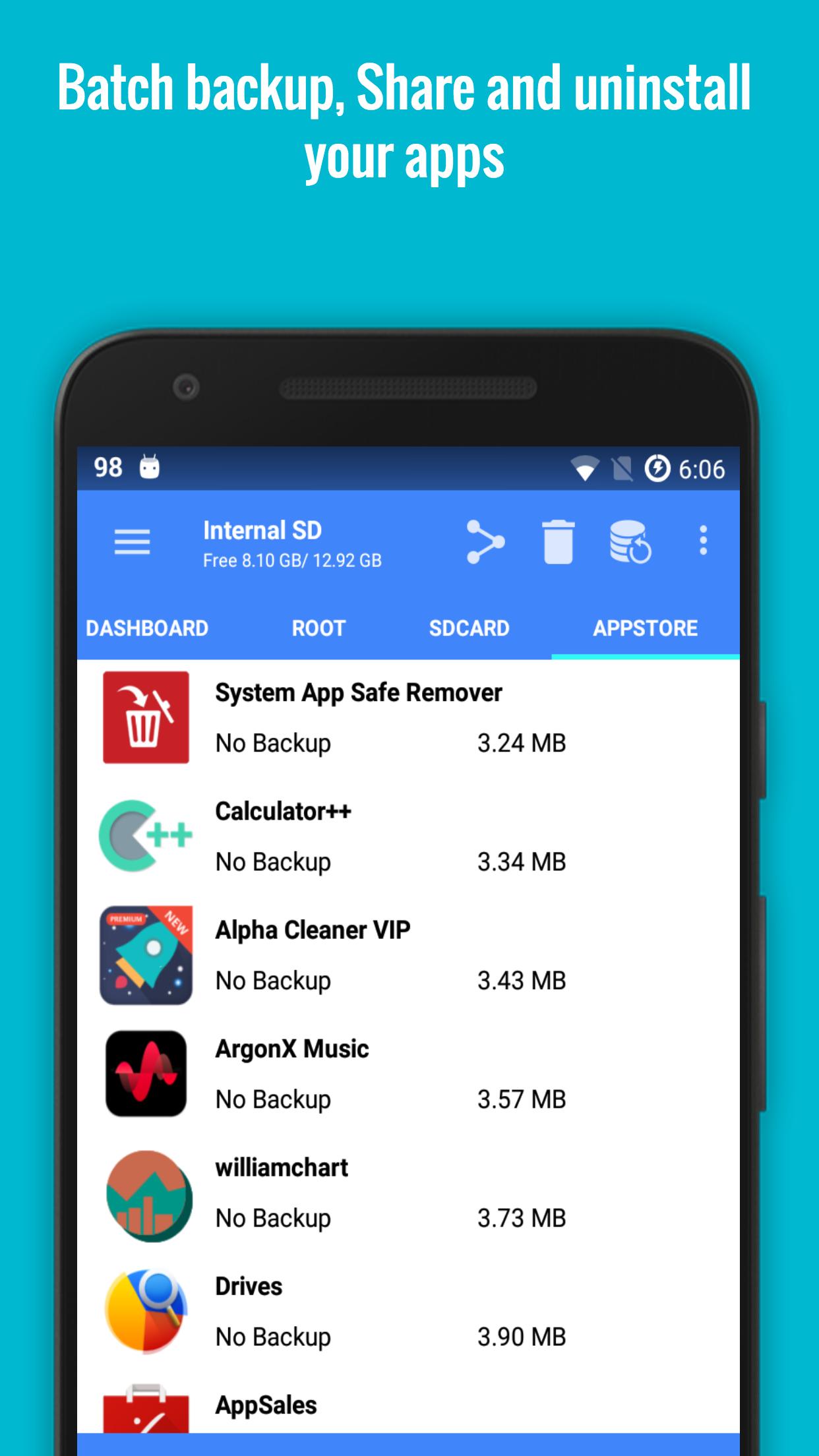
►App Manager: Backup, uninstall, share your applications using batch operations
Updated Features
►Inbuilt busybox installer, cpu governor, duplicates finder, history cleaner added as part of a premium package.
►Multiple tabs support
►Support for over 30 languages - Greek,
►Root Support - Explore root directories like data, cache. Copy, paste and delete files in root partition.
Key features
►Inbuilt Root Checker Utility to verify root access status on Android Pie, Oreo, Nougat, Jellybean and ICS
►Inbuilt offline Busybox installer (Premium)
►History Cleaner Utility (Premium)
►SetCPU for overclocking or underclocking CPU (Premium)
►Duplicates Finder for finding duplicate files (Premium)
►Material Designed UI with 6 themes
►Easy, Powerful and light ~ 3mb
►Gestures Bookmarks support
►Apps backup - Backup apps to your sd card
►Storage Clean Up and Analysis
►Fast File Search: Search files on your smartphone quickly
And many more options.
►Text Editor- Modify, Edit and save text, html, xml files
►Root Browser- Full root access for copy and delete.
►Music Player- Preview mp3, wav, 3gp files without using an external music player
►Zip and Rar Manager- Open Rar/Zip/Tar files like 7zip and winrar
►Image Viewer- Access and View media and more.
►Search Complete file system search
Permissions:
WRITE_EXTERNAL_STORAGE - For creating and modifying files on the Storage
READ_EXTERNAL_STORAGE - For reading files on the Storage
INTERNET - For bug reporting and check updates
RECEIVE_BOOT_COMPLETED - For Root Optimizations
ACCESS_WIFI_STATE - check updates
GET_ACCOUNTS - Verify licenses
Translations:
• Russian
• French
• Italian
• Hungarian
• Czech
• Swedish
• Dutch
• Hebrew
• Chinese
• Turkish
• Polish
• German
• Spanish
• Ukrainian
• Portuguese
• Simplified Chinese
• Armenian
• Catalan
• Slovak
• Interested in translating? mail us at kshark.apps@gmail.com
Our Root Explorer/Root browser used to be Ad Free but to support development we have integrated ads.To remove ads, you can unlock premium version with added functionalities
If you believe we have successfully given you the best Root Explorer, as well as a power, packed File Manager tool, please rate us 5 stars and leave your encouraging reviews
For quick and friendly support please email us at kshark.apps@gmail.com. We will be glad to help answer your questions and troubleshoot with you
Latest Version
5.3.5Uploaded by
Dawood Alrabayy
Requires Android
Android 4.1+
Category
Free Business AppContent Rating
Everyone
Report
Flag as inappropriateLast updated on Jun 21, 2019
☆ Please rate us 5 star to support the app
☆ If you encounter any issues, feel free to reach out to kshark.apps@gmail.com and we wil revert back to you in 24 hours
-Working with Android Pie, Oreo and Nougat
-User Experience Program
-Added an Internal Image Gallery Viewer
-Lighter and faster
-Made the Free version completely Ad-Free
-Material Design
-Added 15 new languages
-Easy Open Zip/Rar/Tar files
-Permissions and Owner/Group Change in Root Mode
-Faster startup and loading
-Crash fixes





APKPure - A multi-platform app store primarily focused on Android, providing extensive app-related content. Discover the app you want easier, faster, and safer, with quick and efficient downloads and installations.









![Superuser X Free [Root] APK](https://image.winudf.com/v2/image/Y29tLmJpdGN1YmF0ZS5hbmRyb2lkLnN1Lmluc3RhbGxlcl9pY29uXzE1MzY0MjkwNTVfMDgy/icon.png?w=102&fakeurl=1)









