
With QuickLink Hotspot, you can remotely turn on & off your smartphone’s hotspot from your laptop computer. Rather than reaching for your phone every time you want to enable the hotspot feature, just click the Hotspot Companion icon installed on your laptop and your phone’s hotspot will be turned on automatically and connect your laptop to the internet.
Leave your phone in your pocket, purse, laptop bag, or on the charger in the other room and still be able to trigger the hotspot feature remotely from your laptop. Note you must install both the QuickLink Hotspot Android app onto your phone and the QuickLink Hotspot Companion app onto your laptop to take advantage of the remote control functionality.
With more convenience than a home screen Wi-Fi widget on your phone, QuickLink Hotspot is accessible directly through your laptop enabling you to:
· Remotely toggle the smartphone hotspot on/off
· Receive alerts for battery life
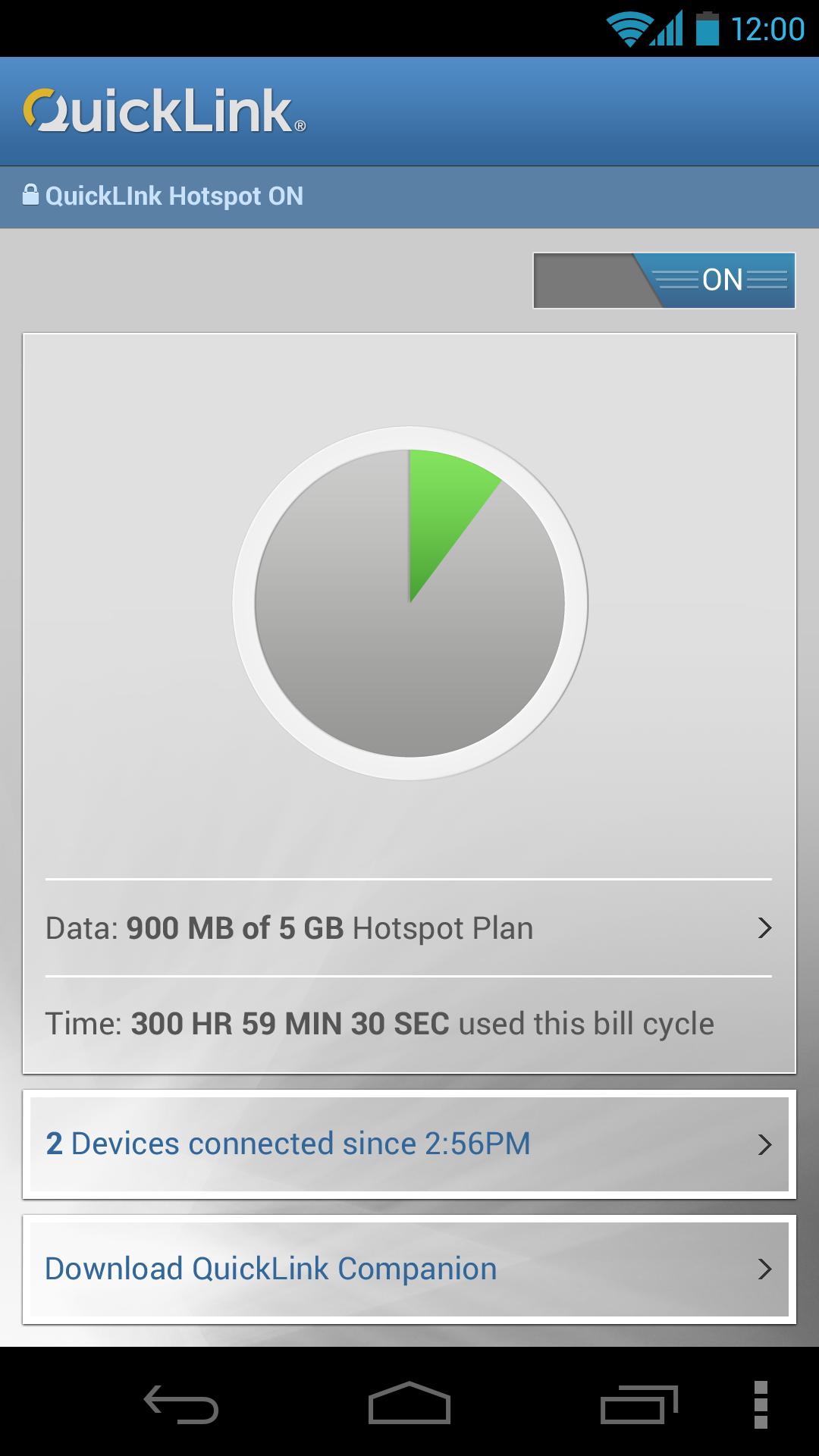
· Monitor and receive alerts for data usage
· Get notified when devices connect
On your smartphone you'll get all of the above AND:
• Ability to configure hotspot SSIDs and passwords
• View and monitor data usage monitoring with easy to read pie charts
Help refine and give early feedback for QuickLink Hotspot and QuickLink Companion.
***IMPORTANT***
· You must have a phone and data plan that includes hotspot usage
· Once you install the android application and have completed the set-up, you’ll receive a link to download the free companion app for your Mac or PC
· Please be sure you have the latest Bluetooth drivers installed on your Mac or PC
System requirements •Android smartphone 4.0 or higher •Mac OS X 10.7 or higher or a Windows 7 (32 or 64 bit) computer with Bluetooth
Tested Devices • Motorola Photon Q, LG/Google Nexus 4, Samsung Galaxy S3 and Samsung Nexus but we encourage usage on any other device with Android OS 4.0 or higher
Support Please report issues with QuickLinkHotspot and QuickLinkCompanion to quicklinksupportbeta@smithmicro.com. We appreciate your feedback!
Latest Version
1.0.1.803Uploaded by
Berika Manjavidze
Requires Android
Android 4.0+
Category
Free Tools AppContent Rating
Everyone
Report
Flag as inappropriateLast updated on Jul 2, 2016
This release includes minor bug fixes and general improvements. Update to the latest version for the best experience.





APKPure - A multi-platform app store primarily focused on Android, providing extensive app-related content. Discover the app you want easier, faster, and safer, with quick and efficient downloads and installations.