
Description
Using this app you can edit, add or delete properties such as the LCD screen density (ro.sf.lcd_density) in your build.prop file. This file is important for your Android OS and is stored on the system partition (/system/build.prop).
Features
Property:
★ Add
★ Insert
★ Edit
★ Delete
Properties:
★ Filter
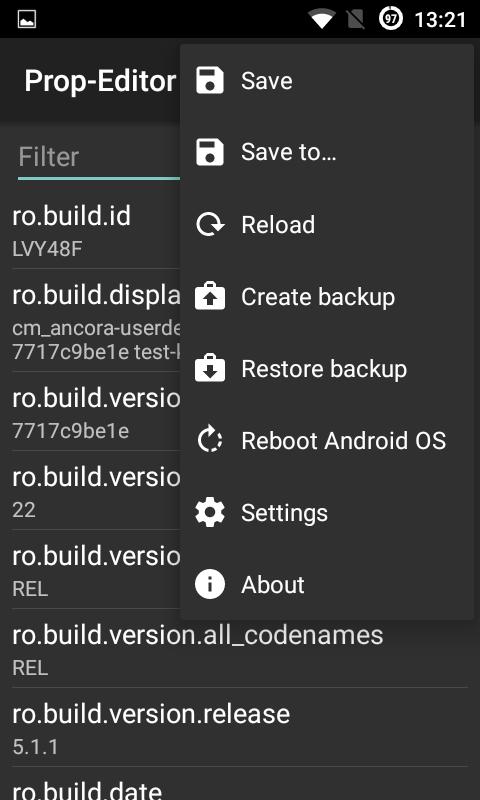
★ Save
★ Create and load backup
Android OS:
★ Reboot
Settings:
★ App theme
★ Backup location
★ Save with backup creation
Languages:
★ English
★ German
★ Russian
Conditions
Root privileges!
Thanks
This app is based on about 60% of the source code (Version 3.0.3) from the developer Ciubex, so a big thank goes accordingly to him too!
Disclamer
I am not responsible for any damage or loss of data that may (however unlikely this is) be caused by this app to your device.
Latest Version
2019-04-27Uploaded by
Bintang Prayoga
Requires Android
Android 3.0+
Category
Free Tools AppContent Rating
Everyone
Report
Flag as inappropriateLast updated on Apr 27, 2019
2019-04-27
★ Fixed crash under settings at screen orientation change
★ Added Unicode (UTF-8) characters support at build.prop
★ Changed function from "Restore backup" (replacing directly build.prop) to "Load backup" (loading in editor)
★ Removed function "Save to"
★ Code clean-up done




![Prop-Editor [ROOT]](https://static.apkpures.xyz/www/static/imgs/lazy.png)

APKPure - A multi-platform app store primarily focused on Android, providing extensive app-related content. Discover the app you want easier, faster, and safer, with quick and efficient downloads and installations.






![Battery Charge Limit [ROOT] APK](https://image.winudf.com/v2/image/Y29tLnNsYXNoLmJhdHRlcnljaGFyZ2VsaW1pdF9pY29uXzE1MjYyOTY3NThfMDk5/icon.png?w=102&fakeurl=1)