

OG Trail - Travel to Oregon serves players who want to revisit the 1990 Oregon Trail experience on a phone or tablet without expecting a modern remake. It focuses on access to the publicly available Internet Archive streaming version, so the game keeps its original look, pace, and input style. Because of this, download OG Trail - Travel to Oregon if you prefer the older simulation format and are comfortable with a game that behaves like the original computer version.
Classic Oregon Trail access on Android
OG Trail - Travel to Oregon lets you play The Oregon Trail simulation through a mobile interface. Instead of rebuilding the game with new graphics or changed rules, it keeps the original game experience in place. This makes the app more suitable for players who remember the older version and want to use it on an Android device.
Original gameplay presentation
OG Trail - Travel to Oregon does not present itself as a standalone remake. It also does not include a ROM, since it loads the publicly available Internet Archive hosted version of the 1990 game. As a result, you should expect the same text based choices, simple visuals, and slower decision flow that belonged to the original simulation.
Touch controls for keyboard actions
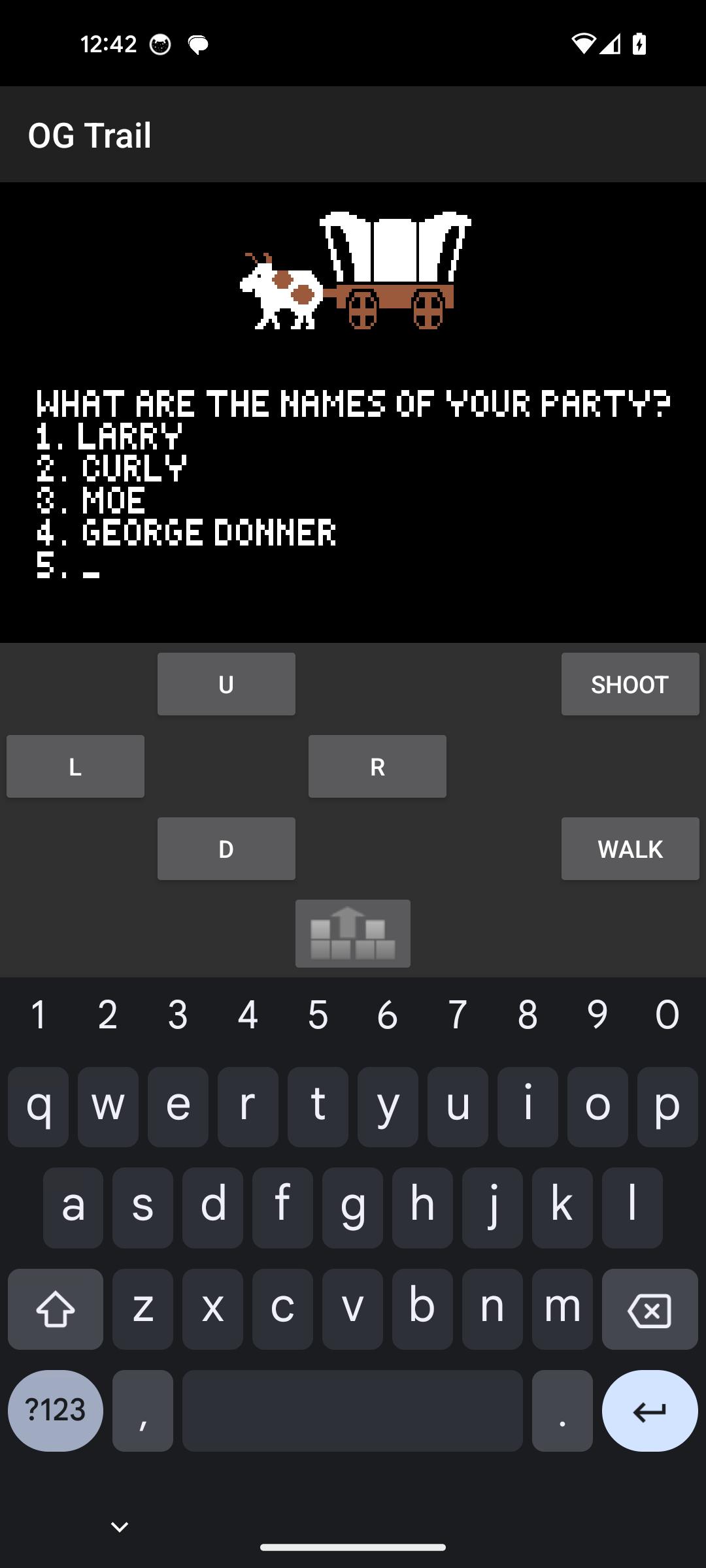
OG Trail - Travel to Oregon provides an onscreen keyboard and a control pad so you can respond to the game’s prompts on a touchscreen. You can use these controls for number choices, yes or no answers, and enter key actions. Since the original game was designed around keyboard input, the touch controls may take a short time to learn.
Internet Archive streaming support
OG Trail - Travel to Oregon uses the Internet Archive hosted game version, so an internet connection is needed when the game loads. After opening the app, you should allow enough time for the streamed game to start before using the controls. This setup keeps the app focused on access rather than replacing the original game files.
Guidance for new touchscreen players
OG Trail - Travel to Oregon includes guidance for users who are not used to keyboard style controls on a phone. This is useful because many actions in the game depend on selecting numbers or confirming choices. Once you understand how the onscreen buttons map to the original controls, the game becomes easier to follow during travel, trading, hunting, and other decision moments.
OG Trail - Travel to Oregon is best understood as a way to access the original Oregon Trail experience on Android, not as a newly designed mobile game. If you expect updated art, new missions, or changed mechanics, this app may not match that expectation. If you want the older structure with its original pacing and input style, the OG Trail - Travel to Oregon APK gives you a closer match to that version.
Because the game follows an older control style, it is helpful to be patient during the first session. Read each prompt carefully, then use the number keys, yes or no buttons, and enter action as needed. The controls are simple, but they follow the logic of the original computer game rather than the tap based design used by many current Android games.
Before changing device settings while the app is running, save your progress when the game allows it. Some users report losing progress after changing settings during play, so it is safer to finish a choice and save before adjusting anything. This small habit can help protect a longer Oregon Trail session from being interrupted.
OG Trail - Travel to Oregon latest version is designed for players who want to load the classic game and control it through a phone screen. Before starting, make sure the device has an active internet connection so the Internet Archive version can load properly. Then follow the prompts as they appear in the original game window.
OG Trail - Travel to Oregon offers Android access to the original Oregon Trail simulation through a mobile friendly control layout. Choose OG Trail download if you want the older gameplay style and understand that the app uses streaming access rather than a built in remake.
Official information is available from the developer:
Latest Version
25.12.05Requires Android
6.0
Category
Educational GameContent Rating
Everyone 10+ · Mild Fantasy Violence, Use of Tobacco
Report
Flag as inappropriateLast updated on Dec 5, 2025
This release includes minor bug fixes and general improvements. Update to the latest version for the best experience.






APKPure - A multi-platform app store primarily focused on Android, providing extensive app-related content. Discover the app you want easier, faster, and safer, with quick and efficient downloads and installations.