Scan Date:Feb 11, 2026
Show More


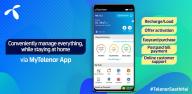
My Telenor supports everyday needs for Telenor Pakistan customers who want quick control over their mobile number. It brings account management, bundle activation, bill handling, and rewards into one simple place, so you can stay on top of usage while on the move. The app works for both prepaid and postpaid, and it suits common situations like recharging or checking balances. For easy access on Android, My Telenor APK offers a straightforward way to reach these tools with minimal steps.
My Telenor keeps core actions on a clear dashboard, which helps you see what matters first. You can view usage, track remaining resources, and check available offers in one spot. App-only Flash Sales appear with limited-time discounts, letting you activate relevant packages when they are live. If you plan to switch, postpaid conversion is available inside the app with customizable plans.
Bundles and MY OFFER customizationUse My Telenor to activate data, voice, and SMS packages that match your routine. Social Bundles cover WhatsApp, Instagram, Twitter, Snapchat, and TikTok, so you can pick the apps you rely on. Through MY OFFER, you can build your own plan by selecting minutes, data, and validity, then review the price before confirming. This flexibility lets you adjust as your usage changes.
Payments, recharge, and Netflix billingPayments feel straightforward in the My Telenor app. You can pay postpaid bills, recharge prepaid balances via Easypaisa or bank debit and credit cards, and settle Netflix charges through the same flow. Balance and bill checks are free, and an emergency loan option helps when you run low. These tools reduce the need to visit a franchise or call support.
Self service tools for everyday fixesMy Telenor gives you control over common account tasks without calling helplines. Manage Family and Friends numbers, submit complaints, and track their status from the same screen. Retrieve your SIM PIN or PUK and apply internet settings when you change devices. These utilities are available whenever you need them.
Daily rewards to keep you connectedOpen the app daily to claim free MBs and take part in Test your Skills for extra bonuses. Blessed Friday brings mega rewards, while recharges and offer activations can trigger additional benefits. Rewards are shown inside the app, so you can see what you have earned and how long they last. This rhythm supports short, useful check-ins each day.
My Telenor services are built for Telenor Pakistan numbers, both prepaid and postpaid. If your SIM is not issued by Telenor Pakistan, key actions and offers will not be available. Activation and billing details depend on your number type and location. Before starting, confirm your mobile line is active and eligible for in-app services.
My Telenor uses encryption in transit to protect account data while you use the app. Users can request data deletion through official support channels if they choose to close their profile. For billing, complaints, or login help, open the help section inside the app or reach the support email listed below. Some requests may require account verification to keep your information secure.
The My Telenor app is set up for quick use on Android phones. To begin, download My Telenor and sign in with your Telenor Pakistan number. The flow guides you through verification in a few steps.
My Telenor brings bundles, payments, and rewards into one place for Telenor Pakistan numbers. If you want simple control from your phone, install the My Telenor latest version to handle daily tasks quickly.
For official information or support, use the channels below.
Latest Version
4.2.60Uploaded by
วาย'ย ร้าย'ย
Requires Android
Android 7.0+
Category
Free Tools AppContent Rating
Everyone
Security Report
Report
Flag as inappropriateLast updated on Feb 11, 2026
✨ Exciting New Update! 🚀
• A fresh new look for the My Telenor App Home Screen
• Bug fixes and performance improvements
• Optimised for an even better user experience
Keep your auto-updates turned on so you never miss out! ✅




APKPure - A multi-platform app store primarily focused on Android, providing extensive app-related content. Discover the app you want easier, faster, and safer, with quick and efficient downloads and installations.