


Package Name:com.iswiftapptechnolab.musicplayervault.audioplayergalleryvault
SHA-256:9295488c5d493dc597e42370f5526e3e3d0a3c0dde91e2a7047dd9173cbeecbf
Show More

Hide photos & videos from your photo gallery and access them easily using a secret passcode.
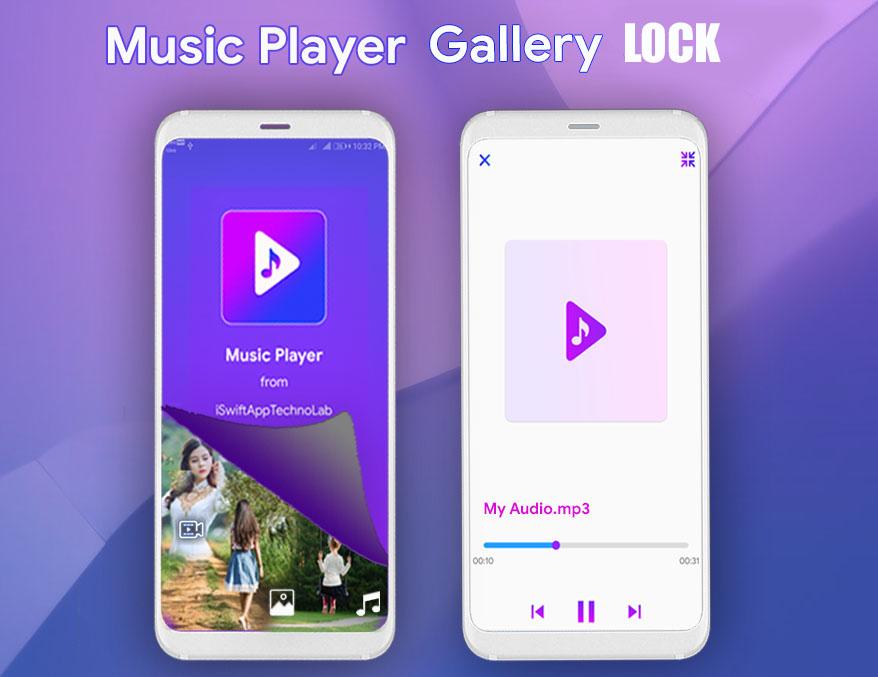
The app is looks like as "Music Player", but if you long press on Music Player title the Secret vault will open and you can hide your media.
Music Player Vault is Gallery lock behind the Music Player app. here you can hide data and browse hidden inside vault (Secret vault have own video player ,audio player and photo viewer).
Music Player is a more than just a Audio player, it is a complete privacy locker that gives you safely guard to protect your media (photo ,video and audio).
Core Feature
-> Hide photo,video,audio and documents.: Here you can hide photo,video,audio and documents, it will not shown in gallery after hide files.Vault is behing the Music Player so no one can find your hidden data.
-> Vault will open with Secret Passcode and FingerPrint.: Vault will open with Secret Passcode and FingerPrint that you set for first time app open
-> Fake Vault (Shows empty vault).: If someone find vault then you can setup fake passcode and vault shows there is no files.so basically another person can't see your hidden data.
-> Unhide files easily.: You can easily unhide your files whenever you want.
-> Share files without unhide.: You can share files directly from the vault no need to unhide data first.
-> In-built data browsing.:Here you can easily browse your hidden data inside vault.
Because of above features we need Storage access otherwise app will not work properly
Permissions
Use FingerPrint: This Permission is use to Unlock vault with your FingerPrint.
Read/Write Storage Permission: This Permission is use to hide and unhide files to storage.
Permission for Android 11 devices
Due to the Google system api upgrade, please authorize the permission to access to all files. Otherwise the can not work properly
When you uninstall this app, Reset or format your phone. Before it Please Unhide All hidden files otherwise your hidden data lose forever.
Cleaning tool may affect hidden files.
Question and Answer
Question : How to open vault ?
Answer : Long press (Tap and Hold ) on "Music Player " title to open vault.
Question : Where is my hidden data(files) stored ?
Answer : All hidden data(files) are store in your mobile's "Phone Storage Memory".
Disclaimer
All the content and resource copyright reserved to its respective owner.
If you have any issue regarding any content and resource used in this app please contact us.
Images are used in screenshots are get from: https://www.pexels.com. credit goes to pexel and photographers.
Contact Us: itechappstudio@gmail.com
Latest Version
1.0.3.0Uploaded by
Phillip Mize
Requires Android
Android 5.0+
Category
Free Tools AppContent Rating
Everyone
Security Report
Check Now
Report
Flag as inappropriateLast updated on Aug 9, 2024
Minor changes.




APKPure - A multi-platform app store primarily focused on Android, providing extensive app-related content. Discover the app you want easier, faster, and safer, with quick and efficient downloads and installations.










