Scan Date:Mar 1, 2026
Show More
Are you using a tablet or a large-screen smartphone? Facing difficulties in using or navigating with one hand? Here we are with a perfect solution, Mouse Touchpad: Mobile & Tab application.
Is your smartphone screen damaged, or is some screen part of the screen not functioning properly? Mouse Touchpad: Mobile & Tab app gives an alternative way to navigate your device. This app allows you to control your device using a cursor that you can activate from the edge or a small area of the screen.
This mobile pointer touchpad app is simple and easy to use. Steps to use the application:
1. Click on Start.
2. Enable all the required permissions to use the app.
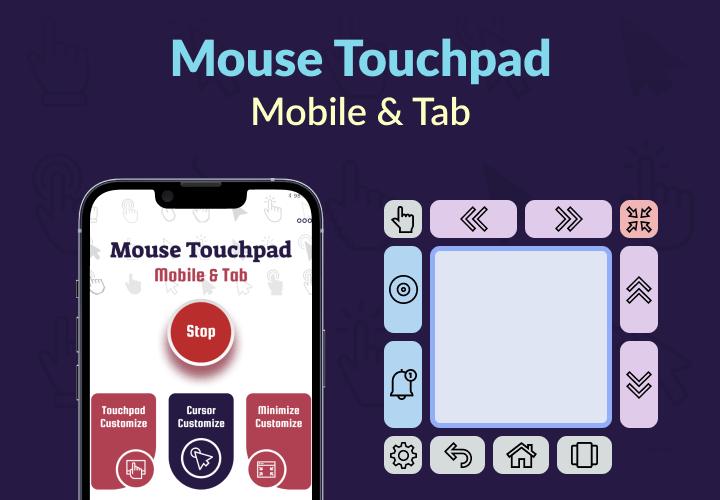
3. You will see the mouse cursor with the touch pad on the screen.
4. Move your finger on the touch pad and the cursor will move, respectively.
5. Various shortcut options are available along the touchpad.
Shortcuts option features:
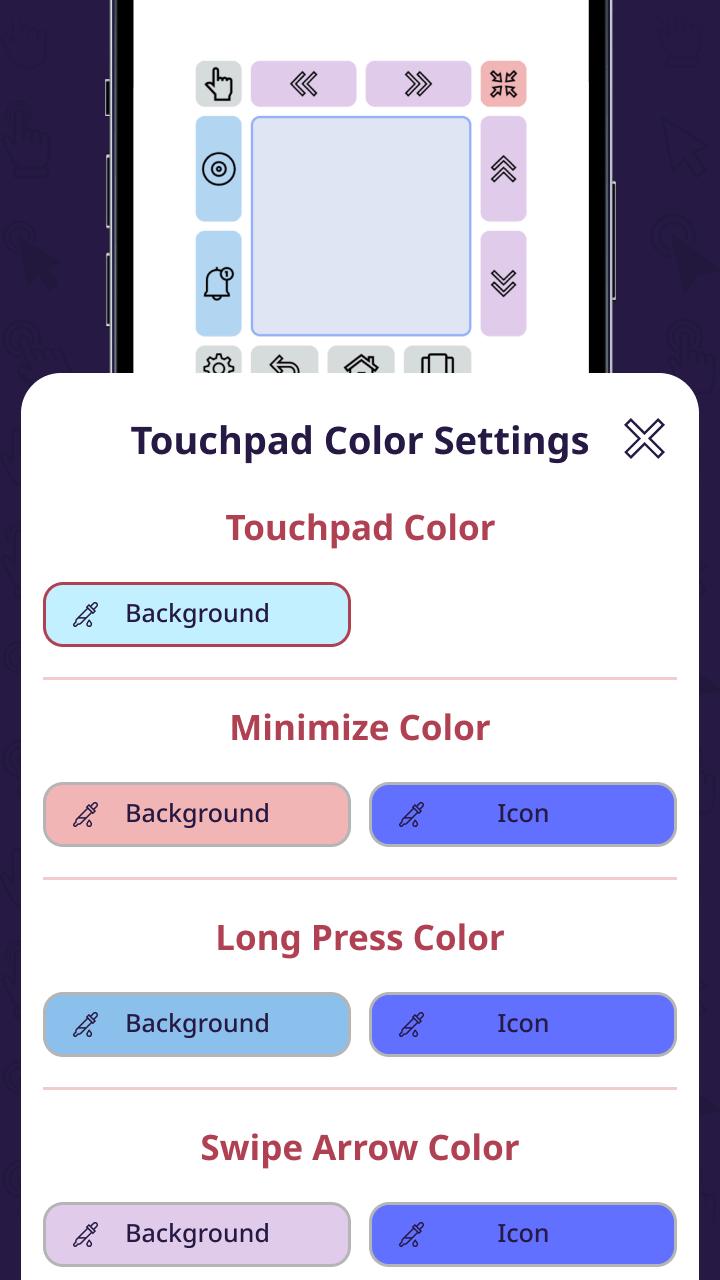
Drag & Move: You can move the mouse touchpad anywhere on the screen.
Swipe Left/Right: You can click to perform the swipe left/right action.
Swipe Up/Down: You can use this option to perform the swipe Up/Down action.
Minimize: You can minimize the mouse touchpad after completing your task.
Long Press: You can use it to use the long press feature.
Down Notification: With this option, you can bring down the notification panel.
Setting: It will open the touchpad customization setting.
Back: You can use it to go back.
Home: It will take you to the device's home screen.
Recent App: It will display all the recent apps.
The Mouse Touchpad: Mobile & Tab app offers a variety of customization options:
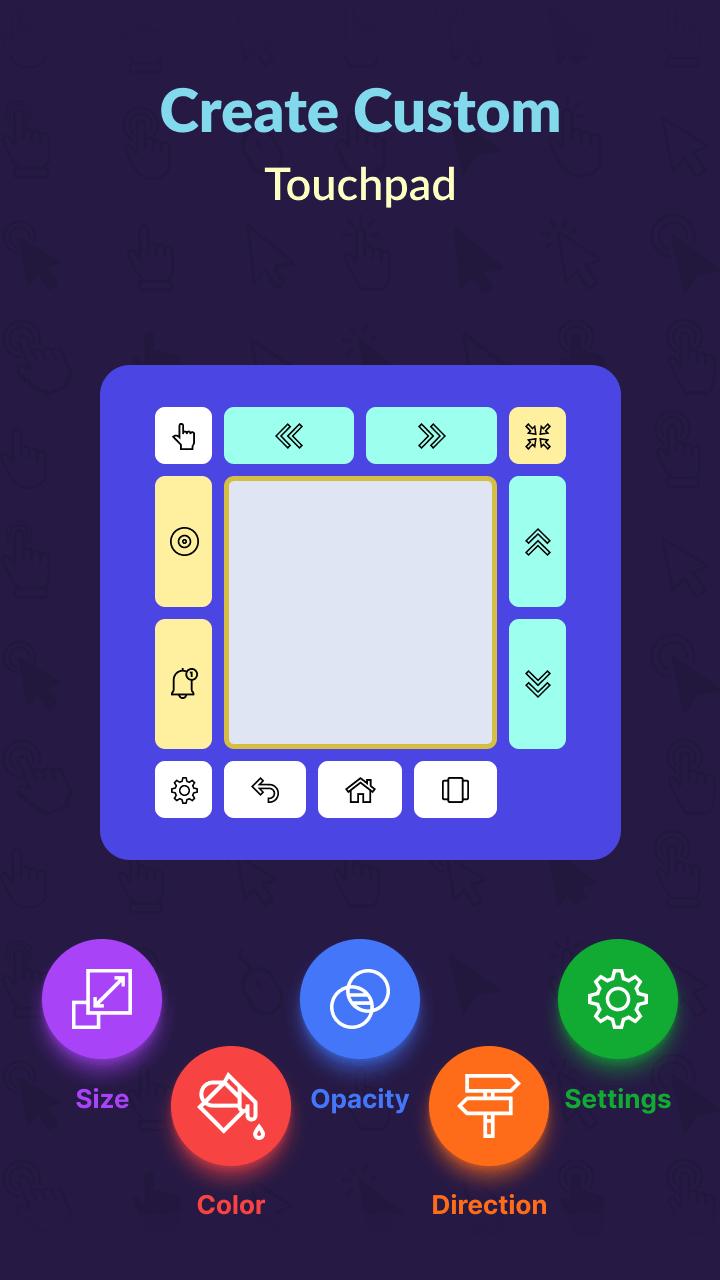
1. Touchpad Customization:
- Adjust the size of the touchpad according to your preference.
- You can change the opacity of this mouse & cursor touchpad.
- Change the touchpad background color, and minimize, long press, swipe arrow, and other options background and icon colors.
- Set the touchpad position from the options.
- Settings: Enable show navigation, vertical, custom swipe, hide in the landscape, and keyboard options.
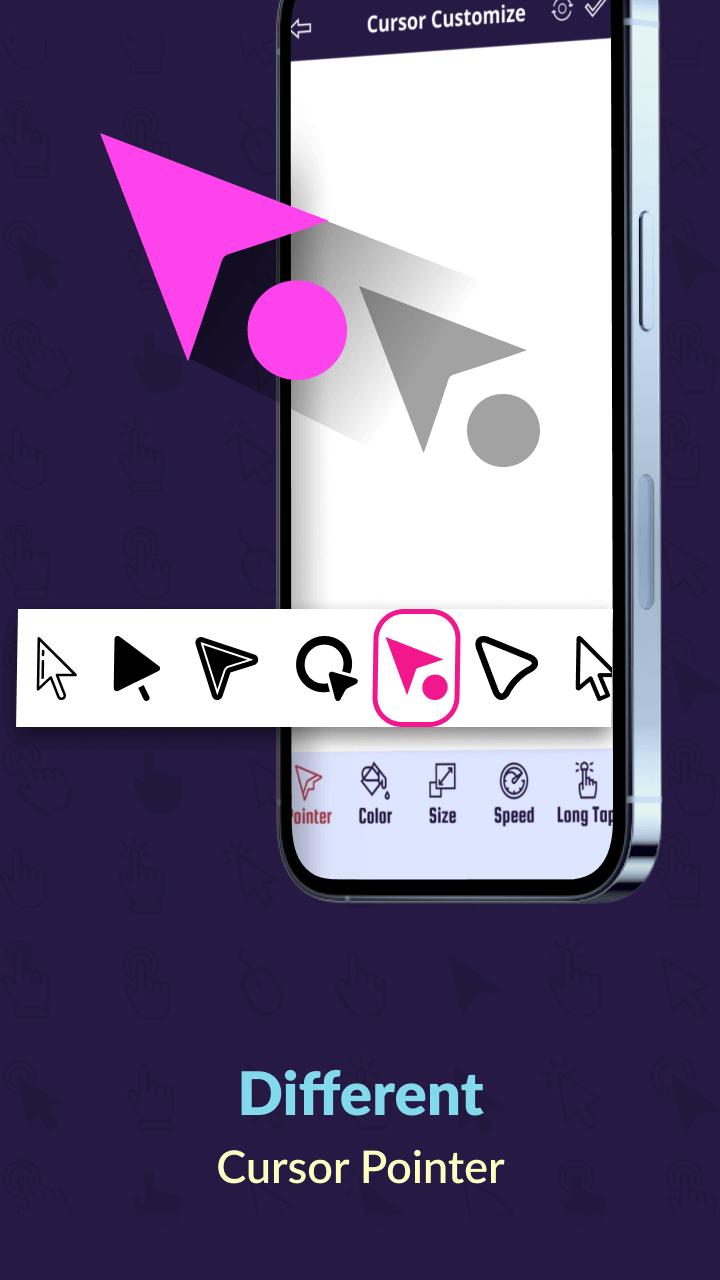
2. Cursor Customization:
- You can choose a mouse pointer from a collection provided by the app.
- Select the color, and adjust the size, speed, and long-tap duration of the mouse pointer.
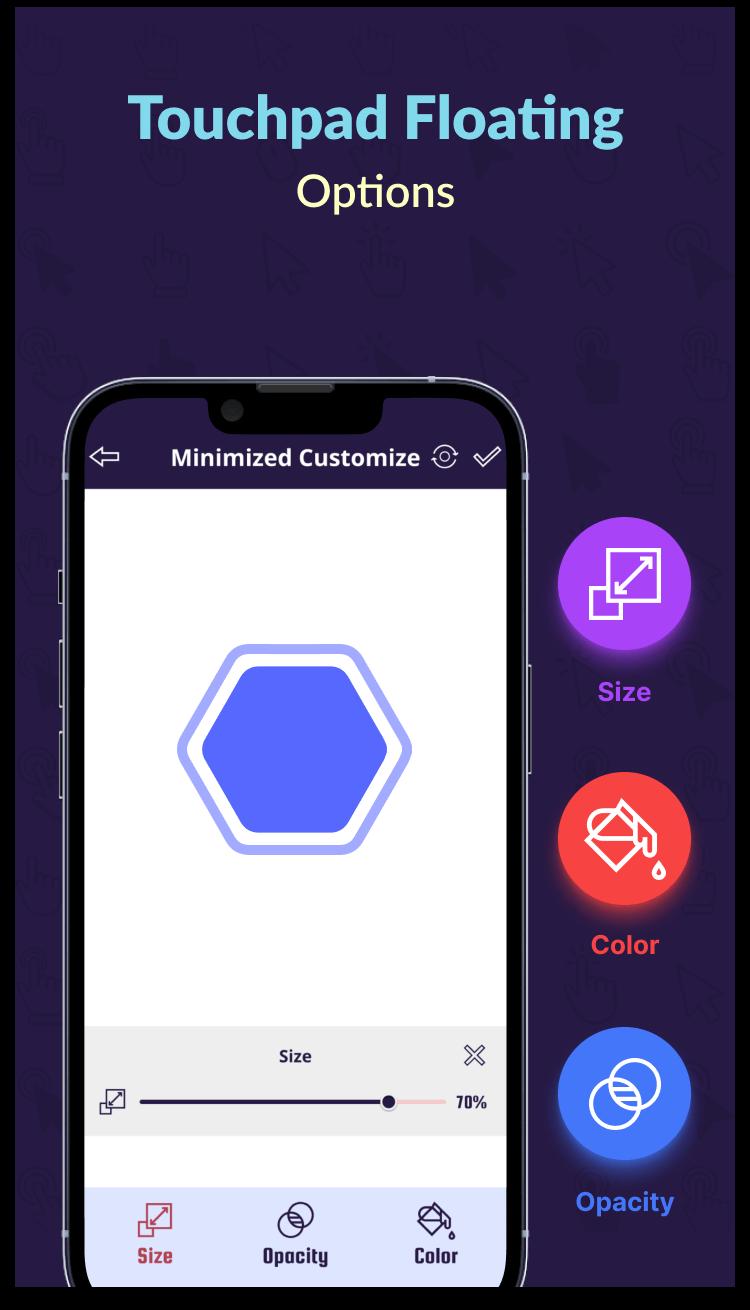
3. Minimize Customization:
- Adjust the size and opacity of the minimized touch pad.
- Pick the color of the minimized touch pad as your preference.
We require the "ACCESSIBILITY SERVICE" permission to gain access and perform actions such as clicking, touching, swiping, and other interactions across the entire device screen. This enables easy accessibility for users with broken screens or on devices with larger or foldable screens.
The Mouse Touchpad: Mobile & Tab app is a powerful tool for everyone who uses big-screen devices or those dealing with a damaged screen area. Download the app now and use the large screen or damaged screen with one hand properly.
Latest Version
4.0Uploaded by
Asafe Tales Nery Santos
Requires Android
Android 8.0+
Category
Free Tools AppContent Rating
Everyone
Security Report
Report
Flag as inappropriateLast updated on Sep 28, 2025
Minor bug fixes and improvements. Install or update to the newest version to check it out!



APKPure - A multi-platform app store primarily focused on Android, providing extensive app-related content. Discover the app you want easier, faster, and safer, with quick and efficient downloads and installations.