
Package Name:io.github.mobile_ssh
SHA-256:25471066aa5f32ab6683aceb9bcd5e07d86e93e098fed9039c27e92ea0914f0f
Show More
Mobile SSH combines an SSH terminal and VPN clients for servers you configure. Keep several terminal sessions open, manage remote files and desktops, and connect through SSH VPN, WireGuard, OpenVPN or Shadowsocks.
VPN AND SOCKS5
• Mobile SSH uses Android VpnService to create a device-level tunnel and route selected network traffic to your configured VPN endpoint.
• Traffic selected for the tunnel is encrypted between your device and that endpoint. Routes and apps excluded by your configuration use the normal network.
• SSH VPN carries TCP and DNS; other SSH-routed UDP is blocked. WireGuard and OpenVPN follow the imported profile's routes. Shadowsocks carries TCP, UDP and DNS through its server.
• Start, stop and switch profiles from the VPN page. The Quick Settings tile controls your last used VPN.
• A local SOCKS5 proxy forwards connections through SSH for apps you configure to use it. It does not use VpnService and can run alongside a VPN.
• No VPN traffic is redirected or manipulated for advertising or monetization. Mobile SSH does not provide a hosted VPN subscription; you supply the server or profile.
TERMINAL
• VT100 / xterm-256color emulation with configurable scrollback.
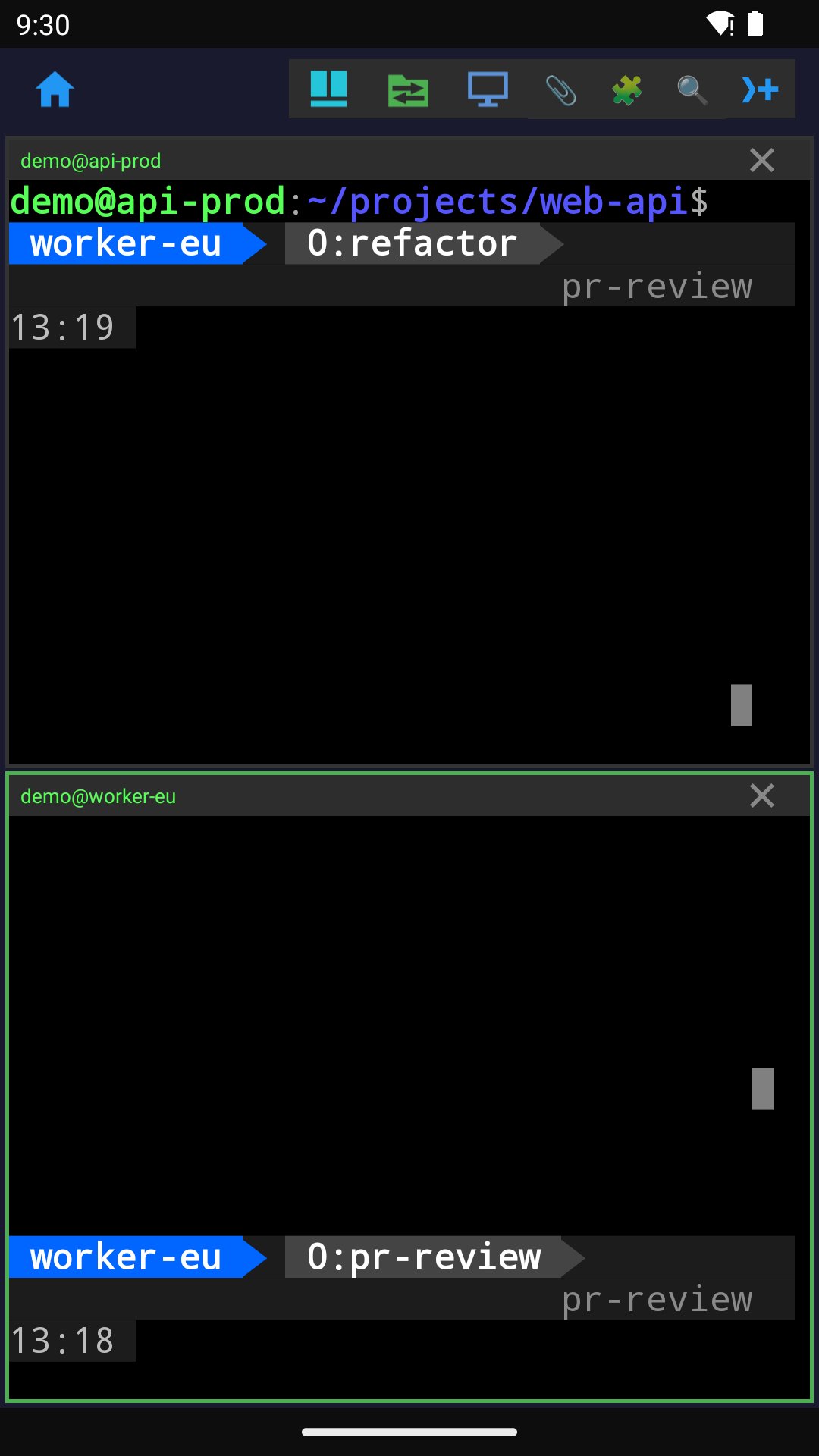
• Up to 8 sessions on screen in a grid. Double-tap a pane to fill the screen.
• Search, select and copy text, follow links, bracketed paste and mouse reporting.
• Arrange the key bar with ESC, TAB, CTRL, ALT, arrows, Home/End and PgUp/PgDn.
• Choose fonts and colour themes including Solarized, Gruvbox, Dracula and Nord.
• Kitty terminal graphics, including animations and virtual placements.
• Prompt navigation for OSC 133-compatible shells and notifications when long commands finish.
TMUX, ZELLIJ AND HERDR
• Browse servers, sessions, workspaces and tabs, most recently used first.
• Attach from the list, reusing an available SSH connection.
• Open your server's multiplexer from the toolbar; long-press for the others.
FILES AND REMOTE DESKTOP
• Dual-pane SFTP browser with phone and server views.
• Upload, download, rename, delete, create directories and edit remote files.
• View permissions, owner and group. Share files into Mobile SSH to upload them.
• Open a Linux or macOS desktop through the SSH connection.
• Use keyboard, taps, drags and clipboard, and adjust desktop resolution.
KEYS AND CONNECTIONS
• Generate Ed25519, ECDSA or RSA keys, or import keys from a file or clipboard.
• Save servers and credentials, including multiple addresses per server.
• Local port forwarding and automatic reconnection after network changes.
• Foreground connection handling helps sessions stay connected with the screen off.
• Pane indicators show pending input, silence and transfer rate.
• Experimental Teleport transport for clusters behind a Teleport proxy.
AGENTS, BACKUP AND PLUGINS
• Receive notifications when a remote coding agent needs your attention.
• An inbox gathers waiting agents across connections.
• Export and restore servers, credentials, VPN profiles and settings. Full backups support passphrase encryption, merge and replace.
• Install plugins from a public catalog to work with your sessions.
Light and dark themes, plus a secure-screen option to block screenshots and recording.
Optional Aptabase analytics requires your consent. It reports feature use, connection diagnostics, app/device details and a temporary session ID. Aptabase processes the request IP address and User-Agent to derive country/region and a temporary analytics identifier that changes daily. It receives no browsing traffic, DNS queries, server credentials or terminal text. Declining analytics leaves all features available. VPN traffic handling has a separate disclosure and consent.
Translated into Arabic, Bengali, Chinese (Simplified and Traditional), French, German, Hindi, Indonesian, Japanese, Marathi, Nigerian Pidgin, Portuguese, Russian, Spanish, Tamil, Telugu, Turkish and Urdu.
Requires Android 8.0 or later.
Latest Version
2.26Uploaded by
Trần Nam
Requires Android
Android 8.0+
Category
Free Tools AppContent Rating
Everyone
Security Report
Check Now
Report
Flag as inappropriateLast updated on Nov 18, 2026
New Chat view for Claude Code and Codex sessions, with formatted replies, code blocks and tables. Open lazygit or the Git plugin from the toolbar. Port forwards per session, an optional in-app browser and resumable file transfers. Search and remote desktop icons are now off by default; add them in Settings → Top icons. Terminal colors follow the app theme. Update plugins from the catalog. An experimental voice assistant, off by default, can run Gemma on 64-bit phones. Fixes crashes and freezes.




APKPure - A multi-platform app store primarily focused on Android, providing extensive app-related content. Discover the app you want easier, faster, and safer, with quick and efficient downloads and installations.