Package Name:com.endyq.trackkun
SHA-256:de8687f88847fa81cca769c51e02be06bebf7f2a586fc64a5316c7065c5164d7
Show More


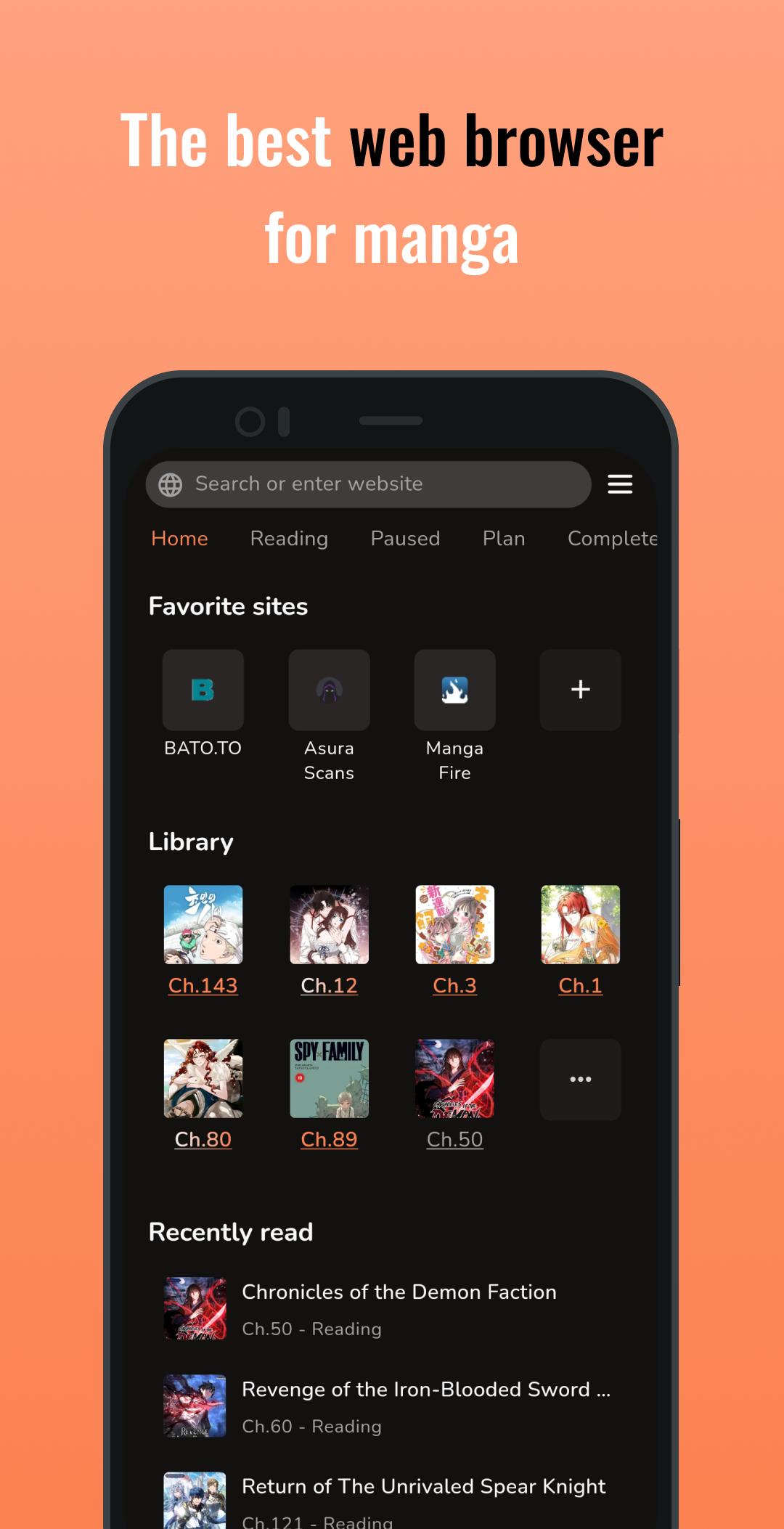
MangaPin focuses on users who read manga across different websites and want one place to manage everything. It turns compatible pages into a clean reader view and keeps your progress synced locally, so you can pick up where you left off. In addition, it helps you organize a growing library while staying notified about new chapters. For quick setup, download MangaPin and start browsing your usual sites. Because it works across many sources, you do not need separate tools for each website.
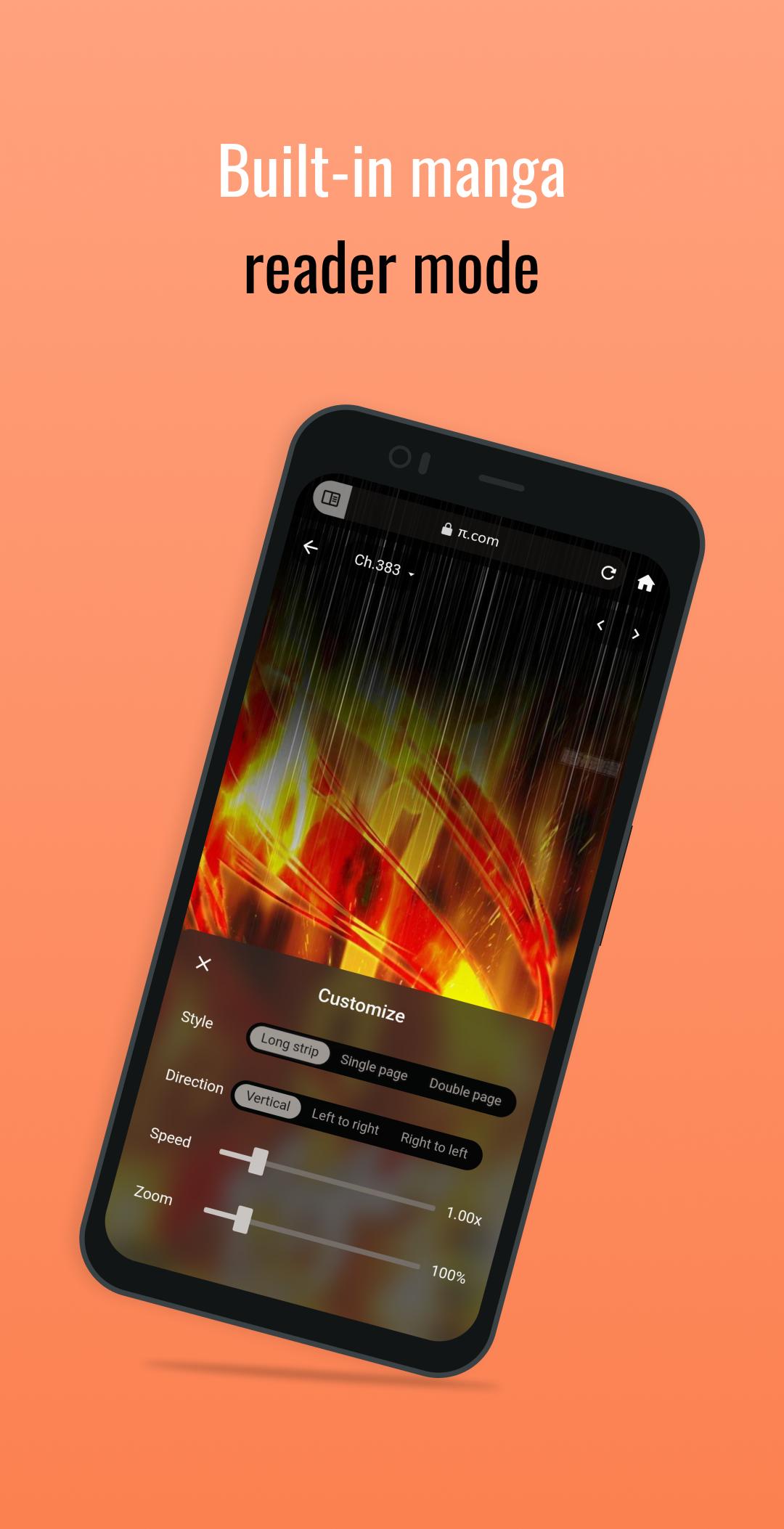
Reader mode with ad blocking
MangaPin detects compatible manga pages and switches to a clean reader view. Built-in ad blocking reduces distractions so you can focus on the chapter. You can enter and exit reader mode as you move between chapters without extra steps.
Automatic progress and update alerts
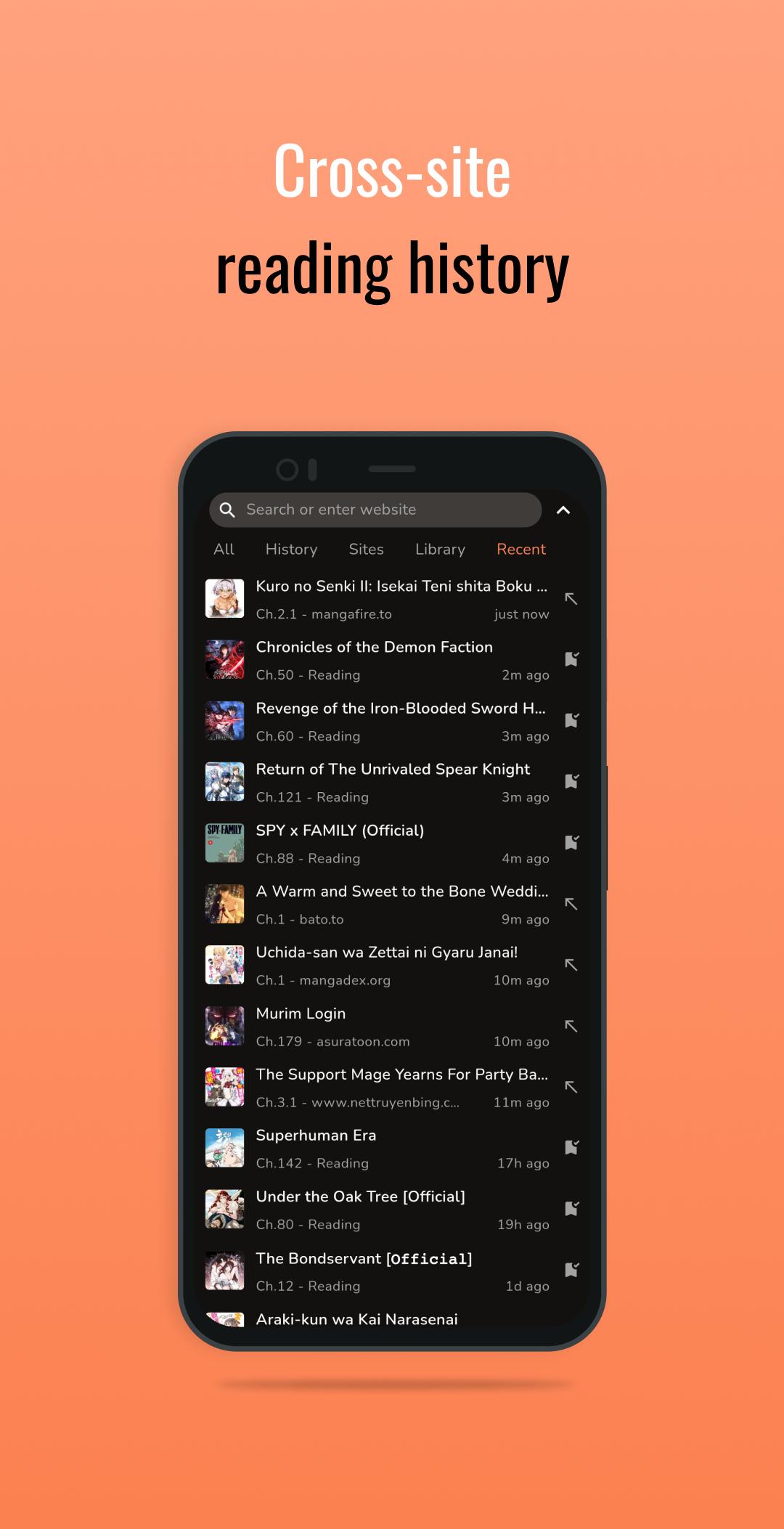
MangaPin tracks where you stopped and lets you resume the next time you open a title. It can notify you when new chapters arrive, which helps you keep current with ongoing series. You stay informed without manual checks, and you can open updates directly from the alert.
Library management and cross-site migration
You can organize and categorize your titles in a library that is easy to scan. MangaPin supports bulk actions to migrate entries across sites if you decide to switch sources. You can add series straight from the reader or from a title’s detail page, which keeps your list accurate as you browse.
Offline access with chapter downloads
MangaPin lets you download chapters so you can read without an internet connection. This is useful for commuting, travel, or any time the network is unreliable. You choose what to store and open it later in reader mode just like online chapters.
External trackers and broad compatibility
MangaPin supports one-way sync to MyAnimeList, AniList, and MangaUpdates, and it can import your library from MAL or AniList to get started. On mobile, it works across many sites without extensions thanks to automatic detection. For desktop continuity, a Chrome extension is available so your reading flow remains consistent when you switch devices.
MangaPin works out of the box with local tracking and notifications. Updates can appear through local checks, remote notifications, or a manual refresh if you prefer to verify on your own. Premium options include Auto Cloud Backups and Multi-Device Sync, which keep your library and progress available across phones without manual export. If you are moving from another app, importing from MAL or AniList helps seed your library quickly before you start reading.
MangaPin uses simple color cues to show reading status in the library. These colors help you scan your queue and know what to open next without tapping into each title.
Getting started is quick, and most actions happen as you browse. To keep setup simple, install the MangaPin APK and open your usual manga sites. The app will guide you into reader mode when a page is compatible.
MangaPin brings reader mode, tracking, and library tools into a single browser built for manga. It reduces extra steps while supporting many sites and external trackers. To follow ongoing series with less effort, try the MangaPin latest version.
For official information and support, use the link below.
Latest Version
6.3.0Uploaded by
Zwe
Requires Android
Android 7.0+
Category
Free Comics AppContent Rating
Adults only 18+ · Diverse Content: Discretion Advised
Security Report
Check Now
Report
Flag as inappropriateLast updated on May 6, 2026
- Reader tap area none
- Bug fixes and improvements



APKPure - A multi-platform app store primarily focused on Android, providing extensive app-related content. Discover the app you want easier, faster, and safer, with quick and efficient downloads and installations.