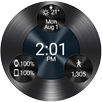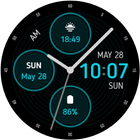
[Only available on Wear OS devices]
Samsung version for watches with Galaxy Store: https://galaxy.store/jhwa5pro
---
How to change colors
- Long press on the watch face
- Click the settings icon located under the watch face
- Go to "Colors"
- Scroll down to switch colors
How to change complications/font>
- Long press on the watch face
- Click the settings icon located under the watch face
- Go to "Complications"
- Select one of the three complications
Complication Apps
Some complications used in my screenshots are from other developers. See below for the links.
Complications Suite – Made by amoledwatchfaces
https://play.google.com/store/apps/details?id=com.weartools.weekdayutccomp
Phone Battery Complication – Made by amoledwatchfaces
https://play.google.com/store/apps/details?id=com.weartools.phonebattcomp
Heart Rate complication – Made by amoledwatchfaces
https://play.google.com/store/apps/details?id=com.weartools.heartratecomp
---
My other watch faces are available here: https://play.google.com/store/apps/dev?id=5003816928530763896
Follow me on Instagram to keep up to date https://instagram.com/jhwatchfaces
Latest Version
Varies with deviceRequires Android
Category
Personalization AppContent Rating
Everyone
Report
Flag as inappropriateLast updated on Aug 31, 2024
Minor bug fixes and improvements. Install or update to the newest version to check it out!




APKPure - A multi-platform app store primarily focused on Android, providing extensive app-related content. Discover the app you want easier, faster, and safer, with quick and efficient downloads and installations.