

inat Box tv Apk indir advice focuses on users who want simple guidance to follow favorite stars, movies, TV shows, and the latest news without paying for content. It introduces InatTV Box as a companion that combines many TV apps into one place, and it explains the overall flow for browsing and live streaming. Besides that, it outlines the difference between free viewing and the pro option. It also helps you start on phones or TV boxes with clear steps. You can find inat Box tv Apk indir advice APK details inside this guide.
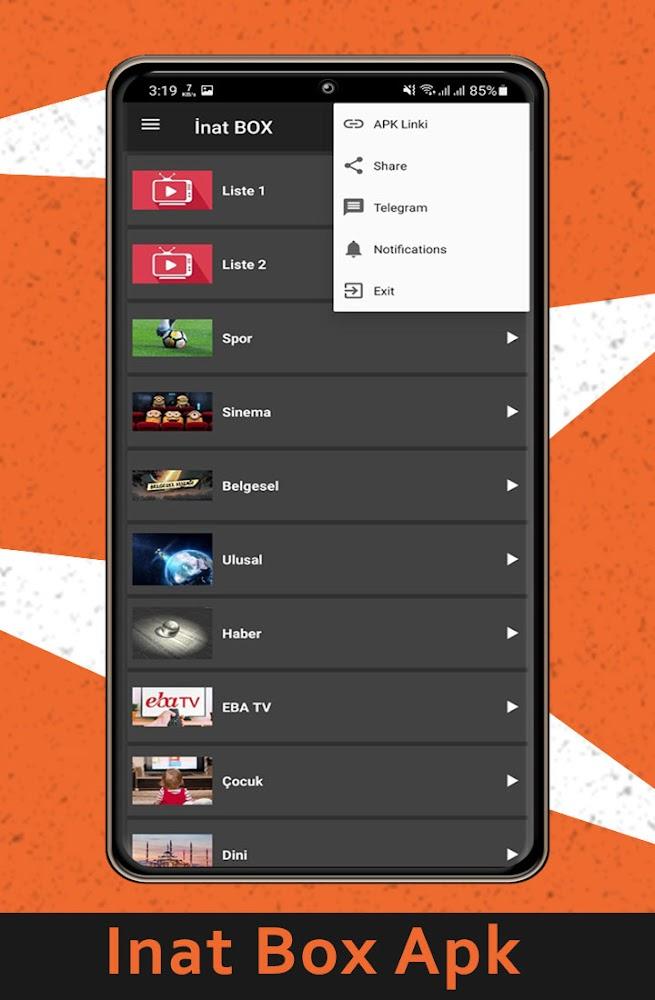
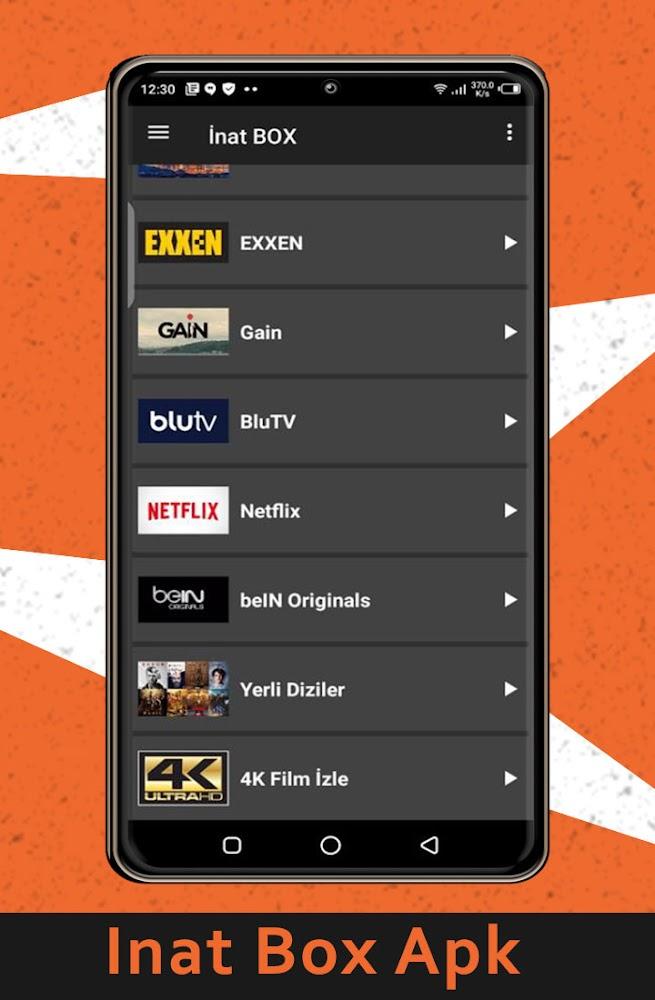
inat Box tv Apk indir advice explains how InatTV Box brings movies, shows, and news together from various apps into a single screen. You learn how categories are arranged and how the browsing flow works in a simple way. This helps you find programs faster and follow stars without constant switching between different apps.
Free content guidanceYou get practical tips to locate free content streams and keep up with shows and headlines you like. The guide points to common sections viewers use and offers small routines to stay updated day to day. As a result, you can track new episodes and news items with less time spent searching.
Pro and ad free differencesinat Box tv Apk indir advice clarifies what the pro option changes inside InatTV Box. It explains ad free viewing and the unlocking of more content, so you can decide if upgrading is right for you. For users comparing choices, the guide lays out the differences in plain terms without pushing you to purchase.
Fast performance essentialsYou learn why speed matters for live streaming and what basic checks help keep playback smooth. The guide covers simple steps such as confirming a stable connection, closing other apps, and clearing cache when streams slow down. With these small actions, you reduce stutter and improve overall viewing stability.
Device setup pathsinat Box tv Apk indir advice covers Android phones and Android TV boxes with clear APK sideloading steps. It also outlines Windows setup through an Android emulator for users who prefer a PC and notes iOS limitations with straightforward alternatives. If you plan to download inat Box tv Apk indir advice and follow the process, you will have a consistent path from installation to first launch.
This app is an advice and setup guide, not a streaming provider and it does not host content. InatTV Box aggregates sources from other apps, so availability can vary by region and provider. Use streaming features in line with local laws and content rights. When searching for inat Box tv Apk indir advice latest version, remember that content catalogs can change and that access may differ over time.
The guidance in this app refers to InatTV Box by Negus Technologies. Across different sources, names and version numbers can vary and some listings may show alternate developer labels. This guide helps you understand features regardless of naming differences, and it keeps instructions focused on the same core experience. If you see variations while exploring InatTV Box APK or Inat tv Pro apk references, rely on the setup steps and feature explanations provided here.
Start by reading the quick overview on browsing, live streaming, and the pro option. Then choose your device path and follow the step by step guides inside the app. You can use inat Box tv Apk indir advice APK to learn sideloading basics and begin safely.
This app gives clear, practical steps to set up and use InatTV Box for everyday viewing. If you want a simple path from installation to streaming, download inat Box tv Apk indir advice and follow the instructions at your own pace.
Latest Version
4.1.0Uploaded by
Franck Paul
Requires Android
Android 5.0+
Category
Free Personalization AppContent Rating
Everyone
Report
Flag as inappropriateLast updated on Dec 23, 2022
Minor bug fixes and improvements. Install or update to the newest version to check it out!


APKPure - A multi-platform app store primarily focused on Android, providing extensive app-related content. Discover the app you want easier, faster, and safer, with quick and efficient downloads and installations.