Capture your product photograph from Alpha Software using Your Mobile
Steps:
If you are using Alpha JSoft Software
Step1 : Open Jsoft in your computer
Step2 : Open Tag Generate
Step3 : Android Image Capture Desktop application automatically start in your computer
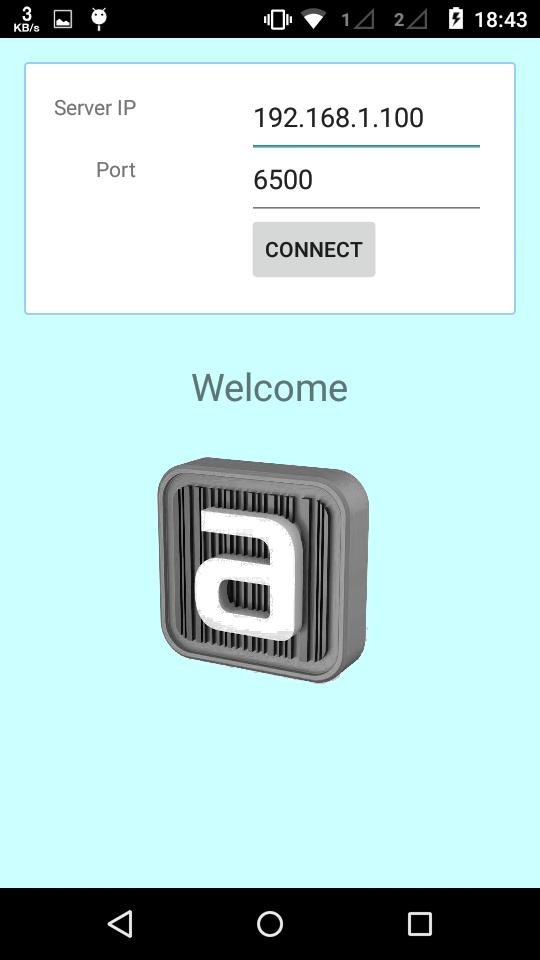
Step4 : Open Image Capture Android app in your mobile
Step5 : Enter your computer IP Addres and port default is (6500) (Make sure your computer and mobile must be in same wifi network)
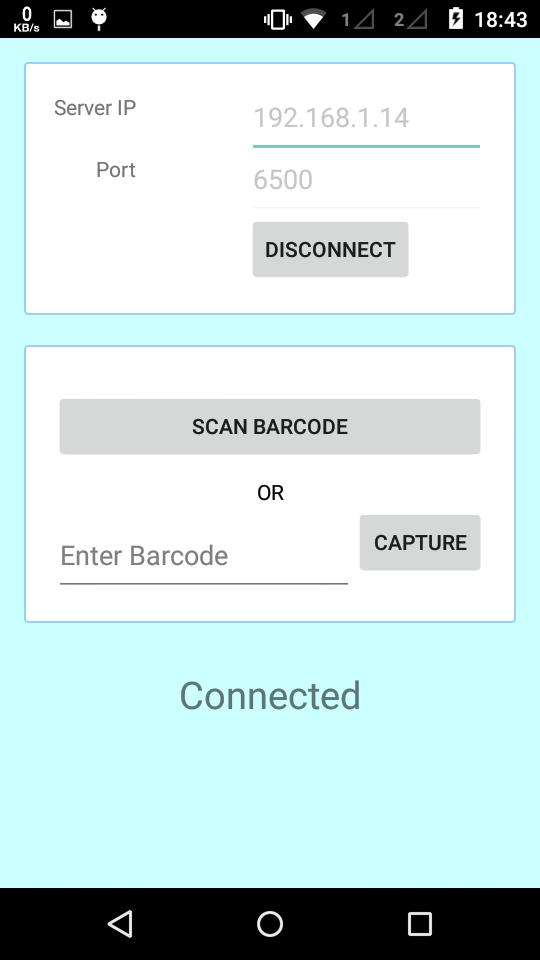
Step6 : Now your mobile and software in connected
Step7 : Select any tag number for example "RG001" and click on Photo Capture in JSoft
Step8 : Now tag number "RG001" show in your mobile
Step9 : Click on tag number and capture photograph
Step10 : Done.. Check in Jsoft.
नवीनतम संस्करण
1.3द्वारा डाली गई
Bemwa A. Milad
Android ज़रूरी है
Android 2.2+
श्रेणी
फ्री कार्यक्षमता ऐपकॉन्टेंट रेटिंग
Everyone
Last updated on Jan 5, 2018
Minor bug fixes and improvements. Install or update to the newest version to check it out!

APKPure - एक मल्टी-प्लेटफॉर्म ऐप स्टोर जो मुख्य रूप से Android पर केंद्रित है, जो व्यापक ऐप-संबंधित सामग्री प्रदान करता है। त्वरित और कुशल डाउनलोड और इंस्टॉलेशन के साथ आसानी से, तेजी से और सुरक्षित तरीके से अपना मनचाहा ऐप खोजें।