Capture your product photograph from Alpha Software using Your Mobile
Steps:
If you are using Alpha JSoft Software
Step1 : Open Jsoft in your computer
Step2 : Open Tag Generate
Step3 : Android Image Capture Desktop application automatically start in your computer
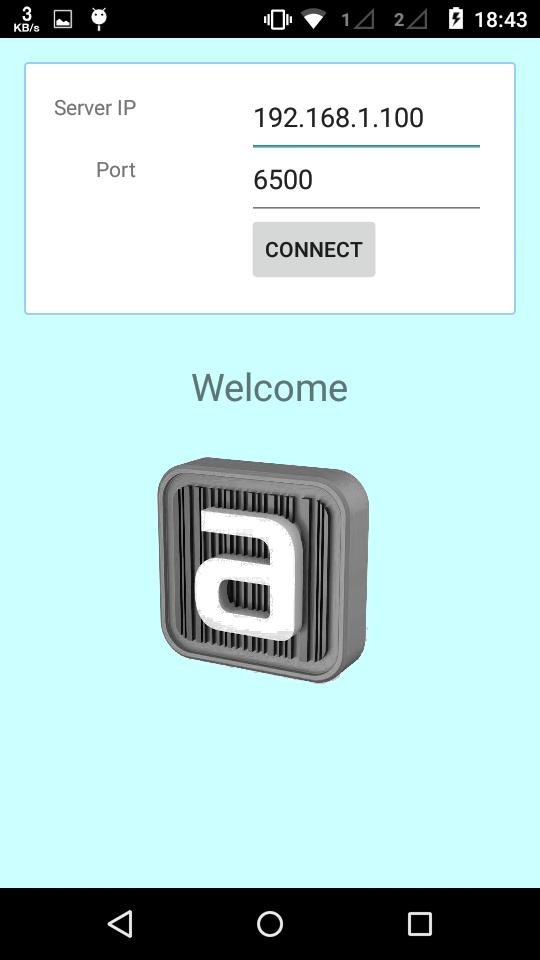
Step4 : Open Image Capture Android app in your mobile
Step5 : Enter your computer IP Addres and port default is (6500) (Make sure your computer and mobile must be in same wifi network)
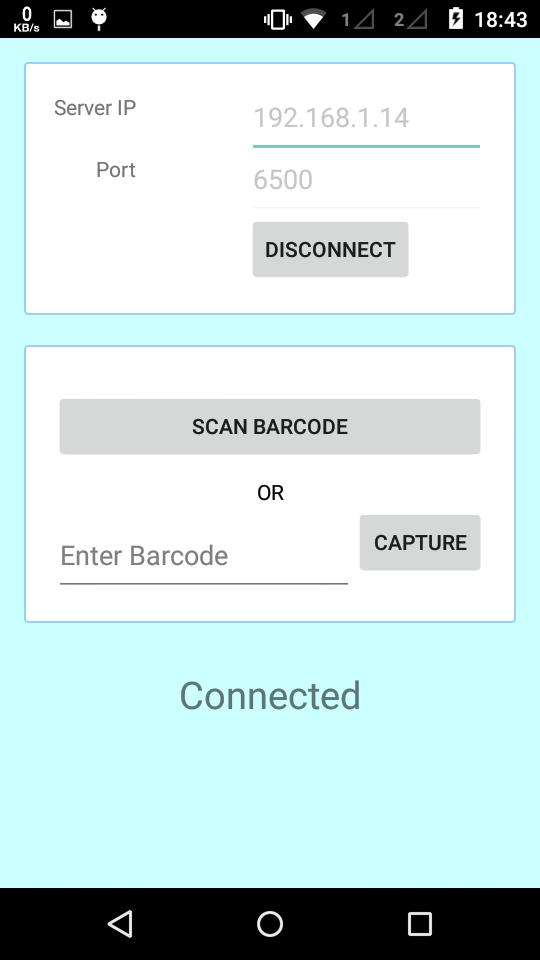
Step6 : Now your mobile and software in connected
Step7 : Select any tag number for example "RG001" and click on Photo Capture in JSoft
Step8 : Now tag number "RG001" show in your mobile
Step9 : Click on tag number and capture photograph
Step10 : Done.. Check in Jsoft.
Última versão
1.3Enviado por
Bemwa A. Milad
Requer Android
Android 2.2+
Categoria
Grátis Produtividade APPClassificação do Conteúdo
Everyone
Relatório
Marcar como inapropriadoLast updated on Jan 5, 2018
Minor bug fixes and improvements. Install or update to the newest version to check it out!

APKPure - Uma loja de aplicativos multiplataforma focada principalmente em Android, fornecendo extenso conteúdo relacionado a apps. Descubra o aplicativo que você deseja de forma mais fácil, rápida e segura, com downloads e instalações rápidos e eficientes.