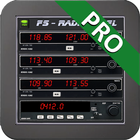
FsRadioPanel allows you to connect your Android device with MS flight simulator (FS9/FSX/FSX-SE/P3D/MFS2020).
·
Include the following devices:
·
- RADIOS: Com1/Com2, Nav1/Nav2, Adf, Transponder, Timer.
- HSI: Horizontal situation indicator
- PFD: Primary Flight Display.
- FGP: Flight Guidance Panel.
- MAP: Moving Map with flight plan.
- GFP: Gps Flight Planner.
- ELC: Electric Panel.
·
This products comes with an AIRAC cycle 1513 v2 Navigraph database which has all the information you need to create a flight plan. But if you want to keep your database up to date you will need a subscription from Navigraph. (http://www.navigraph.com/FmsDataManualInstall.aspx)
·
ATTENTION: You need to download the server program four your pc to connect to the simulator.
http://www.tambucho.es/android/fic/FsPanelServer.zip
·
DETAILED MANUAL: http://www.tambucho.es/android/fic/FsRadioPanel.pdf
·
Compatible with:
- FsVFRMap https://play.google.com/store/apps/details?id=com.tambucho.fsVfrMap
- FsPfdPanel https://play.google.com/store/apps/details?id=com.tambucho.FsPfdPanel
- FsC172Panel https://play.google.com/store/apps/details?d=com.tambucho.fsc172panel
- FsC177Panel https://play.google.com/store/apps/details?d=com.tambucho.fsc177panel
·
There is also a demo version that you can test to verify proper operation before purchase.
Latest Version
Varies with deviceRequires Android
Category
Simulation GameContent Rating
Everyone
Report
Flag as inappropriateLast updated on Feb 5, 2026
Minor bug fixes and improvements. Install or update to the newest version to check it out!




APKPure - A multi-platform app store primarily focused on Android, providing extensive app-related content. Discover the app you want easier, faster, and safer, with quick and efficient downloads and installations.