Package Name:coolapp.file.share
SHA-256:27c4aa9782b97fc79af1ddac7431e8a3110758bee51a47100bfad96e70849db4
Show More

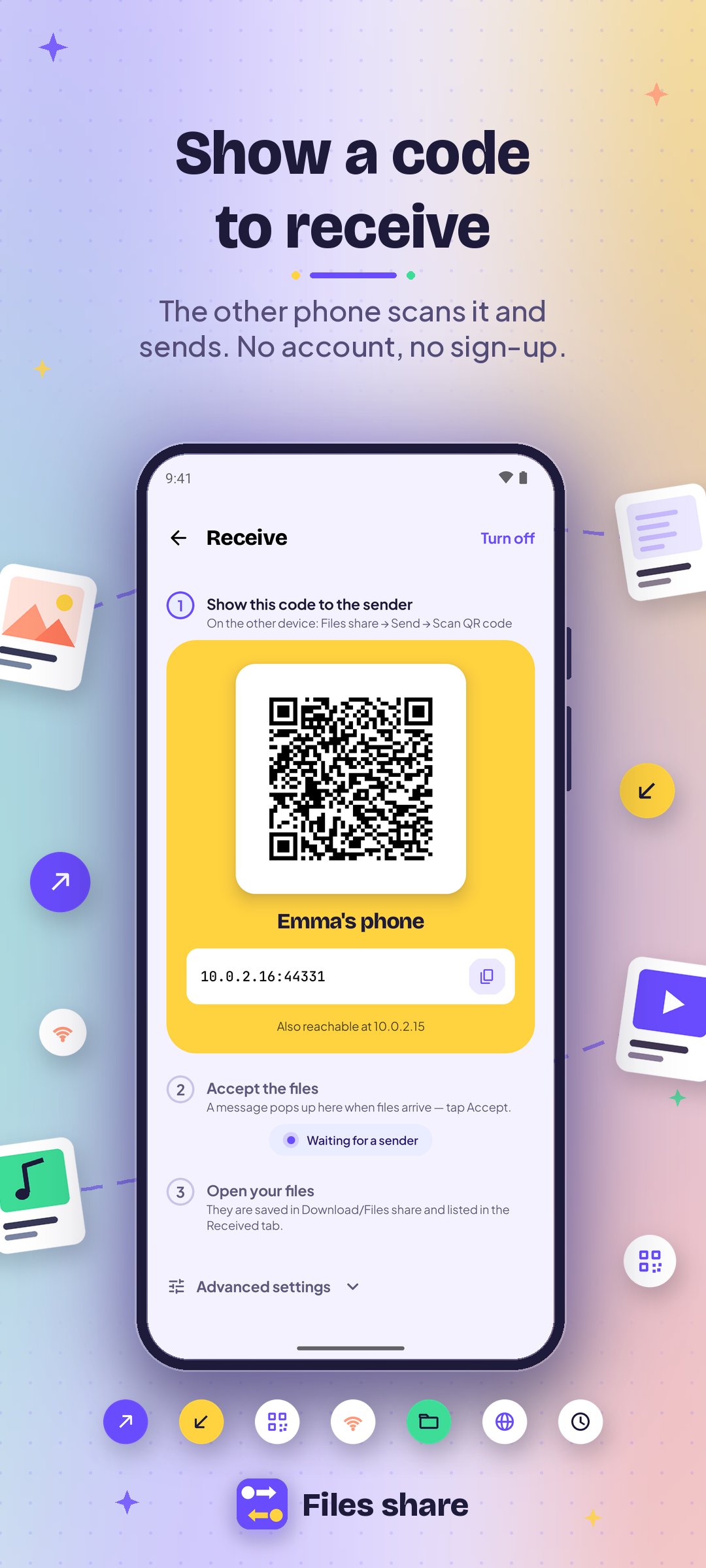
Files share moves photos, videos, documents, whole folders and notes between Android phones — directly, over your own network. No cables, no cloud, no account.
SEND AND RECEIVE
• Open Receive on one phone and Send on the other, then pick the device from the list or scan its QR code
• Send files, a whole folder or a quick note in one go
• Live progress for every file, with speed and time left
• You decide: accept or decline each transfer before anything is saved
• Received files are saved to Download/Files share, or to a folder you choose
• Send straight from the Share menu of any app
NO SHARED WI-FI? NO PROBLEM
• Hotspot: one phone creates a private network and the other joins by scanning a code
• Wi-Fi Direct: link two phones directly, with no router at all
• No internet needed — files stay on your local network
SHARE A FOLDER WITH A COMPUTER
• Turn on Share a folder and open the address in any web browser on a PC, Mac or laptop
• Download files, or upload from the computer to the phone
• FTP for file managers and desktop tools
• Password protection and a read-only option
SIMPLE, STEP BY STEP
• Every screen shows numbered steps that name the exact button to tap
• History of everything you sent and received
• Light and dark themes with several accent colors
• 10 languages: English, Chinese, Hindi, Spanish, Arabic, French, Bengali, Portuguese, Russian and Urdu, with right-to-left layouts for Arabic and Urdu
PRIVATE BY DESIGN
• No account, no sign-up
• Files go straight from one device to the other — never through our servers (we have none)
• Permissions are asked only when a feature needs them: the camera to scan a code, nearby Wi-Fi devices for Wi-Fi Direct and the hotspot, and notifications to show transfer progress
Good to know: both devices must be on the same Wi-Fi network or hotspot, or linked with Wi-Fi Direct. Transfers on a shared network are not encrypted, so use networks you trust.
Latest Version
1.0.2Uploaded by
Sadam Sweeties
Requires Android
Category
Free Tools AppContent Rating
Everyone
Security Report
Check Now
Report
Flag as inappropriateLast updated on Oct 23, 2026
First release: send and receive files, folders and notes between phones over Wi-Fi, a hotspot or Wi-Fi Direct, pair by QR code, and share a folder with any web browser or FTP client. Available in 10 languages.





APKPure - A multi-platform app store primarily focused on Android, providing extensive app-related content. Discover the app you want easier, faster, and safer, with quick and efficient downloads and installations.