Geometry Dash 2.209 Update: New features and improvements now available

2026-10-30
Geometry Dash 2.209 is now available with platformer saves, custom shortcuts, death tracking, and a revamped editor.
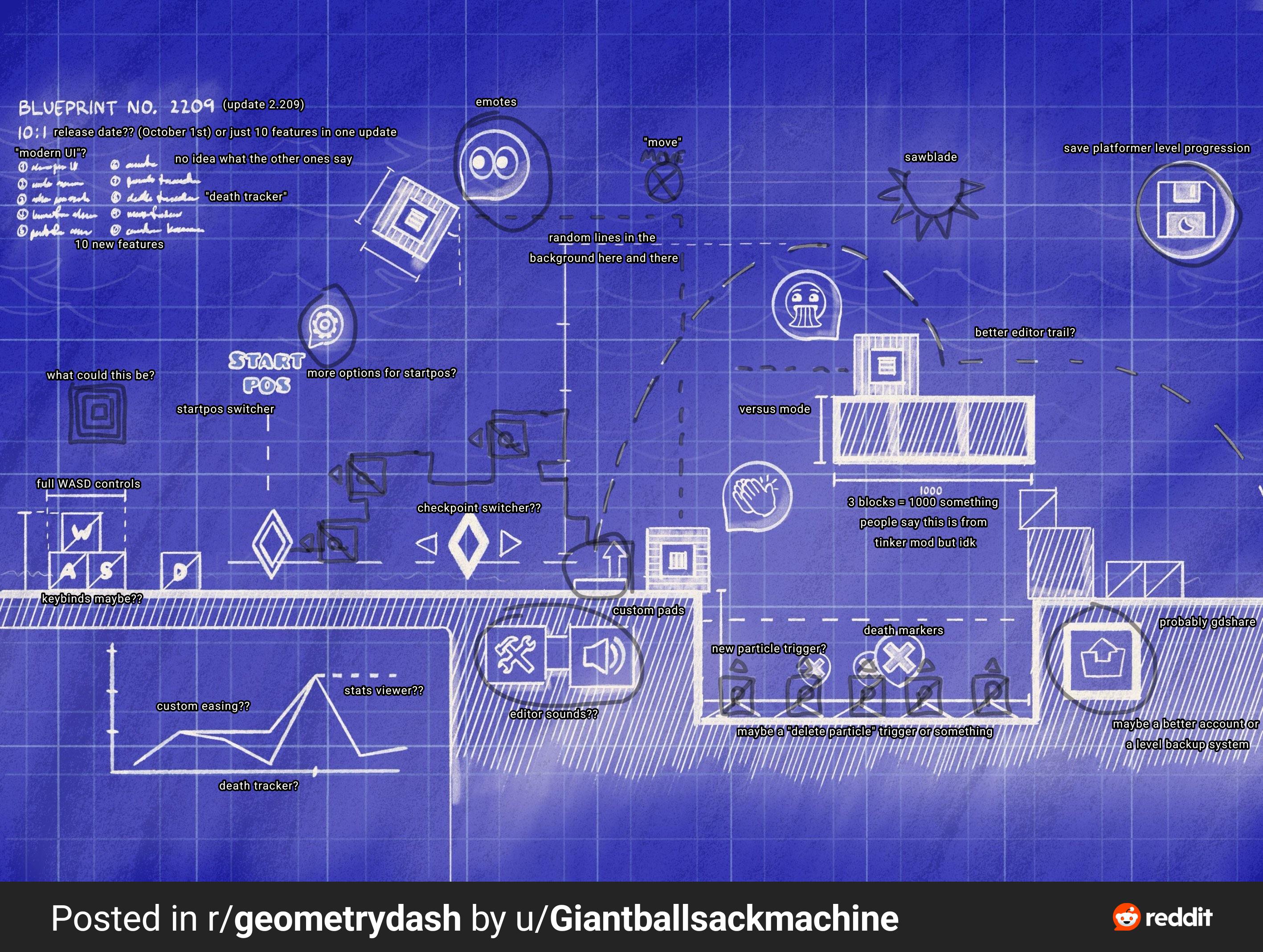
The Geometry Dash 2.209 update is now available on Steam, iOS, and Android, arriving after nearly nine months of waiting. It's not a maintenance patch: RobTop Games lists it as the 30th update in the game's history, including major minor releases, and the list of new features makes that clear. There's platformer saving, custom shortcuts, death tracking, a revamped editor, and group chat, among many other improvements and bug fixes.
Geometry Dash is a rhythm-based action platformer that tests precise timing across obstacle-filled levels.
I played several sessions on both mobile and desktop to see what the real difference is in day-to-day use. The overall impression is that this version is designed for both those who just want to complete levels and those who spend hours in the editor. If you've been asking for more user-friendly tools for creating and saving progress, this is the answer.
Geometry Dash 2.209 arrives with platformer saves
The most celebrated new feature has a name: platformer saves. Until now, platforming levels behaved differently from the rest of the game, and losing progress on a difficult section was an experience many players were all too familiar with. With the improvements in this version, platformer mode saves your progress as you would expect.
For those who play long levels, this changes the way they approach a game. You no longer have to complete the entire section in one go to avoid losing your progress; you can advance block by block and trust that the game will remember where you were. And for those who create platforming levels, the effect is even greater, because now they can design extensive sections without fear of people abandoning them out of frustration.
It's important to be clear about what this means in practice: saving reduces the pressure, but it doesn't make difficult levels easy. There are still jumps that require precision, and there are still sections that will force you to repeat them. The difference is that now repeating doesn't erase what you've already achieved.
Custom shortcuts and more flexible platformer controls
Custom shortcuts were one of those improvements the community had been requesting for years, and they're finally here. Previously, each platform imposed a fixed set of keys or buttons, and switching devices meant readjusting your muscle memory. Now you can assign controls your way.
The important detail is that the platformer's custom controls complement the existing system, they don't replace it. If you prefer one key for jumping and another for specific actions within the mode, you can configure it that way. For those who switch between playing on PC and mobile, the sense of continuity is greatly improved, because you no longer have to struggle with a control scheme that isn't your own.
On mobile, the game maintains its original philosophy: one tap, one decision. The improvements in this version don't change the core rhythm; they simply give you more flexibility to adjust the controls to your liking. If you're coming from previous versions, you don't need to relearn how to play; you just have to decide whether you want to tweak the settings or leave them as they are.
Tracking deaths and death markers in Geometry Dash 2.209
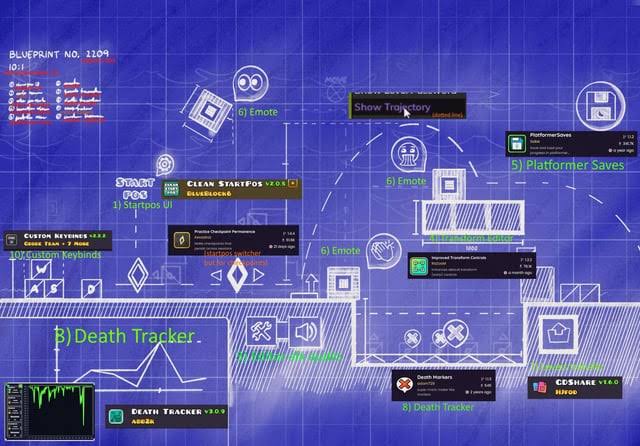
Another improvement you'll notice as soon as you start practicing is the death tracking along with the death markers. The game records where you make mistakes and displays them on screen, something you could only achieve with external tools or by relying on memory until now. For someone training on a difficult level, seeing the pattern of your errors is the difference between guessing and knowing.
The death markers act like signs along the way: every point where you die is recorded, allowing you to pinpoint the exact section that's giving you trouble. Instead of blindly repeating the entire level, you can focus on the obstacle that's holding you back. It's a practice tool, and it feels like one from the first half hour.
Tracking also helps developers. If you design a level and see that almost all players die in the same spot, you know that area needs adjusting. Before, you relied on comments and videos to guess; now you have concrete data within the game itself.
The editor receives improvements and new tools.
The editor is the part of the game that benefits most from the Geometry Dash 2.209 update. RobTop added sounds and editor packs, level import and export, and autosave with backup. Each of these improvements addresses a real problem for those who create levels daily.
Importing and exporting levels changes the way you collaborate. Before, sharing a work-in-progress project was cumbersome; now you can move a level between devices or pass it on to someone else without relying on workarounds. For those working across multiple teams, this eliminates friction that often built up over long projects.
Automatic saving and backups deserve special mention. Anyone who has ever lost hours of work due to an unexpected shutdown knows how important it is to be able to recover the last thing you did. With these new features, the editor is no longer a place where a technical glitch can wipe out an entire afternoon's work.
Improvements were also made to the sound effects browser, along with pinch-to-zoom controls for the editor on touchscreens. These are tweaks that aren't shown in the trailers, but they're much appreciated when you spend hours placing objects in a long level.
Group chats and a cleaner interface
The Geometry Dash 2.209 update also brings in-game conversation to the game with group chats. Previously, coordinating a challenge or discussing a level required switching to another application. Now you can create chat rooms with multiple players without relying on external services.
There are also direct messages and group IDs, making it easier to recognize who's in front of you. For small communities that share levels or organize challenges, this eliminates a layer of intermediaries. If you usually play alone, the feature might seem secondary at first, but that quickly changes once you join a couple of groups.
In addition, there's a cleaner interface. The editor's menus and settings are better organized, the buttons aren't cluttered, and important information is more readily available. On small screens, where a cluttered menu can lead to accidental taps, the improvement is immediately noticeable.
| What's New in Geometry Dash 2.209 | I'm so excited |
|---|---|
| Platformer saver | You don't lose progress on platform levels |
| Custom shortcuts | Controls tailored to your play style |
| Monitoring and death markers | Practice knowing where you fail |
| Editor with sounds and packages | More resources for creating levels |
| Import and export levels | Move and share projects with ease |
| Automatic saving and backups | Recovering work after an unexpected closure |
| Group chats and direct messages | Coordinate with other players within the game |
| Daily level repetition | To attempt past challenges again |
What does this update mean for players?
If you're a player of official levels, the improvements you'll notice most are the platformer saves and the death markers. Neither makes the game easier, but both change how you practice. You'll repeat sections you've already mastered less often and focus on the ones you're struggling with, which is exactly what a precision game needs.
If you're a creator, this is one of the most useful updates in a long time. Between the more feature-rich editor, autosave, and the ability to import and export levels, your workflow becomes much more reliable. Working on a large project is no longer a worry in case a mistake wipes out your work.
There's one group that will find it a bit more difficult: those who are already used to the previous menu layout. Every time the interface is reorganized, there are a couple of adjustment sessions, and this is no different. The good news is that the change is quickly forgotten because the new organization is clearer.
As for the replay of daily, weekly, and event levels, this is a community-focused improvement: it allows players to retry challenges they've already completed without having to wait for them to respawn. And the improved friend tracking system makes it easier to keep up with the people you play with.
Differences between Geometry Dash 2.209 on mobile
On mobile, the update feels somewhat different than on desktop. The cleaner interface performs better on smaller screens, where every button counts. Group chats and direct messages also make more sense on a device you always have with you.
Regarding performance, the editor's new features and platformer's saving system run smoothly on mid-range phones. It's a good idea to check your free space before installing, as the editor's improvements and new sounds add files. If you're short on storage, free up some space before updating to avoid interruptions during the installation.
The touch controls remain essentially the same: one tap to jump, the same rhythmic feel as always. What's changed is the ease of use within the menus and editor, not the mechanics of overcoming obstacles. So you don't have to relearn how to play, just take advantage of the new tools.
Geometry Dash is a rhythm-based action platformer that tests precise timing across obstacle-filled levels.

Geometry Dash Lite is a rhythm based platform game that uses one touch movement through obstacle filled levels.
Conclusions on the Geometry Dash 2.209 update
The Geometry Dash 2.209 update is worth installing soon, especially if you spend time in the editor or play platforming levels. Platformer saves, custom shortcuts, death markers, and a safer editor change the daily experience; these aren't just cosmetic improvements, they're real answers to long-standing community requests.
To get the latest features in Geometry Dash 2.209, download the game from an official source and make sure your device has enough space before installing. Playing from a trusted source also gives you peace of mind: the files arrive intact, your account is protected, and your progress is preserved. As a security tip, avoid files from dubious websites, as they can corrupt your game data.
My recommendation is simple: update now, go into the editor, and try importing and exporting levels—that's where the improvement is most noticeable. Then configure your shortcuts and play through a platforming level to experience the save system. If you want the installation file, downloading the Geometry Dash 2.209 APK from an official source is the most direct way to get up to date. And if the game continues to receive improvements like these, the next update has every reason to be exciting.
 NEWS
NEWS REVIEWS
 HOWTO
HOWTO