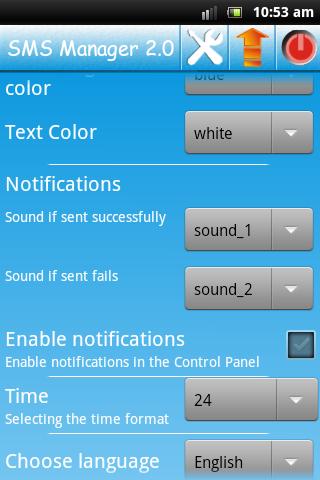
The interface is available in 25 languages.
This application is part of the SMS Manager 2.0.
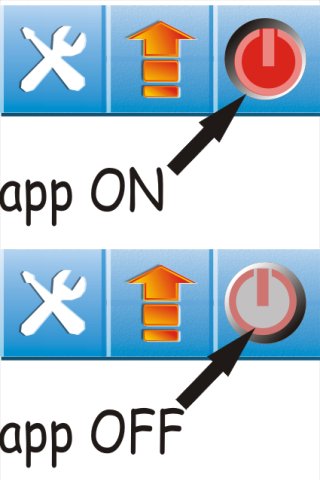
Do not forget to click on the activation button in the upper right-hand corner.
Why do you need an event planner.
Event planner is also SMS scheduler. In which you are programming greetings or messages about seminars, meetings with friends, and so on.
In the event planner conveniently displays the date (in chronological order). As well as the events are named (a friend's birthday, a weekly meeting on Friday, "do not forget about the report," and so on). The names appear in the list of events.
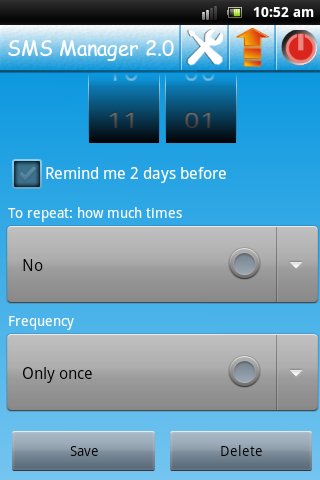
Setting dispatch messages every hour, every 3 hours, every 8 hours, and so on to once a year.
You can set the number of copies of a single shipment. For example, each year, only two years (i.e., two copies). Every hour, a total of three times (three copies).
Thus, you set the limit of messages about the event or the limit for congratulations. For example, you meet every Friday in the summer with friends. Adjust send to: every Friday, once a week, 10 copies. Message will be sent to 2.5 months, and then stop sending.
If the activation button in the upper right corner is not pressed. A check mark next to the event is active, the message will not be sent, but a two-day reminder will inform you about the event. Thus, you will have the reminder of events without sending messages.
All the options and opportunities.
- The two-day reminder of the event.
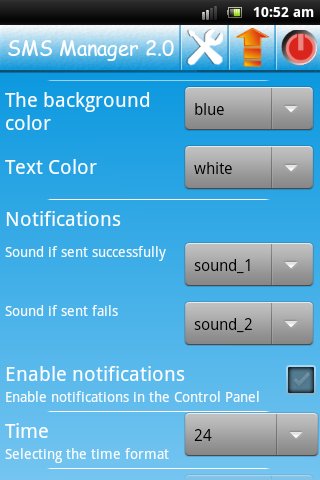
- Set the background color and font for the interface.
- The choice of contacts or groups.
- Notification of the success or failure of sending messages (audio or text).
- Select the time format: 24 or 12 am / pm.
Latest Version
2.1Uploaded by
Manu Haro
Requires Android
Android 2.3.4+
Category
Free Social AppContent Rating
Everyone
Report
Flag as inappropriateLast updated on Aug 24, 2015
Minor bug fixes and improvements. Install or update to the newest version to check it out!




APKPure - A multi-platform app store primarily focused on Android, providing extensive app-related content. Discover the app you want easier, faster, and safer, with quick and efficient downloads and installations.