Scan Date:May 14, 2026
Show More

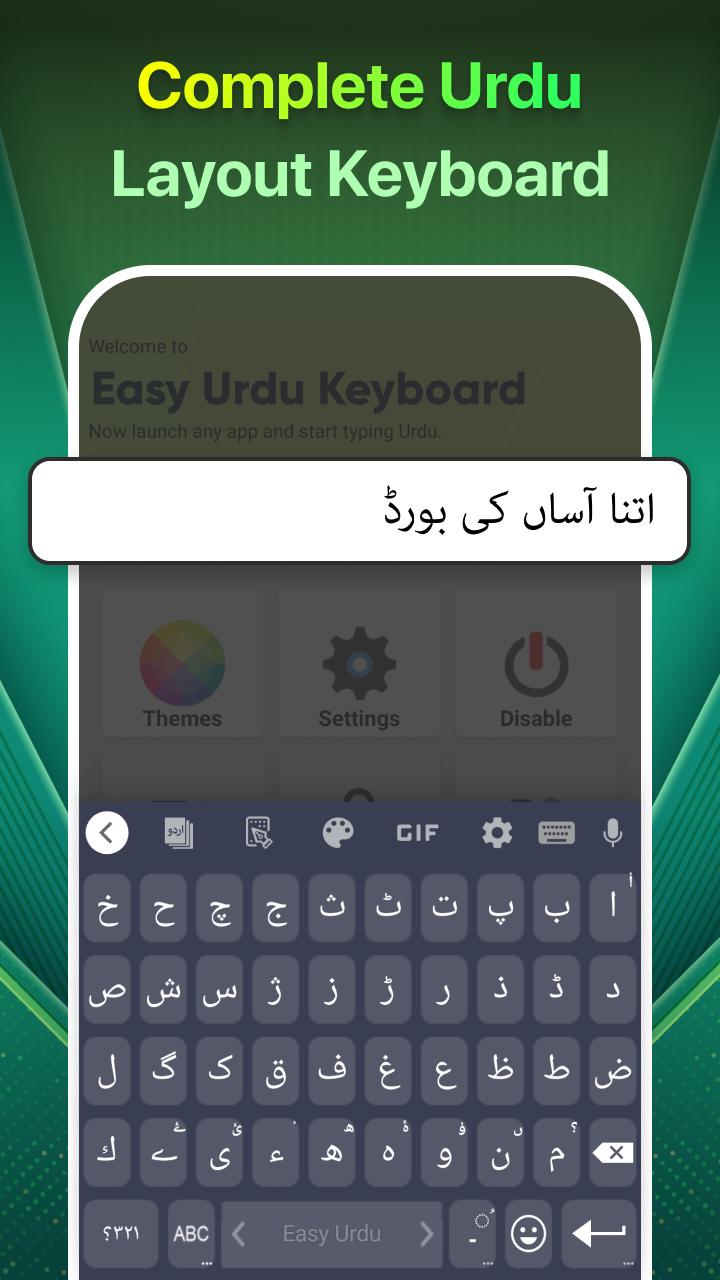
Easy Urdu helps users who want to write in Urdu anywhere, even when switching between Urdu and English in daily chats and posts. It combines a full keyboard with an editor so you can type in Roman Urdu, speak to enter text, and place Urdu words on images for quick greetings. The app is built to work across common social and messaging apps, and it aims to keep data use low. If you plan to download Easy Urdu for regular Urdu writing on your phone, this tool brings the core typing and editing functions together in one place.
Roman Urdu to Nastaliq
Easy Urdu converts Roman Urdu input into proper Urdu script automatically. This is transliteration, so the sounds you type in Roman letters turn into Nastaliq text without changing their meaning. If you prefer a native Urdu layout, you can switch to an Urdu letter keyboard to type directly.
Voice input and English translation
You can speak in Urdu and see your words appear as Urdu text with speech to text. When needed, Easy Urdu can also translate your spoken Urdu into English text. Transliteration is for changing the script, while translation is for changing the language, and the app offers both in the right places.
Two in one keyboard with smart typing
The keyboard lets you switch between Urdu and English with a single tap, which makes mixed language chats simple. Easy Urdu provides next word suggestions, auto correction on the English side, and an emoji keyboard. Most typing features work offline, and only certain tools such as online translation may need a small amount of data.
Urdu text on photos and quick sharing
You can add Urdu text to pictures to create statuses, greetings, and social posts. This helps when you want to share a line of poetry, a short message, or a festival wish on an image. For faster posting, Easy Urdu includes Fori Peghaam with ready made greetings and Islamic quotes that you can copy or share in your apps.
News updates and ad control
Easy Urdu includes an Urdu News section so you can read national, international, and sports updates inside the app. If you want an ad free experience, ads can be removed through Easy Paisa where available in Pakistan. This gives you a simple way to support the app and focus on typing.
Roman Urdu to Nastaliq is a transliteration feature. It converts the letters of words from Roman characters to Urdu script without changing the meaning. Urdu speech to English text is a translation feature and changes the language of your words from Urdu to English. Keeping this difference in mind helps you pick the right tool in the app for your task.
Easy Urdu works inside major Android apps such as WhatsApp, Facebook, Instagram, Twitter, and email clients because it functions as a system keyboard. The developer does not provide any mod versions, and ad removal is offered as a built in option through Easy Paisa for users in Pakistan. When searching for Easy Urdu latest version, check the version details shown on the download page to match your needs on Easy Urdu for Android.
Getting started is straightforward, and the core setup only takes a moment. After installing the Easy Urdu latest version, you can enable the keyboard and switch between Urdu and English as you go. Then you can type Roman Urdu, add text to photos, or use voice input based on what you need.
Easy Urdu keeps everyday Urdu writing, speech input, and photo text tools in one keyboard. It supports mixed language chats and low data use so you can write and share with fewer steps. To begin, install the Easy Urdu APK and follow the setup guide above.
Latest Version
5.3.9Uploaded by
Alin Alin
Requires Android
Android 7.0+
Category
Free Productivity AppContent Rating
Everyone
Security Report
Report
Flag as inappropriateLast updated on May 14, 2026
- Voice typing fixes
- English Suggestion Improvements
- Performance Updates
- UI Improvements




APKPure - A multi-platform app store primarily focused on Android, providing extensive app-related content. Discover the app you want easier, faster, and safer, with quick and efficient downloads and installations.