If you're wondering search how to edit your file at android,you can try this software,File Explorer Tool.
It can read the root directory and run/install the apk that you download directly.
**It's very easy to operate!
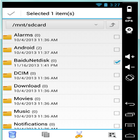
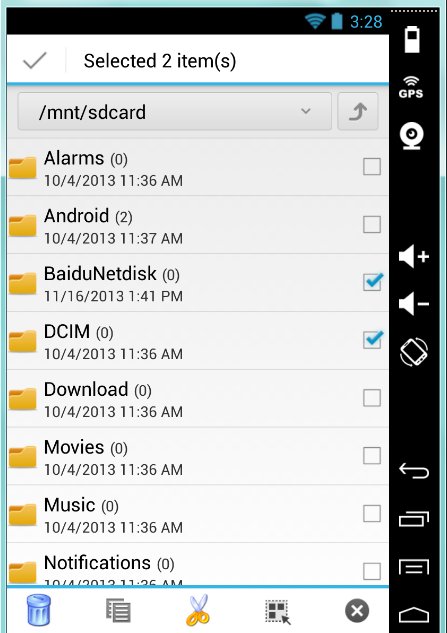
Step1: Check or unchecked the file or directory. It will show the toolbar-"delete,cut,copy,select"...ect. Do it what you want to do.
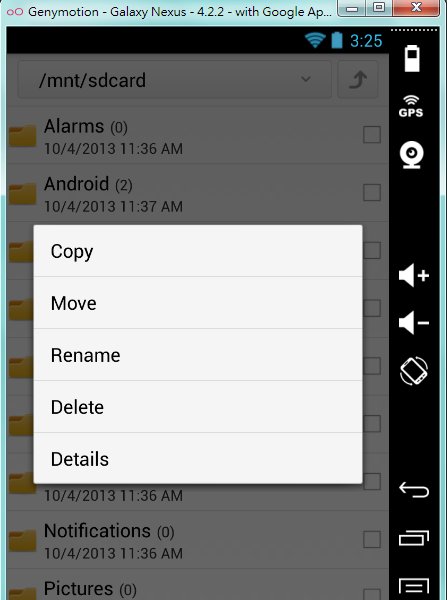
Step2: Touch the file or directory for a moment.It will show the toolbar-"rename,cut,delete,copy,detail". Do it what you want to do.
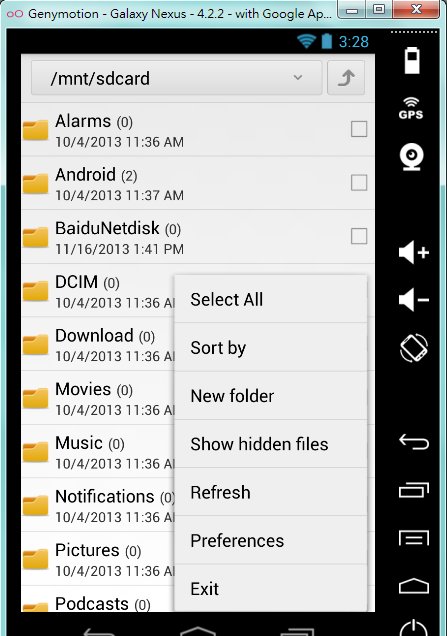
Step3: Clicking the 『Menu key』.It will show the toolbar-"Sort,Create New Fold,refresh,preferences".Do it what you want to do.
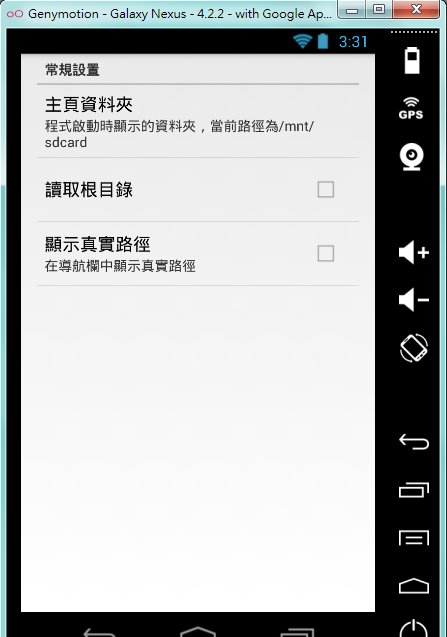
If you want to read the root directory,You can choose toolbar "the preferences".And check the "Read Root".
If you want to exit the program,firstly,you must go the to main sd directory by clicking the 『Return key』of your mobile device.
And press the 『Return key』 again.Then you'll exit the program.
Aktuelle Version
0.1Von hochgeladen
เบิร์ด ไงจะใครละ
Erforderliche Android-Version
Android 4.0+
Kategorie
Gratis Tools APPAltersfreigabe
Everyone
Last updated on Dec 14, 2015
Diese Version enthält kleinere Fehlerbehebungen und allgemeine Verbesserungen. Aktualisiere auf die neueste Version, um die bestmögliche Nutzererfahrung zu erhalten.





APKPure – Ein plattformübergreifender App-Store mit Fokus auf Android, der eine Vielzahl an Apps und relevanten Inhalten bietet. Entdecken Ihre gewünschte App, laden und installieren Sie schneller, sicherer und effizienter.