If you're wondering search how to edit your file at android,you can try this software,File Explorer Tool.
It can read the root directory and run/install the apk that you download directly.
**It's very easy to operate!
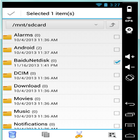
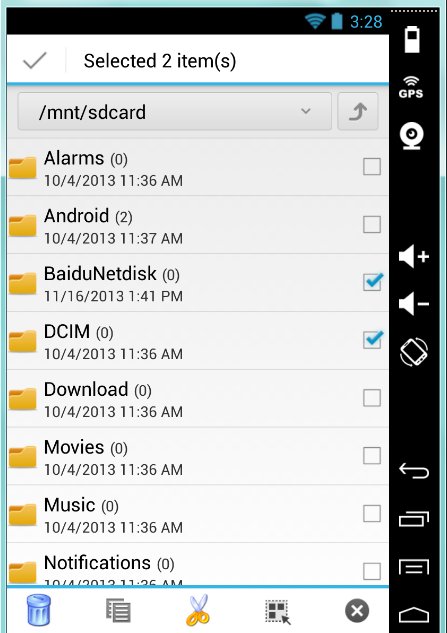
Step1: Check or unchecked the file or directory. It will show the toolbar-"delete,cut,copy,select"...ect. Do it what you want to do.
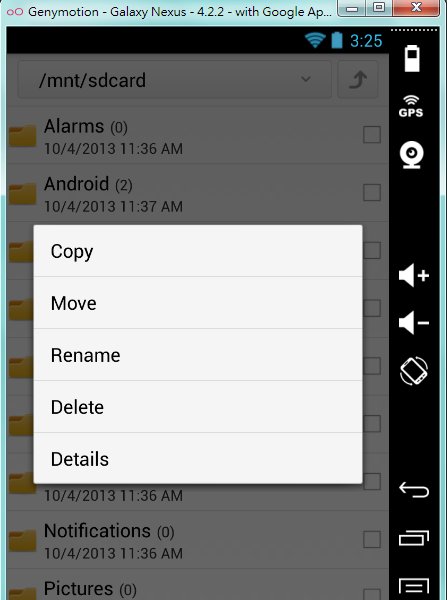
Step2: Touch the file or directory for a moment.It will show the toolbar-"rename,cut,delete,copy,detail". Do it what you want to do.
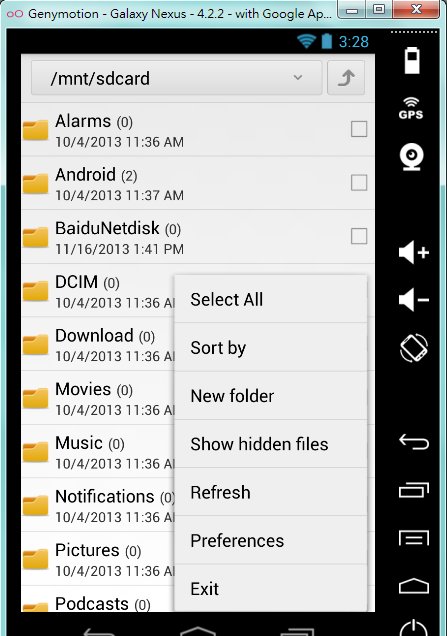
Step3: Clicking the 『Menu key』.It will show the toolbar-"Sort,Create New Fold,refresh,preferences".Do it what you want to do.
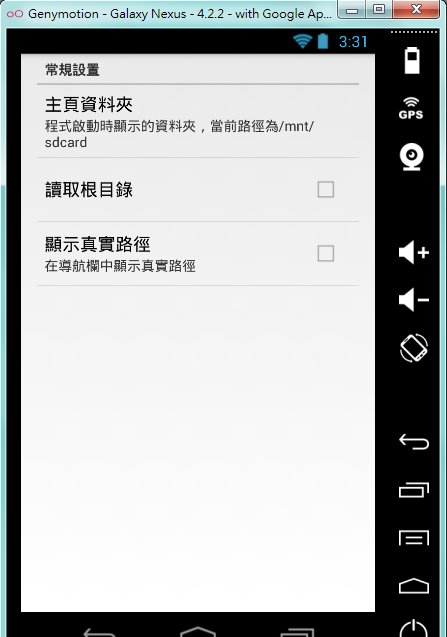
If you want to read the root directory,You can choose toolbar "the preferences".And check the "Read Root".
If you want to exit the program,firstly,you must go the to main sd directory by clicking the 『Return key』of your mobile device.
And press the 『Return key』 again.Then you'll exit the program.
Última versão
0.1Enviado por
เบิร์ด ไงจะใครละ
Requer Android
Android 4.0+
Categoria
Grátis Ferramentas APPClassificação do Conteúdo
Everyone
Relatório
Marcar como inapropriadoLast updated on Dec 14, 2015
Esta versão inclui pequenas correções de bugs e melhorias gerais. Atualize para a versão mais recente e tenha a melhor experiência.





APKPure - Uma loja de aplicativos multiplataforma focada principalmente em Android, fornecendo extenso conteúdo relacionado a apps. Descubra o aplicativo que você deseja de forma mais fácil, rápida e segura, com downloads e instalações rápidos e eficientes.