

Scan Date:Mar 6, 2026
Show More

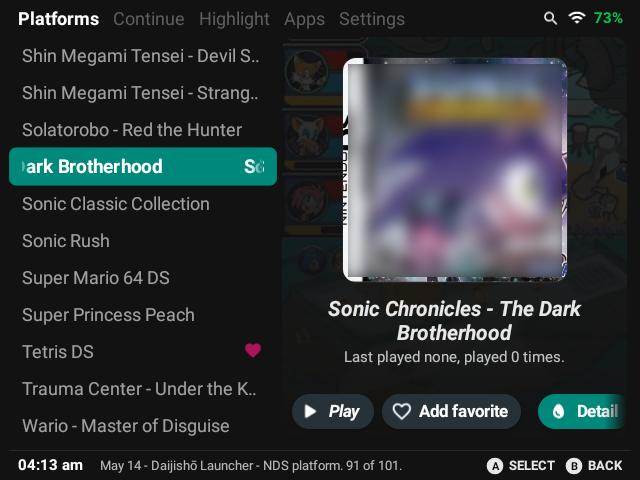
Daijishō addresses the situation where you have many classic titles and need a single place to access them on Android. It brings your libraries together and opens games with minimal clutter, so attention stays on playing. The design favors an integrated experience with expandability, clean visuals, and practical controls. Installing the Daijishō APK creates a central hub that can grow as your collection changes over time.
Centralized game library
Daijishō lets you manage your retro game libraries and start games from one place. This reduces the need to switch between different apps and keeps navigation simple.
Game focused interface
In addition, the interface emphasizes aesthetics and practical usability, so menus stay clear while you browse. You can stay focused on your collection rather than on configuration screens.
Optional screen lock
Beyond library tools, Daijishō uses the Android Accessibility API only to provide an optional screen lock inside the app. This lets you lock the device without pressing physical buttons, which helps reduce hardware wear. The API is not used for data collection, activity monitoring, or access to personal content.
Use your own emulators
Finally, the launcher does not include emulators. You connect it with the emulators you already use, then launch your games through the launcher.
Daijishō provides a focused launcher for classic titles with organized access and an optional screen lock. It works alongside your chosen emulators, not as a replacement. To begin, download Daijishō and set up your libraries at your own pace.
Latest Version
1.8.1Uploaded by
Arek Bonecki
Requires Android
Android 8.0+
Category
Free Tools AppContent Rating
Everyone
Security Report
Report
Flag as inappropriateLast updated on Mar 6, 2026
🫧 Fix box art scraping





APKPure - A multi-platform app store primarily focused on Android, providing extensive app-related content. Discover the app you want easier, faster, and safer, with quick and efficient downloads and installations.