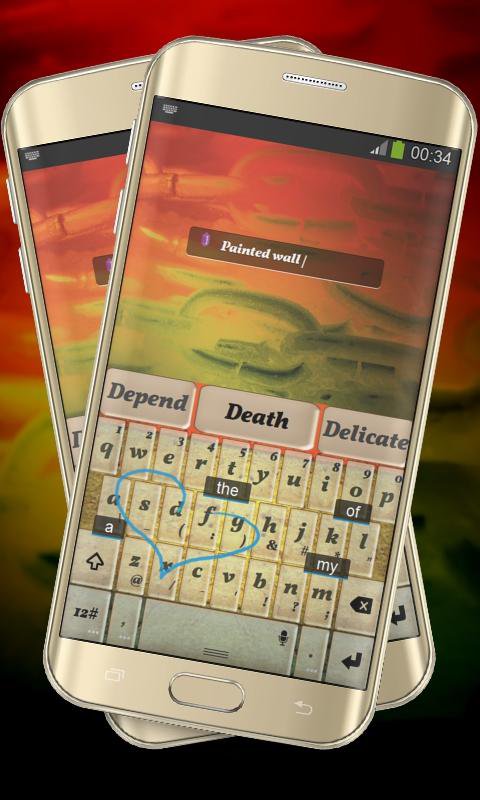
This is the "Colored Path" skin for TouchPal created by Alpha Themes.
Painted wall.
The wall behind the keyboard is painted in many strong colors.
They will not blind you when you will want to type a message because the keyboard has a pale color that will help you see the keys better.
*** How to Apply this TouchPal theme ***
1. Open "Colored Path TouchPal" after installation
2. Click on the "Apply theme" icon on top
*** How to use the custom font ***
1. Go to TouchPal Settings, General Settings, Keyboard Font
2. Select TouchPal Font
Your ratings and comments are encouraged.
We included the free font Vollkorn Bold Italic by Friedrich Althausen, http://friedrichalthausen.de.
Latest Version
2.2 ChestnutUploaded by
Pranavlal Vanparambil
Requires Android
Android 3.0+
Category
Free Personalization AppContent Rating
Mature 17+ · Violence, Sexual Content, Use of Drugs
Report
Flag as inappropriateLast updated on Aug 26, 2016
This release includes minor bug fixes and general improvements. Update to the latest version for the best experience.






APKPure - A multi-platform app store primarily focused on Android, providing extensive app-related content. Discover the app you want easier, faster, and safer, with quick and efficient downloads and installations.