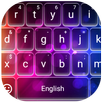

Fast Typing Keyboard suits users who message often and want typing to feel faster and more consistent. It focuses on everyday texting needs, from quick replies to longer notes, while keeping the layout comfortable on different screen sizes. Plus, the app offers simple ways to change the keyboard’s look so it matches your style. Many users prefer installing the Fast Typing Keyboard APK when they want a straightforward setup on Android without extra steps.
Fast, accurate typing
The keyboard responds quickly to your taps to keep pace with everyday chats. It includes smart predictions and autocorrect to cut down on typos and repeated edits.
Quick access and sharing
The app adds quick access to Google Docs and a one tap share option for chats. This helps when moving notes or links into conversations with minimal effort.
Emojis and stickers across chats
Use a large set of emojis and stickers while chatting in WhatsApp, Messenger, or SMS. These items work across popular messenger apps and on most Android versions.
Flexible themes and layout
After customizing, your layout stays consistent across apps so you can focus on typing. Availability may depend on your device and the Fast Typing Keyboard latest version.
To begin, download Fast Typing Keyboard, set it as your default keyboard, and choose a theme you like. Then fine tune fonts, sounds, or key sizes to match your preferences. This setup supports fast input and clear messaging without extra steps.
Latest Version
2.0Uploaded by
Trường Nguyễn
Requires Android
Android 6.0+
Category
Free Personalization AppContent Rating
Everyone
Report
Flag as inappropriateLast updated on Mar 1, 2023
Minor bug fixes and improvements. Install or update to the newest version to check it out!







APKPure - A multi-platform app store primarily focused on Android, providing extensive app-related content. Discover the app you want easier, faster, and safer, with quick and efficient downloads and installations.