The easy way of using AT-commands with your Bluetooth Module (Slave only).
This app supports the most used Bluetooth modules from Rowing Network / Microchip. This includes:
- RN41, RN42 & RN41XV, RN42XV
- RN24 & RN25
In the app you can easily scan for new modules and connect to them (only if in slave mode). Afterwards you are able to choose from a variety of get or set commands.
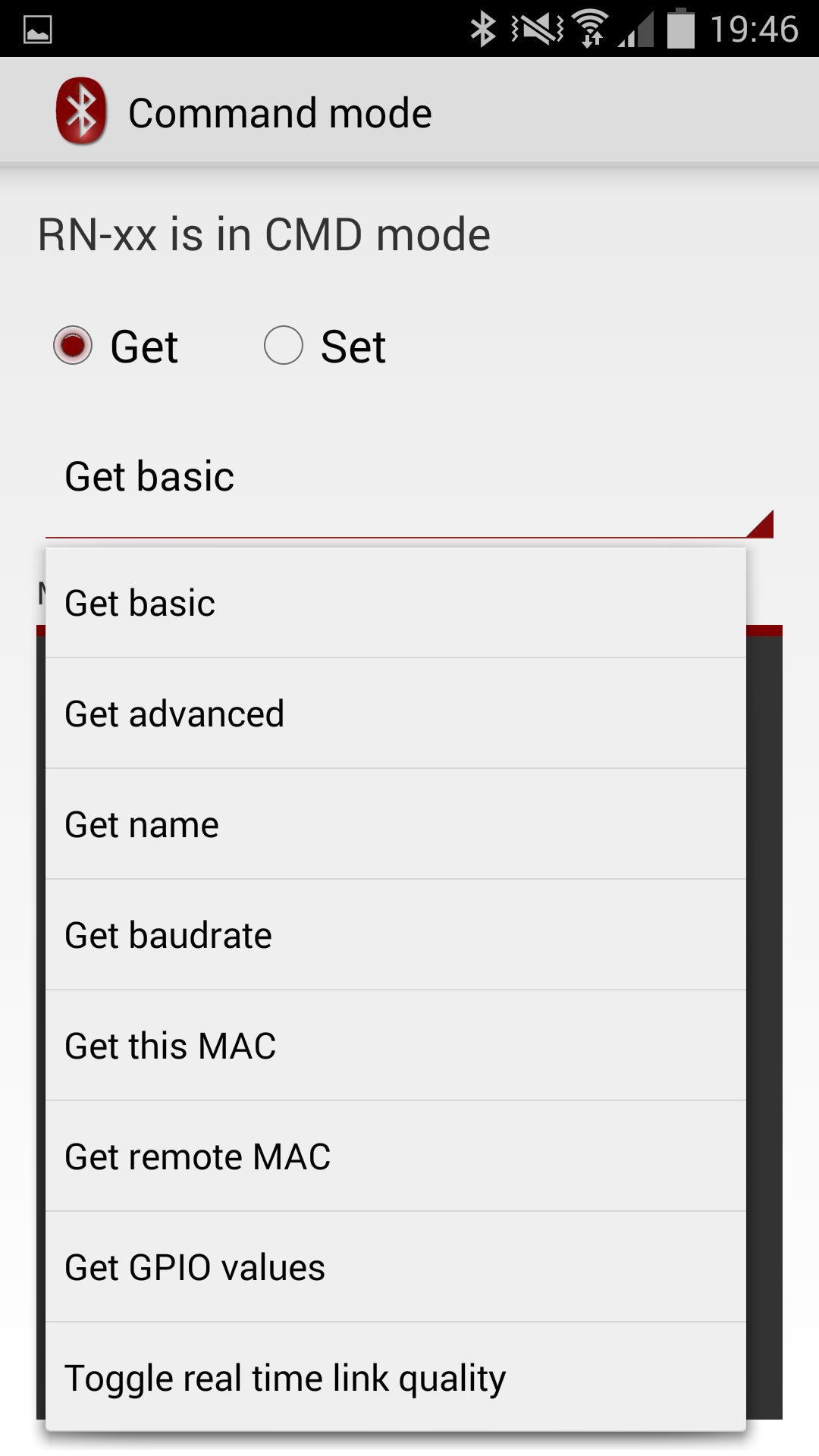
Getters are:
- Get basic information
- Get advanced information
- Get name
- Get baudrate
- Get MAC address
- Get GPIO values
- Get link quality
Setters are:
- Set name
- Set baudrate
- Set 7 bit uart mode
- Set parity
- Set paring pin
- Set scan windows
- Factory reset
For the advanced user there is the possibility of writing your own AT commands directly like in a terminal program. There you have to look in the datasheets for more information. The advanced direct method terminal mode is adding “\n” (newline) to the end of your text.
There is for no module, the possibility of changing from slave to master mode. The reason is that this app only works if the module is in slave operation mode.
Note:
For the RN-xx modules ‘Get baudrate’ returns 0, after factory reset. That’s a mistake from manufacture and the real value is 115200 buad.
Latest Version
1.0Uploaded by
Ahmed Aliraqy
Requires Android
Android 4.0.3+
Category
Free Tools AppContent Rating
Unrated · Warning – content has not yet been rated. Unrated apps may potentially contain content appropriate for mature audiences only.
Report
Flag as inappropriateLast updated on Sep 5, 2015
Minor bug fixes.
Enforcing bluetooth requirement.





APKPure - A multi-platform app store primarily focused on Android, providing extensive app-related content. Discover the app you want easier, faster, and safer, with quick and efficient downloads and installations.