B Stream helps users who need a quick way to open and test video streams hosted on the web. It focuses on direct input, so you paste a stream link and move straight to playback with minimal steps. Additionally, the app fits cases where request details matter, such as verifying access behavior or checking compatibility across devices. B Stream APK suits developers, QA testers, and advanced users who prefer a controlled player without extra clutter.
Play common streaming formats
B Stream supports popular network formats including HLS, DASH, and MP4. You can input a direct URL and start playback with only a few taps. The layout keeps controls clear, which helps you focus on the stream rather than on navigation.
Control request headers
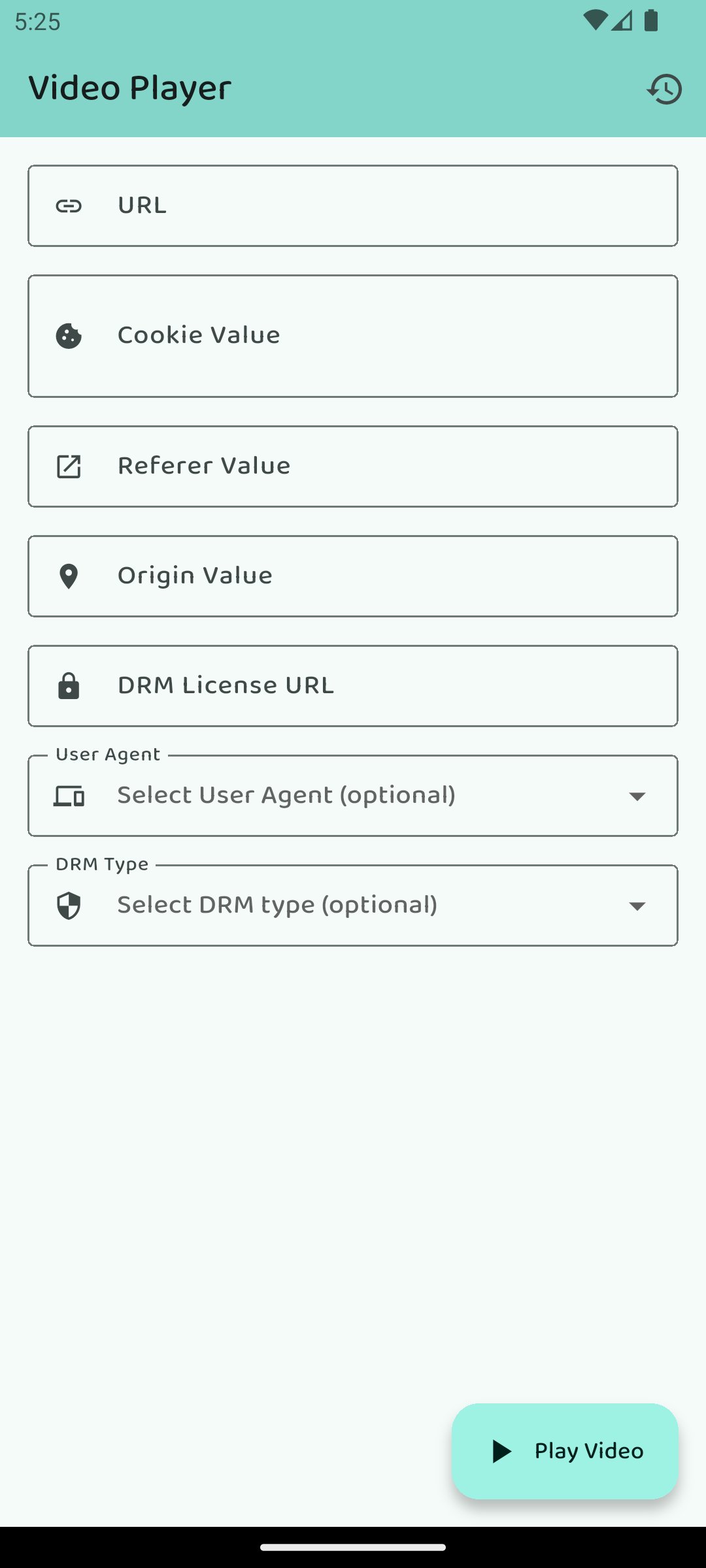
You can add custom Cookies, set Referer and Origin, and choose a custom User-Agent before playback. This level of control is useful for streams that rely on header checks or require authentication. If a stream fails to load, reviewing header values is a practical first step since incorrect entries can block access.
DRM playback support
B Stream supports ClearKey and Widevine for protected content. This allows you to validate whether a device and a given stream are ready for DRM playback. Results depend on the device capabilities and the license configuration used by the stream provider.
Fast, minimal interface
The interface focuses on quick setup and instant playback. B Stream reduces the number of screens you have to visit, which keeps the process straightforward. This approach suits short test cycles and repeated checks across multiple links.
Built for testing and validation
B Stream helps you validate HLS or DASH endpoints, confirm header based access, and check ClearKey or Widevine readiness. You can switch between configurations quickly to observe how each change affects playback. This makes it practical for comparing environments or documenting expected behavior.
B Stream plays user provided links and does not host any content or include a catalog. You need a valid stream URL to test, such as an HLS or DASH link supplied by your team or service. Availability, quality, and track selection depend on the source you provide, as the app passes through what the stream offers.
Widevine playback depends on your device support and on the license rules set by the stream owner. If a Widevine stream fails, the cause is often device certification limits, license restrictions, or a network issue. Header mistakes are a common reason for blocked access, so confirm Cookies, Referer, and Origin values when testing. For users comparing behavior across devices, keep network conditions and VPN settings consistent to avoid false differences.
The B Stream app for Android serves developers, QA testers, support engineers, and advanced users who need controlled playback. It is also useful for quick checks when validating Network Stream Player behavior across environments. These scenarios include confirming whether specific headers are required, verifying link availability, or measuring how a device handles DRM playback.
After you download B Stream, setup for your first test takes only a few steps. The app expects a direct link, so prepare your stream URL and any headers needed before you begin. With that ready, you can move from input to playback without distractions.
B Stream focuses on direct, controlled playback of network video URLs with header control and DRM support. It is suited to testing streams or accessing links that rely on specific request details. For the most stable experience, use the B Stream latest version.
Latest Version
1.1.7Uploaded by
Sunshine Dinglasa
Requires Android
Android 7.0+
Category
Free Tools AppContent Rating
Everyone
Report
Flag as inappropriateLast updated on Dec 28, 2025
fixed mini bugs..





APKPure - A multi-platform app store primarily focused on Android, providing extensive app-related content. Discover the app you want easier, faster, and safer, with quick and efficient downloads and installations.