An app which is develop to help you record calls,Voice call recorder, and save them; Auto call record by Vertice Zone is your platform for recording voice calls and keep it with you forever.
This free call recorder has an easy to access interface and is much faster in its processing time. Auto call recorder can be integrated with Dropbox, so that your call can be saved directly to your Dropbox folder with just a touch.
The Auto call recorder works on all Android phones with versions 2.2 and above. It has a convenient on/off button that enables you to easily switch through disabling and enabling all call recordings in no time. Sometimes when you do not want a call to be recorded, this feature comes handy.
Sometimes, the whole conversation is not important but only one side of it so as a user; you can decide which part of the conversation you want to record. One can choose to record the voices they sent through the MIC or the whole conversation. These calls can be recorded in one formats, that is, MP3 that will support
After installing auto call recorder, it creates a folder on the SD card on the phone where all the recordings will be stored and can be accessed. So, this app can record voice calls for as long as there is memory left in the SD card.
Voice call recorder, auto call recorder, free call recorder, Best call recorder, Call recorder
Features:
1) Automatic Recording, no need to setup or setting just install and select on/off.
2) All calls / Incoming calls / Outgoing calls recording option.
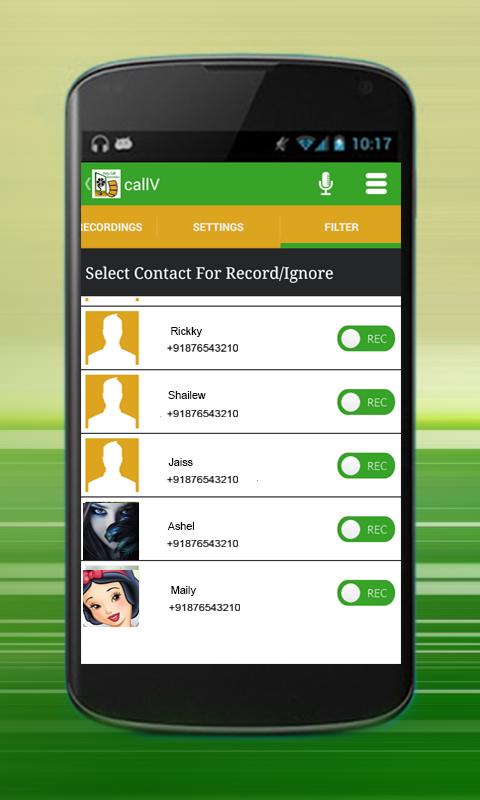
3) Individual and Custom Recoding option
4) Mp3 file format with minimum size and can play files on other mobiles and laptop, desktop, PC, MAC and Linux system
5) 3 Audio quality, low, medium and high
6) Mark Favorites to particular recording, so easy access to recording.
7) Custom notification settings like notification sound and notification vibration
8) Custom Memory settings with file statistics.
9) Share apps at social media, message text, email etc.
10) Inbuilt music player to play recording files
11) Save files to dropbox feature to save space in memory card or phone
12) One touch delete files
13) Filters are available to at the files listings
14) Latest files at top so you can easily find out.
15) Recorded files saved by contact name and date time so you can easily differentiate files.
Latest Version
1.3Uploaded by
Son Nguyen
Requires Android
Android 2.2+
Category
Free Communication AppContent Rating
Everyone
Report
Flag as inappropriateLast updated on Nov 23, 2016
Bug Fix!!






APKPure - A multi-platform app store primarily focused on Android, providing extensive app-related content. Discover the app you want easier, faster, and safer, with quick and efficient downloads and installations.