Package Name:id.alienai
SHA-256:97673b78428a60674ff5e51d34c356dce1c2e09bad2706e6edd9ee914d71a583
Show More

Alien AI is AI that works on its own—built to automate repetitive work so you get hours back every day.
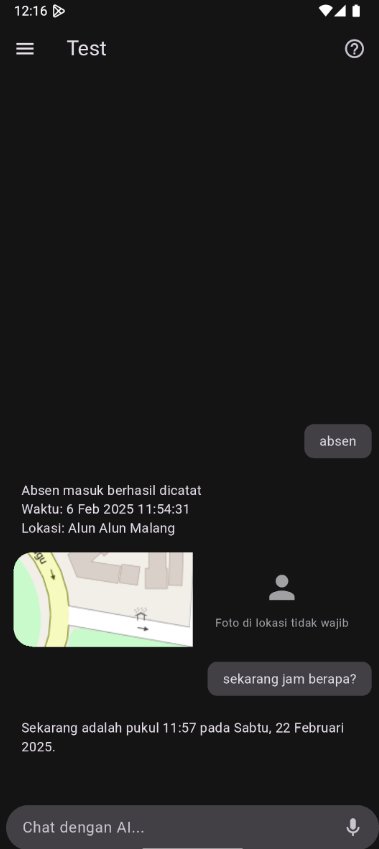
Reclaim your time. Let Alien AI handle daily tasks, answer customer chats, organize files on paired computers, and run routines you teach once—smoothly from one app.
What Alien AI automates for you
Personal AI (Home)
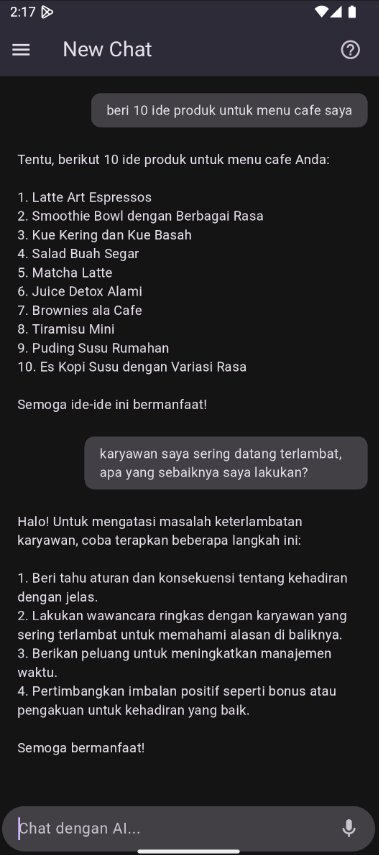
Chat with an assistant that can act, not just talk. Agent mode runs tools and workflows; Ask mode gives fast read-only answers. Use voice, attachments, and @ mentions to point AI at a bot, site, or paired PC. Canvas keeps living documents and code beside the chat so you can iterate with AI.
24/7 auto-reply (Bots)
Create bots and connect WhatsApp and Telegram. Alien AI replies to customers using your instructions and data sources. Pause AI on any conversation when you want to take over, then turn auto-reply back on.
PC automation (Devices)
Pair a Windows PC with the Alien AI Remote agent. View and control the desktop remotely, move files, schedule tasks, and teach skills—hands-free clicks, typing, and streaming when you need a machine to work for you.
More in one place
Manage prompt-built sites, track meals and expenses through chat, and use referral and wallet billing with clear quota—all with the same Alien AI account on Android, Windows, and web.
Get started on remote PC automation
Install the Remote agent on the PC you want to pair (https://alienai.id/download/agent.exe), pair from Devices, then open Remote or Files.
Privacy: https://alienai.id/privacy.html
Terms: https://alienai.id/terms.html
Latest Version
20.290.0Uploaded by
Duy Nguyen
Requires Android
Android 7.0+
Category
Free Tools AppContent Rating
Everyone
Security Report
Check Now
Report
Flag as inappropriateLast updated on Oct 14, 2026
This release includes minor bug fixes and general improvements. Update to the latest version for the best experience.





APKPure - A multi-platform app store primarily focused on Android, providing extensive app-related content. Discover the app you want easier, faster, and safer, with quick and efficient downloads and installations.