Scan Date:Apr 30, 2026
Show More


Microsoft Edge: AI browser helps you browse, search, and complete tasks with practical tools that fit everyday use. It brings helpful assistance into the page you are reading, while keeping controls for privacy and security close at hand. You can keep your bookmarks and passwords in sync across phone and PC to make moving between devices simple. For users who prefer direct installation, the Microsoft Edge: AI browser APK is available for Android devices.
Microsoft Edge: AI browser adds Copilot directly in the browser so you can get help without switching apps. You can summarize webpages and videos, ask quick questions about what is on screen, or draft short text via chat or voice. This assistance works inside the page, which helps you stay focused on your task. If you use Microsoft Copilot elsewhere, the experience in Edge will feel familiar.
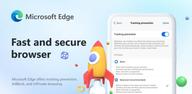
Privacy and security by defaultYou can open an InPrivate tab when you do not want your browsing history saved, and tracking prevention works to limit trackers on the sites you visit. An AI powered scareware blocker helps stop deceptive pop ups that try to pressure you into installing unwanted software. Edge also includes integrated AdBlock Plus that can reduce unwanted ads and clutter. These tools are available in settings so you can choose the level of protection you prefer.
Shopping and savings built inWhen you shop, Edge can look for available coupons and apply them at checkout. It can also surface deals online and nearby to help you compare options. If you search with Microsoft Bing, you can earn Microsoft Rewards that add up over time. These additions work in the background and can be enabled or adjusted in settings.
Sync and navigation across devicesMicrosoft Edge: AI browser can sync Favorites, passwords, and Collections when you sign in with a Microsoft account. A redesigned navigation bar keeps common actions within reach, and visual or voice search can speed up how you start a query. This setup makes it easier to switch from phone to PC and pick up where you left off. Your data stays linked to your account so you can manage it from one place.
Reading and writing tools for clarityImmersive Reader can simplify page layouts to remove distractions and aid focus. Read Aloud can speak page text, while Translate supports more than 70 languages for quick conversions. Text Prediction suggests next words as you type, and Editor offers spelling and grammar checks. These tools help you review and compose content inside the browser.
Some shopping features are available only in the United States. In addition, AI and security features may vary by device, market, and the Edge version you install. If a specific tool is not visible on your phone, check for updates inside the app and review settings to confirm availability in your region.
After installation, you can enable AdBlock Plus in Settings and then Content Blockers. To confirm the scareware blocker, open Privacy settings and review the protections list. Signing in with a Microsoft account turns on sync for Favorites, passwords, and Collections. When Bing is used for search, Microsoft Rewards can accrue under your account, where you can track and redeem points.
Once you download Microsoft Edge: AI browser, setup is straightforward on an Android phone. The steps below walk through basic configuration and everyday use so you can start browsing with your preferred tools.
Microsoft Edge: AI browser brings helpful assistance, privacy controls, and cross device sync into one Android app. It supports shopping tools, reading aids, and navigation features that fit daily browsing. To try new improvements as they arrive, install the Microsoft Edge: AI browser latest version when available.
For official resources and support, visit the links below.
Latest Version
147.0.3912.87Uploaded by
Microsoft Edge
Requires Android
Android 10.0+
Category
Free Communication AppContent Rating
Everyone
Security Report
Report
Flag as inappropriateLast updated on Apr 30, 2026
Welcome to Microsoft Edge! Here's what's new in this release:
• Introducing Copilot Vision: Browse hands-free with your voice. Talk to Copilot on any page to get help, ask questions and explore content without lifting a finger.
• Introducing a smarter Search Box that lets you upload images and files to ask Copilot in one place.
Upgrade now to enjoy a smarter, faster and more productive Microsoft Edge.



APKPure - A multi-platform app store primarily focused on Android, providing extensive app-related content. Discover the app you want easier, faster, and safer, with quick and efficient downloads and installations.