Package Name:com.pigsoft.todolist
SHA-256:069b6cd22a500cda7a0aa53f457e71fecdc7c2303ea8ffd3fd2bf631c0860f83
Show More
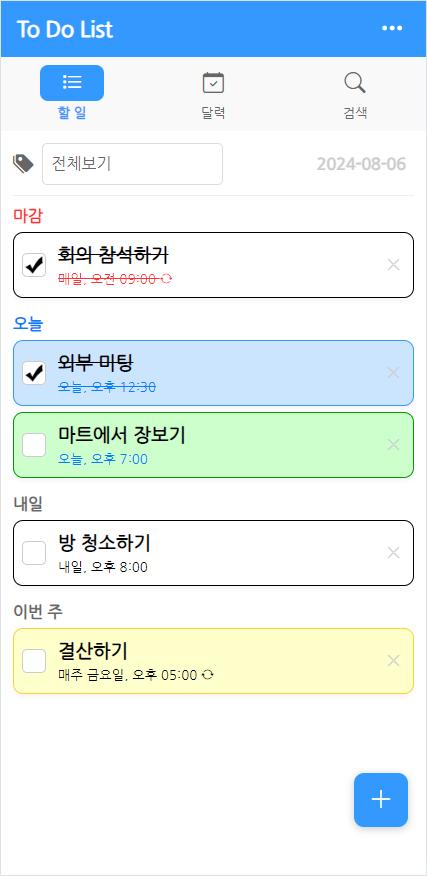
The To Do List app is a simple planner app that allows anyone to easily and conveniently record and manage their to-dos with a simple and intuitive interface. Use this app to easily and simply check and manage your schedule to achieve your goals and improve productivity!
* This app requires an internet connection.
※ main function
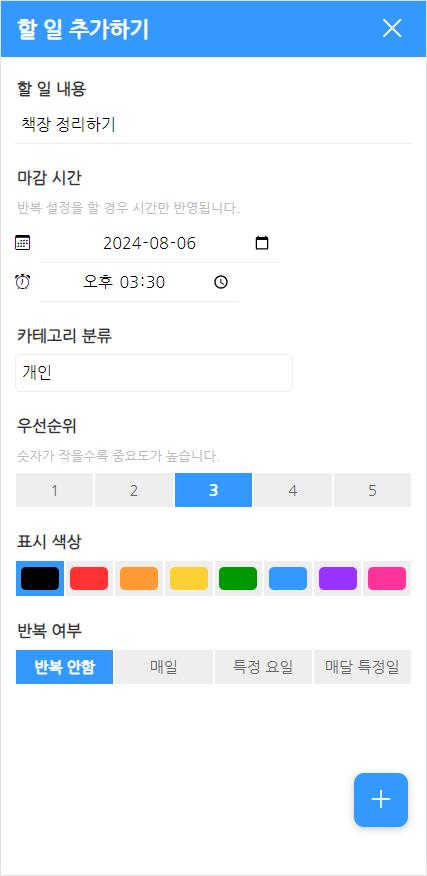
- You can sort your to-dos by category or color-code them.
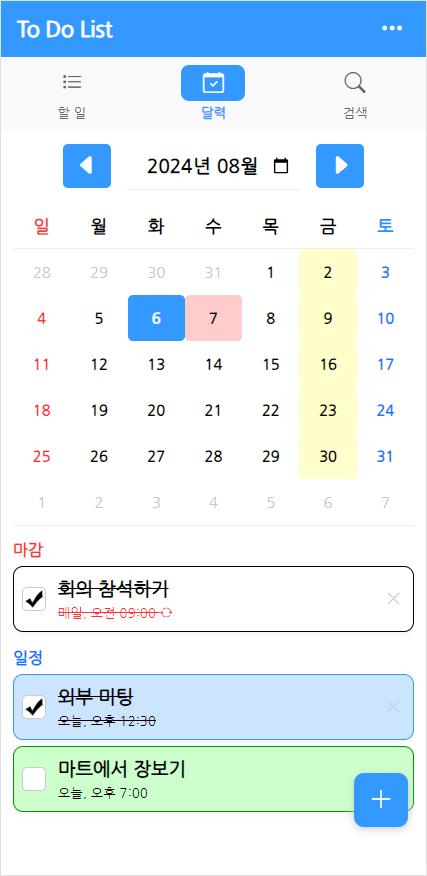
- You can check and manage your to-do list at once using the calendar.
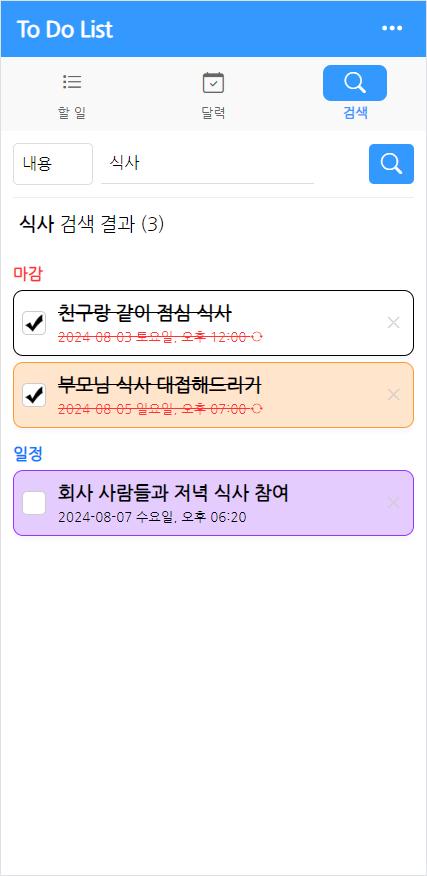
- Through search, you can find and check forgotten to-dos.
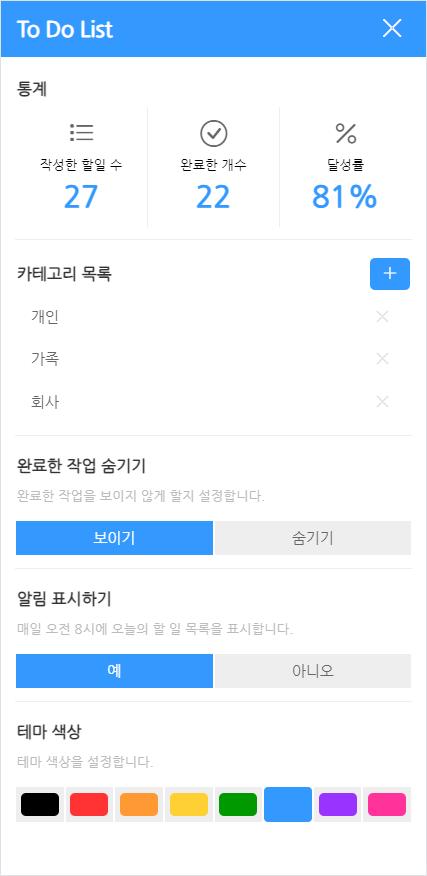
- You can check the achievement rate based on the tasks you have registered so far and the number of times you have completed them.
- Supports notifications. When you turn on notifications in the upper right menu, today's to-do list is displayed every day at 8 AM.
- Supports widgets. You can check today's tasks in the widget.
※ How to use
1. Add and manage tasks
- To add a task, select the [+] button at the bottom right of the [To Do] tab or the [Calendar] tab.
- Enter the content, deadline, other settings, etc. and select the [+] button at the bottom right again to complete registration.
- To complete a to-do, select the checkbox to the left of the to-do.
- To delete a to-do, click the [X] button to the right of the to-do.
2. Check the calendar
- Select the [Calendar] tab, set the year and month, and select the date you want to check. (By default, it is set to the current date.)
- If there is something to do on a specific day, it will be displayed in a specific color. (Basic - red / specific day of the week - yellow / specific day of each month - blue)
- After selecting a date, a to-do list for that day is displayed below the calendar.
3. Search
- Select the [Search] tab, enter content or date, and then select the search button.
- A to-do list that matches your search results will appear below.
4. Settings
- To go to the settings screen, select the [···] button at the top right of the app.
- Statistics: You can check the tasks you have written so far, the number of tasks you have completed, and the achievement rate.
- Category management: You can add or delete categories.
- Hide completed tasks: When hidden, completed tasks will not appear in the list.
- Display notifications: When set, today's to-do list is displayed as a push notification every day at 8 am.
- Theme color: You can set the app theme color.
- Delete all: Delete all saved tasks and categories. Your statistics will be retained and not deleted.
Latest Version
1.0.1Uploaded by
Dharampal Saini Ratgal
Requires Android
Android 6.0+
Category
Free Lifestyle AppContent Rating
Everyone
Security Report
Check Now
Report
Flag as inappropriateLast updated on Apr 11, 2025
[v1.0.1]
- App stability is increased.


APKPure - A multi-platform app store primarily focused on Android, providing extensive app-related content. Discover the app you want easier, faster, and safer, with quick and efficient downloads and installations.