Scan Date:Aug 14, 2026
Show More


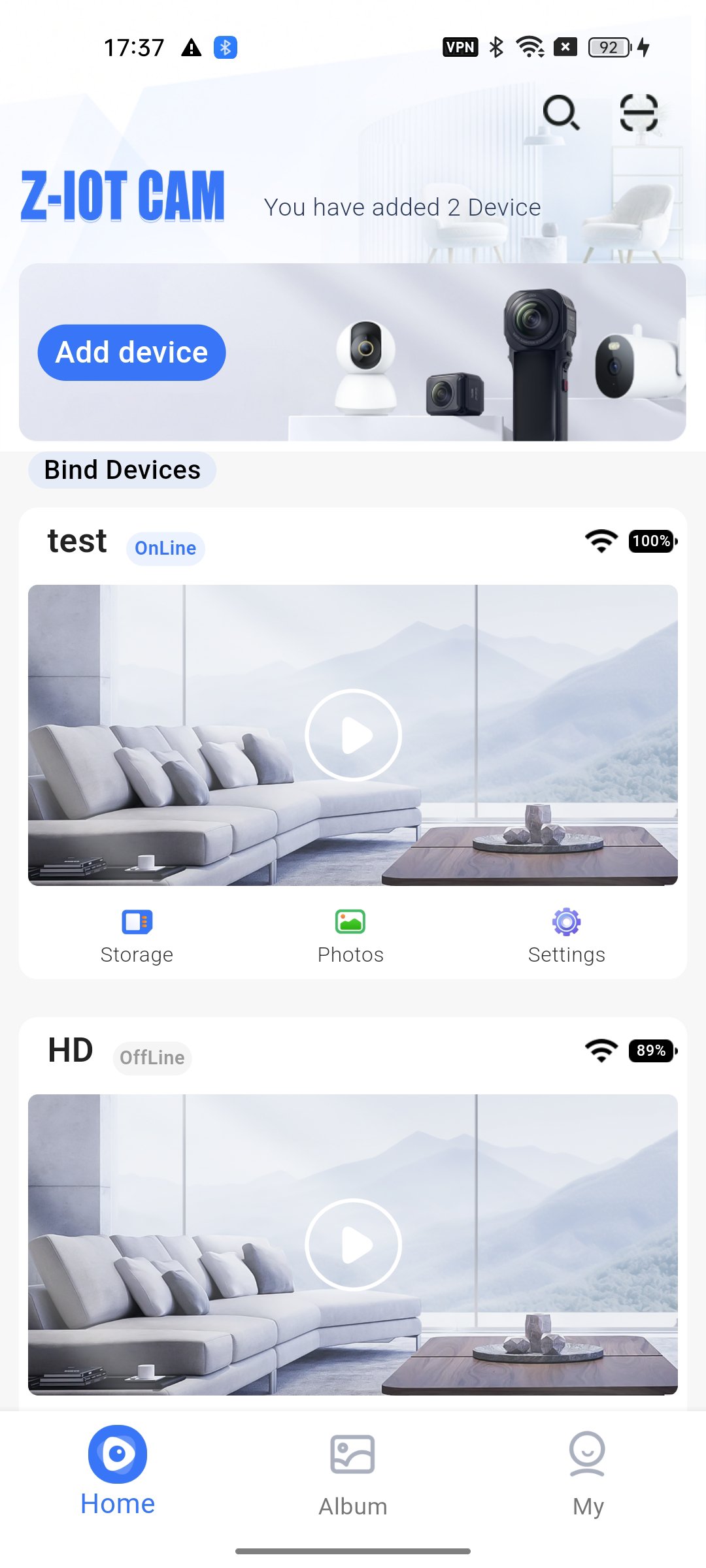
Z-IOT CAM fits users who want quick checks on home, office, or shop cameras from an Android phone. The app binds compatible WiFi cameras and keeps access in one place for local and remote viewing. You can connect on site through a direct hotspot, or configure the camera to your router for away-from-home access. The interface focuses on clear steps that guide typical tasks. Many users install the Z-IOT CAM APK when setting up new devices or replacing phones.
Z-IOT CAM lets you add cameras through a direct hotspot or through your router. You can start with a local hotspot for first-time checks, then switch to remote access after WiFi configuration. This approach helps you confirm the camera view before placing it at the final spot.
HD live view and two way audioYou get a clear live stream with the option to speak and listen through the camera. This is useful for doorways, small offices, or quick check ins. Audio controls sit next to the video window for fast access without leaving the live view.
Recording, snapshots, and playback managementZ-IOT CAM records live video to local storage or the camera’s SD card, and it supports snapshots during viewing. You can review recordings, download files to the phone, share items, or delete clips you no longer need. The playback timeline helps you jump to a specific time without scrolling through long lists.
SD card file control inside the appYou can see SD card capacity, browse folders, and manage files directly from the app. This saves time when you need to clear space or export a specific clip. Z-IOT CAM reduces steps by keeping camera storage tools in the same menu as playback.
Real time image adjustments and secure accessThe app lets you adjust picture settings such as brightness and contrast while watching the live view. Changes are applied immediately, so you can fine tune the image based on lighting. Secure login, device passwords, and access controls help limit who can view or modify cameras.
Scheduling and alarm supportYou can create schedules for recording and enable alerts for events. This helps focus on important times of day and reduces unnecessary recordings. Alarm settings sit close to the camera options, making it simple to update as your routine changes.
There are two connection modes. Local viewing uses the camera hotspot, often shown as an SSID that starts with ZIOTA_. Remote viewing uses your home or office WiFi after you enter the router details during setup. If you only need on site checks, hotspot mode works without internet on the phone. For away-from-home access, configure the camera to your router and then view from mobile data or any external network.
If you see the message “This is device WiFi, Please switch networks,” you are likely connected to the camera hotspot while trying to sign in or use cloud features. Switch your phone back to your regular WiFi to complete account actions, or finish the local add flow first. If pairing fails or the device is unresponsive, long press the camera’s M button for about five seconds to factory reset, then try binding again.
The app requests network access for device discovery and video streaming. It may also request location permission because Android uses it to assist WiFi scanning and to read nearby SSIDs during configuration. If permission is denied, the app may not find the camera hotspot or your router. Grant these permissions only when prompted, and turn them off later if you no longer need device discovery.
Before you download Z-IOT CAM, power the camera near your router for the first setup. Decide whether you want local only viewing or remote access, then follow the steps in order.
Z-IOT CAM offers clear live viewing and basic management for compatible cameras on Android. For the most stable experience, install the Z-IOT CAM latest version from this page and follow the setup path that matches your network.
For official support or product information, use the resources below.
Latest Version
1.13.0Uploaded by
Azril Bagus
Requires Android
Android 7.0+
Category
Free Tools AppContent Rating
Everyone
Security Report
Report
Flag as inappropriateLast updated on Aug 14, 2026
This release includes minor bug fixes and general improvements. Update to the latest version for the best experience.



APKPure - A multi-platform app store primarily focused on Android, providing extensive app-related content. Discover the app you want easier, faster, and safer, with quick and efficient downloads and installations.