Package Name:com.snsui.imageLocker
SHA-256:e0453818767bedea49e4f7fa7dbdeecc040c01f585158daba4dc57f1dff3e97e
Show More

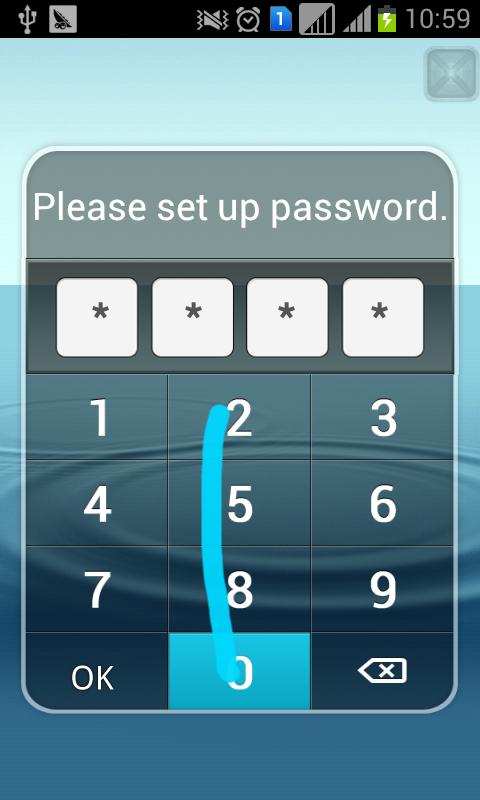
X Image Locker(Hide photos) will help you to lock(protect) photos from others, using with numeric password.
You can hide pictures securely and conveniently.
You can use X Image Locker(Hide photos) when:
* You have some photos do not want to share to ohters when some one use your phone.Hide it with X Image Locker.
* Child want to play with your phone,but in case of he delete your photo.Hide it with X Image Locker.
* Do not want some application to scan your photos.Hide it with X Image Locker.
Tips:
How to hide icon of "X Image Hider" from launcher?
You must install "XCalculator" at first.
1.Settings --> Hide my icon
2.A dialog will show to tell you to launch from XCalculator.Click button "ok" to launch from XCalculator by "4.yourPassword="
3.After you input "4.yourPassword=" from XCalculator."X Image Hider" will launch.And a dialog shown to ask you to hide icon.click "ok" button. After a few seconds,the icon of "X Image Hider" from launcher.(may be 5 seconds or more).
How to launch "X Image Hider" from XCalculator ?
1.Launch XCalculator .
2.Input "4.yourPassword=".For example , if your password is 1234.you must input 1.1234=.When "=" input,X Image Hider will launch.
When you input "4.fourDigits=".No metter if fourDigits you input is your correct password,the X Image Hider will launch.If fourDigits is your password,you will not input password any more,but if fourDigits is not your password,you must input correct password to enter.
Latest Version
1.9Uploaded by
Jessica Griffin
Requires Android
Android 3.1+
Category
Free Tools AppContent Rating
Everyone
Security Report
Check Now
Report
Flag as inappropriateLast updated on Sep 4, 2022
fix bug




APKPure - A multi-platform app store primarily focused on Android, providing extensive app-related content. Discover the app you want easier, faster, and safer, with quick and efficient downloads and installations.