Scan Date:Mar 3, 2026
Show More

ROOT is required!
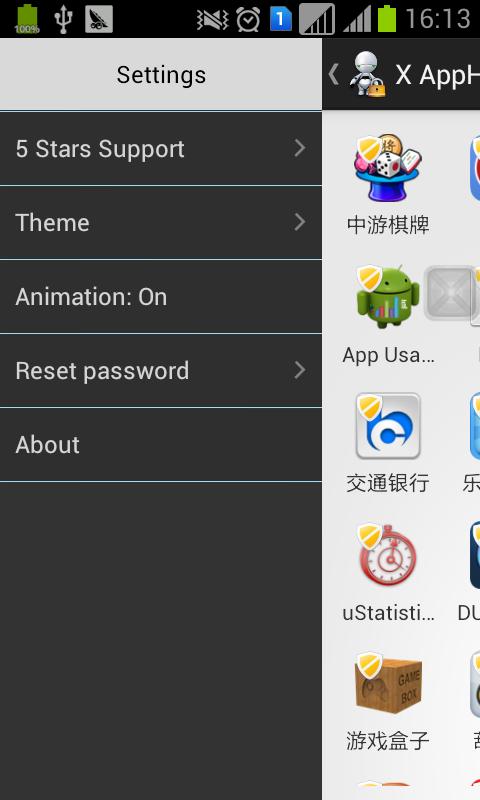
X App Hider(Application hider) can hide applications in your phone,like facebook,youtube,message. and so on ,the hidden app will not show at launcher or settings.
The hidden application will shown at launcher after you do not hide this app in X App Hider.
You can open hiden application diractly from X App Hider.But you have better hide the application after it is used.
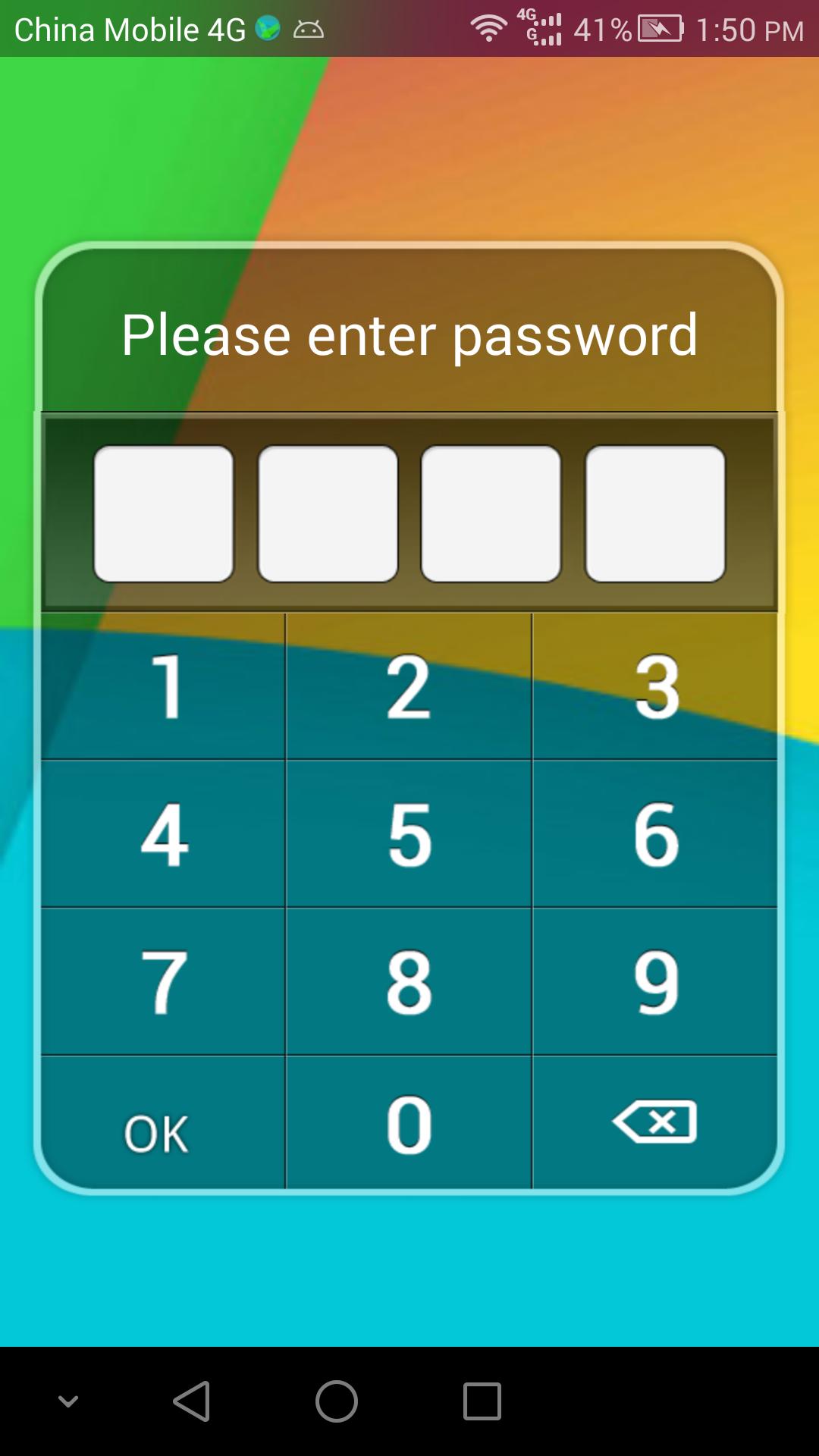
assword is need when starting X App Hider(Application hider).
When app hiden,more memory will be saved.your phone will run faster.The hiden application will never consume memory or disk untill you unhide it.
Only english is supported!
X App Hider(hide Application) can help you to hide software.
Tips:
How to hide icon of "X App Hider" from launcher?
You must install "XCalculator" at first.
1.Settings --> Hide my icon
2.A dialog will show to tell you to launch from XCalculator.Click button "ok" to launch from XCalculator by "1.yourPassword="
3.After you input "1.yourPassword=" from XCalculator."X App Hider" will launch.And a dialog shown to ask you to hide icon.click "ok" button. After a few seconds,the icon of "X App Hider" from launcher.(may be 5 seconds or more).
How to launch "X App Hider" from XCalculator ?
1.Launch XCalculator .
2.Input "1.yourPassword=".For example , if your password is 1234.you must input 1.1234=.When "=" input,X App Hider will launch.
When you input "1.fourDigits=".No metter if fourDigits you input is your correct password,the X AppHider will launch.If fourDigits is your password,you will not input password any more,but if fourDigits is not your password,you must input correct password to enter,only if password protect is OFF.
Latest Version
10.9Uploaded by
Mostafa Rahal
Requires Android
Android 5.0+
Category
Free Tools AppContent Rating
Everyone
Security Report
Report
Flag as inappropriateLast updated on Mar 3, 2026
fix bug




APKPure - A multi-platform app store primarily focused on Android, providing extensive app-related content. Discover the app you want easier, faster, and safer, with quick and efficient downloads and installations.