This WiFi widget will allow you to quickly turn ON/OFF the WiFi directly from your home screen.
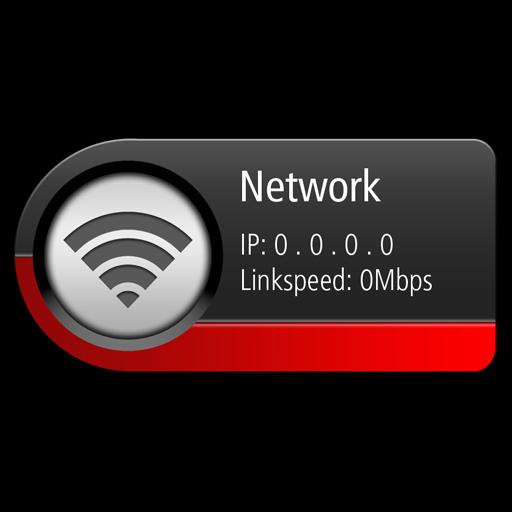
The widget will show the name of your WiFi router (SSID) including the connection status of your WiFi and the link speed.
When the bottom edge colour of the widget shows:
RED - It means that your WiFi is switched OFF (WiFi mode disabled on your phone)
BLUE - It means that it's switched ON (this state could either mean "ON and connected" to a hotspot OR "ON and waiting" for a connection).
WHAT YOU NEED TO DO AFTER YOU'VE INSTALLED IT:
-------------------------------------------------------------------------------------
Please note that this is a widget and NOT an application, so you will not see it listed on your application list (app drawer).
After you have installed this widget from the Google Play store, you will need to navigate to your widget list in order to place it on your home screen.
HOW TO USE THE WIDGET:
-------------------------------------------
To turn the WiFi on/off - Press on the circular section of the widget (on the LEFT half , where the signal strength graphic is shown)
To quickly navigate to the phone's WiFi menu (to see a list of WiFi hotspots) - Press anywhere on the text located on the RIGHT half.
As you can expect, we cannot test this widget on every available Android phone out in the market, so we can guarantee normal functionality only on the devices listed below mostly running on Gingerbread and JellyBean versions. Please do feel free to try this on other devices and give us your feedback if you have any issue so it will help us improve this further and support more devices.
Google Galaxy Nexus
Google Nexus 10
Google Nexus 4
Google Nexus 7
Google Nexus One
Google Nexus S
HTC Desire S
HTC One
Huawei MediaPad 10FHD
Motorolla Defy
Motorolla Xoom
Samsung Galaxy Note 10.1
Samsung Galaxy S2
Samsung Galaxy S3
Samsung Galaxy S4
Samsung Galaxy Tab
Sharp AQUOS SH80F
Sharp AQUOS Zeta
Sony Xperia Z
If you experience problems with this widget on devices not listed above, then please give us a chance to fix the issue first by emailing us, instead of giving us a bad review.
Latest Version
1.0Uploaded by
Godwin Smith
Requires Android
Android 2.2+
Category
Free Tools AppContent Rating
Unrated · Warning – content has not yet been rated. Unrated apps may potentially contain content appropriate for mature audiences only.
Report
Flag as inappropriateLast updated on Jul 27, 2015
This release includes minor bug fixes and general improvements. Update to the latest version for the best experience.



APKPure - A multi-platform app store primarily focused on Android, providing extensive app-related content. Discover the app you want easier, faster, and safer, with quick and efficient downloads and installations.