Scan Date:Feb 19, 2026
Show More

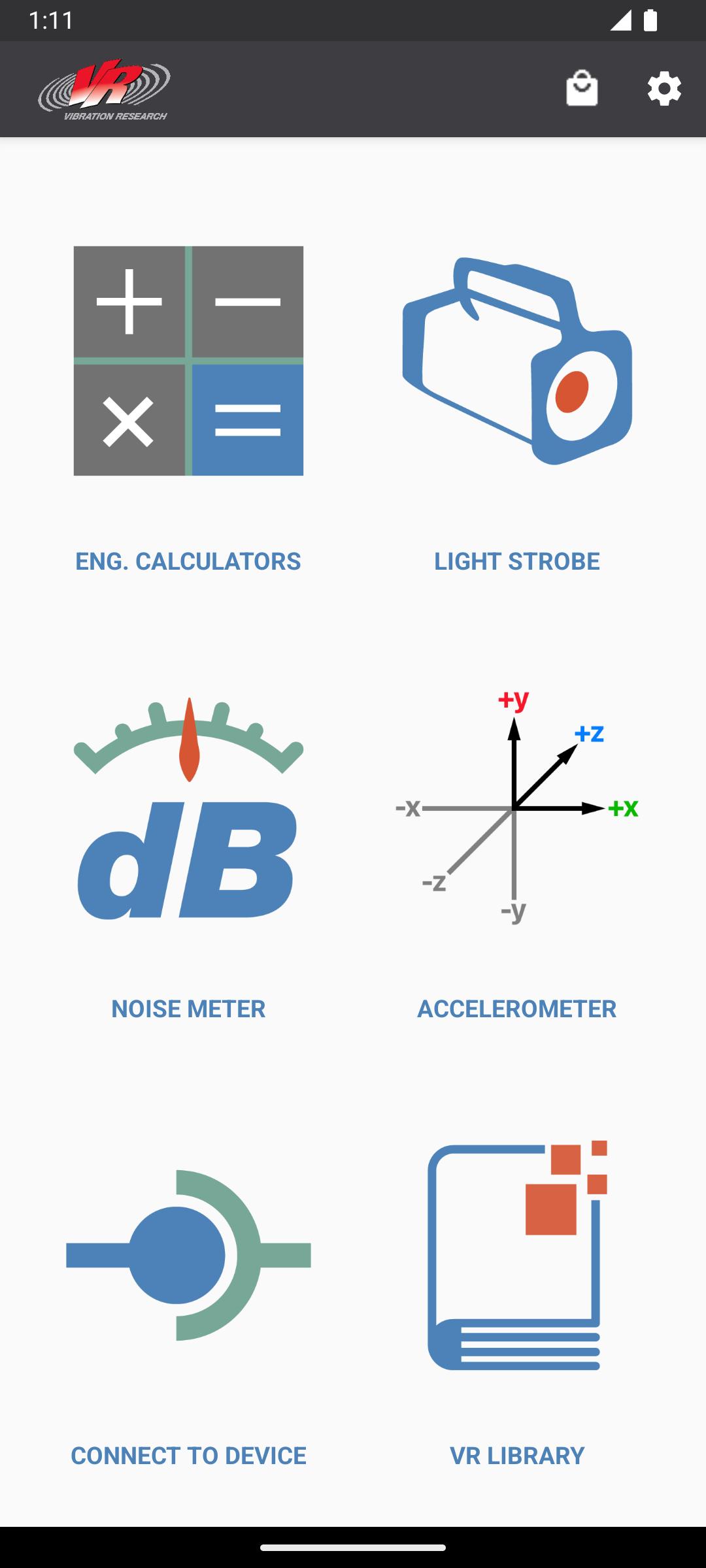
VR Mobile connects to an ObserVR1000 dynamic signal analyzer or VibrationVIEW for live vibration test monitoring using a phone or tablet. It also contains engineering calculators, a light strobe, a noise SPL meter, and accelerometer. All of this from your mobile device!
INCLUDED FEATURES:
Connect to nearby ObserVR1000 Dynamic Signal Analyzer & DAQ
- Setup inputs, record and monitor data.
- Live FFT Analysis
Record video in sync with ObserVR1000 recordings
- Record video with phone camera
- Record video with GoPro®️ Hero 5 and up cameras via bluetooth
Remotely control VibrationVIEW from within the VR Mobile App (while on the same network).
- Start/Stop tests
- View graphs
- Adjust amplitude and frequency
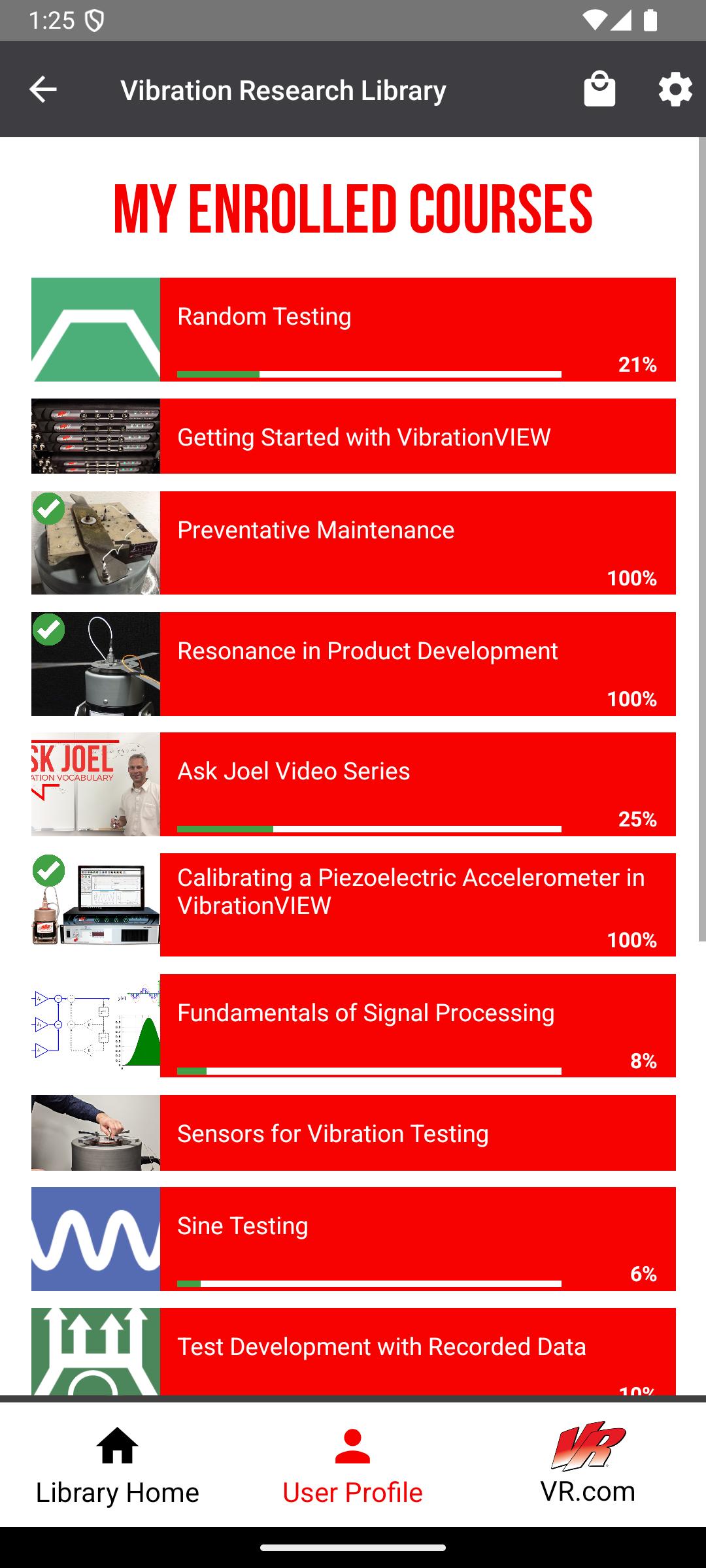
VR Library
- Complete courses, take quizzes and earn certificates on VR University
- Browse articles, case studies, engineering tools, research papers, and more
- Watch video tips and tech talks
- Gain access to VR product manuals
Max Acceleration Calculator:
- Calculate the maximum amount of acceleration that a shaker (from a database) can output based on the mass added to the system.
Unit Converter:
- Convert Acceleration, Force, Mass, Velocity, and Displacement units to and from common units.
Sine Calculator:
- Based on sinusoidal motion, calculate Acceleration, Frequency, Velocity, and Displacement by inputting any two of these values.
Shock Calculator:
- Pick between two impact types: Plastic or Elastic, and the pulse type. Shock Calculator will find the remaining two values given two inputs: Acceleration, Impact Time, Velocity Change, and Height Change.
Noise Meter:
- Measure minimum, current, and maximum dB from your mobile device's microphone.
Accelerometer:
- Measure minimum, current, and maximum acceleration in each of your mobile device's accelerometer axes.
- Zero out acceleration to calibrate for an uneven surface.
Strobe Light and Flashlight
- Strobe your device's screen and/or flash LED from 1 - 30 Hz. Strobing helps one to see objects vibrating too fast for the eye to see.
- Turn your device's screen and/or flash LED into a flashlight; this makes a convenient flashlight during test setups.
- NOTE: Not all device's LED flash can be controlled by the VR Mobile app.
Contact VR:
- Watch YouTube videos from VR.
- Visit VR's website.
VR Products:
- View our VR9700 and VR10500 Vibration Test Controllers, and the ObserVR1000 Dynamic Signal Analyzer.
Permissions Explanation:
android.permission.ACCESS_NETWORK_STATE: used for Remote Interface option.
android.permission.ACCESS_WIFI_STATE: used for Remote Interface option.
android.permission.CAMERA: used for LED Flash/Strobe option (does not take pictures) and Camera Sync (images and video stored locally on user's device).
android.permission.CHANGE_WIFI_MULTICAST_STATE: used for detecting VibrationVIEW servers for Remote Interface option.
android.permission.FLASHLIGHT: used for LED Flash/Strobe option.
android.permission.INTERNET: used for Google Analytics (disable in app settings) and fetching of VR Library content.
android.permission.RECORD_AUDIO: used for Noise Meter and Camera Sync options.
android.permission.VIBRATE: used for error message.
android.permission.BLUETOOTH: used for Camera Sync feature in order to connect to GoPro® devices.
Note: This application uses Google Analytics to anonymously track usage data within the application, which can be disabled in app settings.
Note: Camera Permission is for camera LED flash control and the Camera Sync feature. Images and video captured by the Camera Sync feature are only stored locally on the user's device.
Latest Version
4.4Uploaded by
Saif Shaikh
Requires Android
Android 7.0+
Category
Free Tools AppContent Rating
Everyone
Security Report
Report
Flag as inappropriateLast updated on Feb 16, 2026
Bug fixes and performance improvements.





APKPure - A multi-platform app store primarily focused on Android, providing extensive app-related content. Discover the app you want easier, faster, and safer, with quick and efficient downloads and installations.