It's an easy way to send or get files, documents, or pictures from your Android to any PC nearby. Data cable is not required. You need just an internet connection and WiFi.
* Simple and easy, just scan QR-code via this app.
* Send and receive files, documents, pictures
* Once installed app - transfer files to anyone
* No USB cable
* No login and passwords during transferring
* No required to configure
* No required extra programs on PC
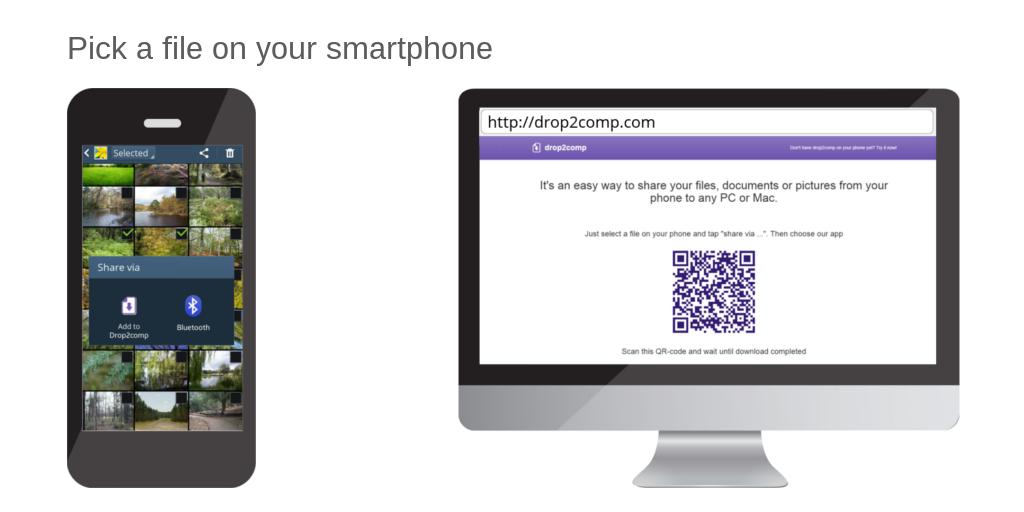
Launch an internet browser on your computer and open share2any.com
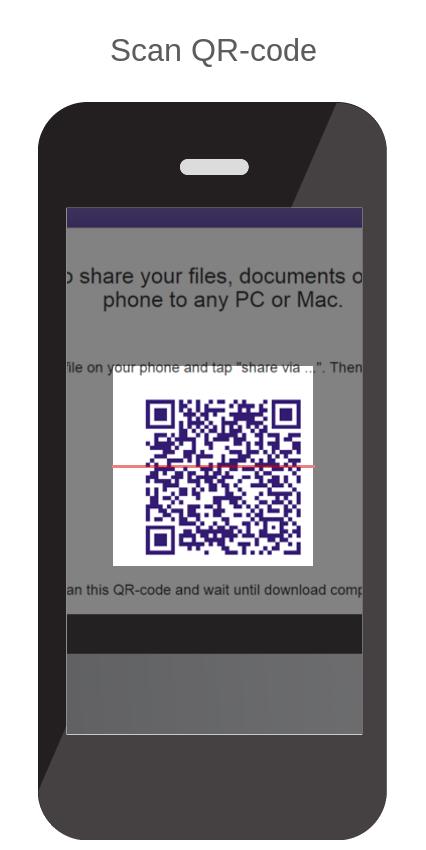
Then choose a file on your phone in any convenient way (using gallery or file manager) and tap on "Share via …". Choose "Share2any" in the opened list. Then scan QR-code from the web page you have opened yet. Wait until download will complete.
Or, launch app Share2any, tap on the "browse" button, and choose the file. Scan QR-code and wait until download will complete.
Similarly, you can get any file from your computer.
If your phone and computer included in the same local network then the size of transferring files not taken into account.
Phiên bản mới nhất
2.1.9Được tải lên bởi
Reinaldo Santos
Yêu cầu Android
Android 4.4+
Danh mục
Miễn phí Công cụ ỨNG DỤNGXếp hạng nội dung
Everyone
Báo cáo
Gắn cờ là không phù hợpLast updated on Jul 14, 2020
Changed main site address





APKPure - Kho ứng dụng đa nền tảng chủ yếu tập trung vào Android, cung cấp nội dung phong phú về ứng dụng. Khám phá ứng dụng bạn muốn dễ dàng, nhanh chóng và an toàn hơn, với tính năng tải xuống và cài đặt nhanh chóng và hiệu quả.