It's an easy way to send or get files, documents, or pictures from your Android to any PC nearby. Data cable is not required. You need just an internet connection and WiFi.
* Simple and easy, just scan QR-code via this app.
* Send and receive files, documents, pictures
* Once installed app - transfer files to anyone
* No USB cable
* No login and passwords during transferring
* No required to configure
* No required extra programs on PC
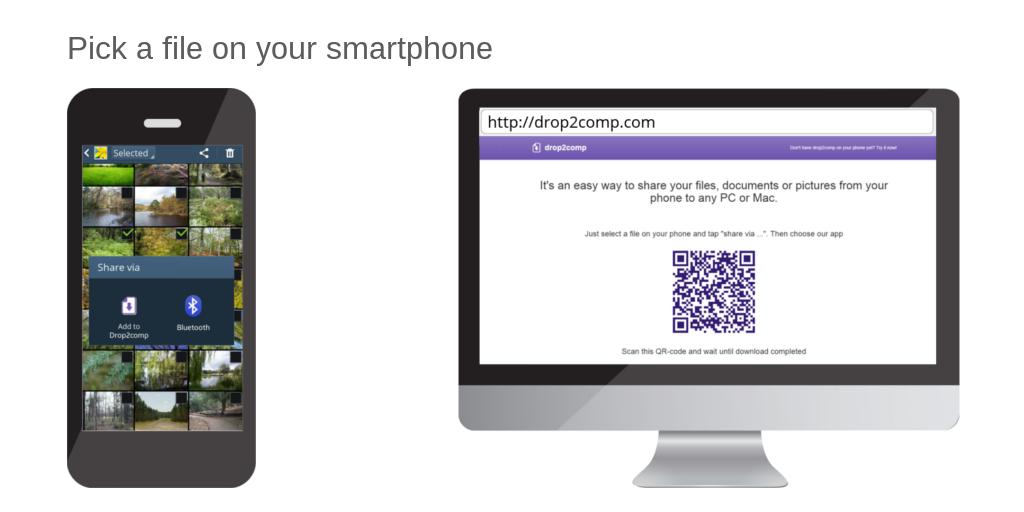
Launch an internet browser on your computer and open share2any.com
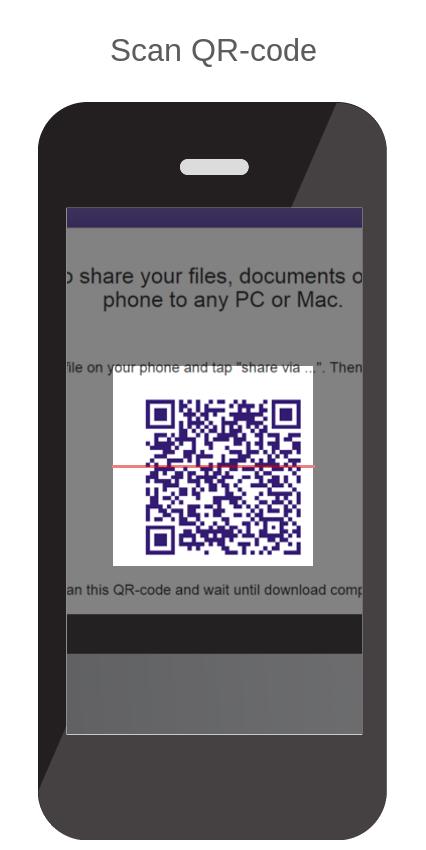
Then choose a file on your phone in any convenient way (using gallery or file manager) and tap on "Share via …". Choose "Share2any" in the opened list. Then scan QR-code from the web page you have opened yet. Wait until download will complete.
Or, launch app Share2any, tap on the "browse" button, and choose the file. Scan QR-code and wait until download will complete.
Similarly, you can get any file from your computer.
If your phone and computer included in the same local network then the size of transferring files not taken into account.
เวอร์ชันล่าสุด
2.1.9อัปโหลดโดย
Reinaldo Santos
ต้องใช้ Android
Android 4.4+
Category
ฟรี เครื่องมือ แอปการจัดประเภทเนื้อหา
Everyone
รายงาน
ปักธงว่าไม่เหมาะสมLast updated on Jul 14, 2020
Changed main site address





APKPure - ร้านค้าแอปพลิเคชันแบบมัลติแพลตฟอร์มที่มุ่งเน้นระบบ Android เป็นหลัก พร้อมให้บริการเนื้อหาที่เกี่ยวกับแอปอย่างครบครัน ค้นพบแอปที่คุณต้องการได้ง่าย รวดเร็ว และปลอดภัยยิ่งขึ้น พร้อมการดาวน์โหลดและติดตั้งที่รวดเร็วและมีประสิทธิภาพ