MP3 Converter Video to MP3 gives you new way to convert to mp3 any video you want from your phone directory, convert to mp3 files (MP3, AAC). mp3 converter video (video to MP3) convert to mp3 in one tap.MP3 converter convert your videos to mp3. With mp3 converter video, you can easily convert to mp3 any video files in mobile phone into MP3 (AAC), such as concert music video, video lectures, talk show etc., and listen to the mp3 audio while you are in work or busy! With this app, you can easily convert video to mp3 music and audio.MP3 Video Converter is the easiest video converter to MP3 music in the market, you can convert your favorite videos to mp3 even when you are outdoors.
Secret Tip: Download videos from free video sites, then convert them to MP3 music and audio. Use of this app is to MP3 Video Converter, listening to the music and audio for free! MP3 converter can also edit music and audio in your phone. MP3 converter will be your best mp3 converter video and the fastest app that convert to mp3 any video you want. mp3 converter video will make an audio library for you. Video to mp3 can convert any video to MP3 audio and save to your phone. You can also make your music audio to ringtone, and cut audio in only one tap.
video converter is an essential software of android mobile phone. It is definitely your best partner when enjoying the music and audio from film and television! Convert your video, movie or music video into MP3 music files using MP3 converter.
In addition, you can also share the output audio with friends in social platforms! Come and experience music with MP3 Video Converter.
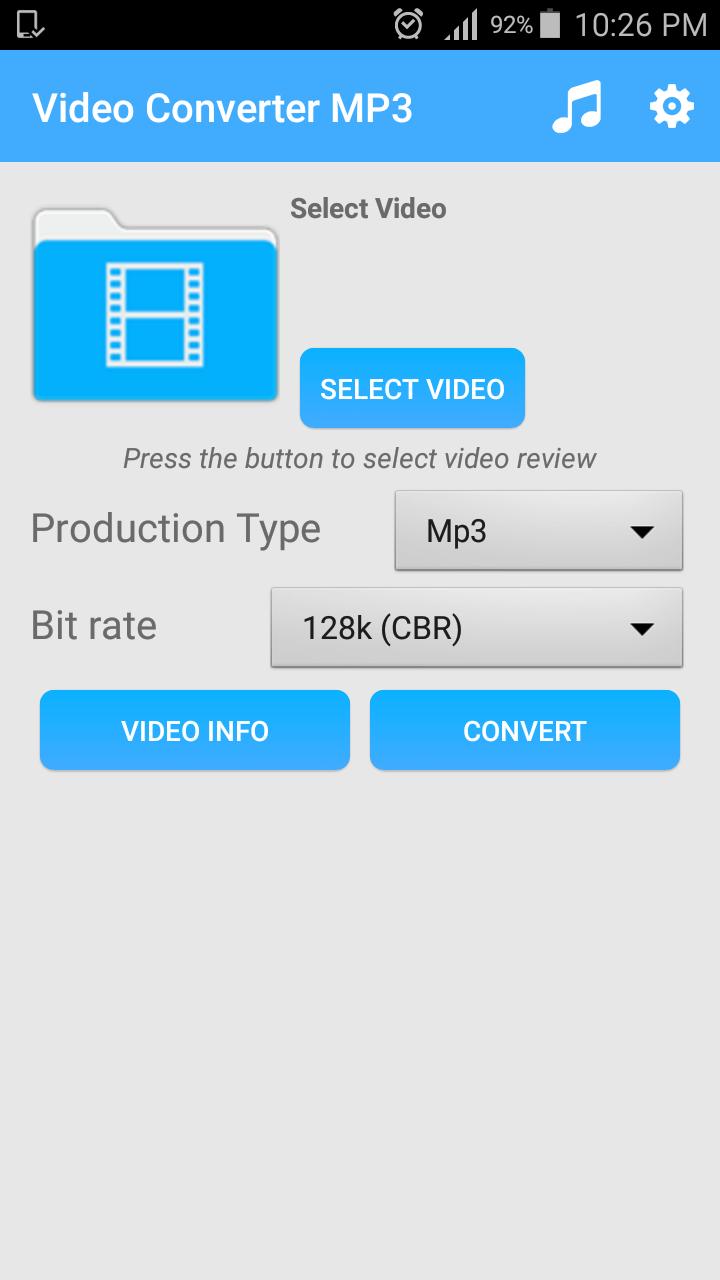
Step by step instructions:
1) Choose Video that you want to convert
2) Choose audio format (MP3 or AAC)
3) Add meta-data for MP3 format (optional)
4) Press "Convert" button
You can convert video files to audio files (MP3, AAC) with various options ( bitrate, meta data)
Features:
1. Supports various types of videos (3GP, FLV, MP4 and so on)
2. Supports various types of audio (MP3, AAC)
3. Supports editing meta information (title, album, artist)
4. Supports application based integration. (Contact us)
DISCLAIMER:
** This application is NOT Youtube MP3 converter. You can ONLY convert videos that are in your device.
Latest Version
1.2Requires Android
2.3 and up
Category
Free Music & Audio AppContent Rating
Everyone
Report
Flag as inappropriateLast updated on Sep 20, 2017
Minor bug fixes and improvements. Install or update to the newest version to check it out!


APKPure - A multi-platform app store primarily focused on Android, providing extensive app-related content. Discover the app you want easier, faster, and safer, with quick and efficient downloads and installations.