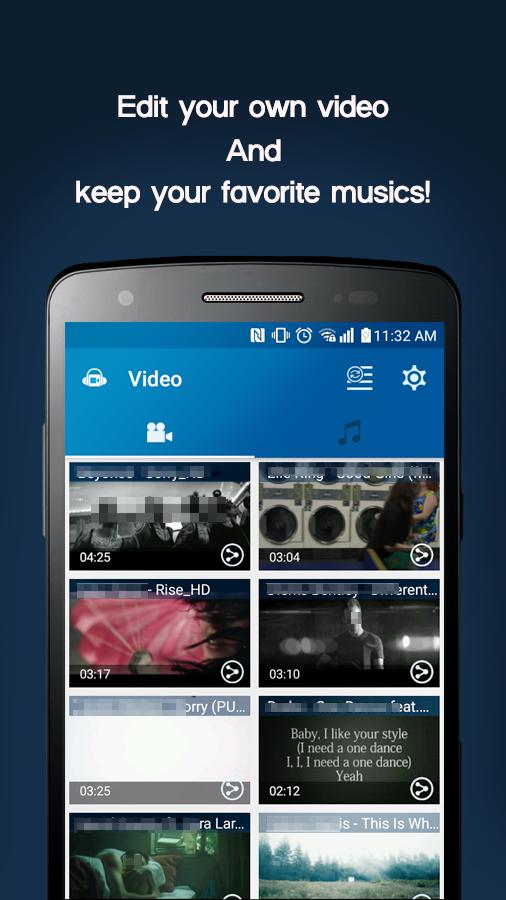
Video MP3 Converter helps when you need quick audio from a video or a small clip ready to share. It focuses on simple steps that keep tasks clear from start to finish. As you move through the app, actions feel direct and consistent, so files are processed without confusion. Whether organizing tracks or preparing tones, it keeps things tidy for everyday use. If you plan to download Video MP3 Converter, this overview explains the basics you can expect.
Video MP3 Converter features
Quick video to audio conversionVideo MP3 Converter uses a fast conversion engine designed for Android. You move from picking a file to getting an audio track in a short time. This saves waiting, which helps when you need a clip ready for listening or sharing right away.
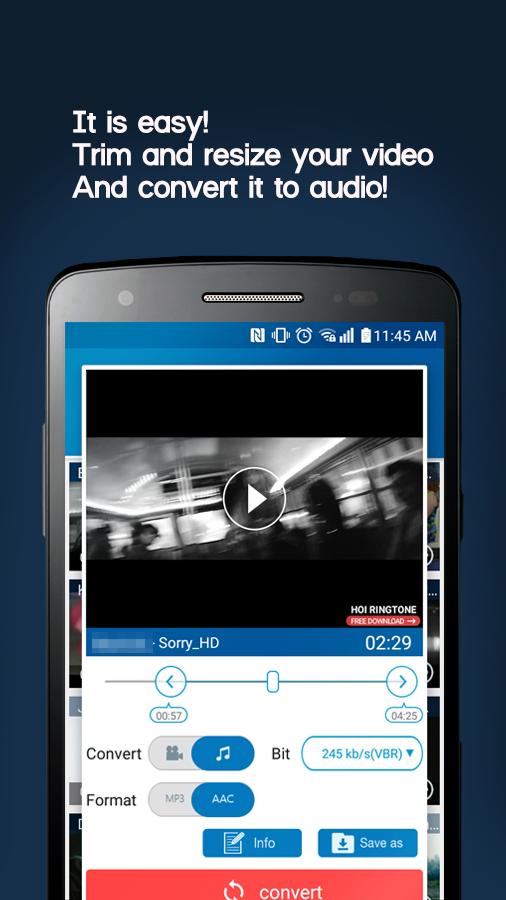
Works with common formatsVideo MP3 Converter handles popular inputs like MP4, 3GP, WEBM, WMV, and FLV. You can convert these files into audio outputs such as MP3, AAC, or OGG. This makes the app a practical video to MP3 converter for everyday formats you already use.
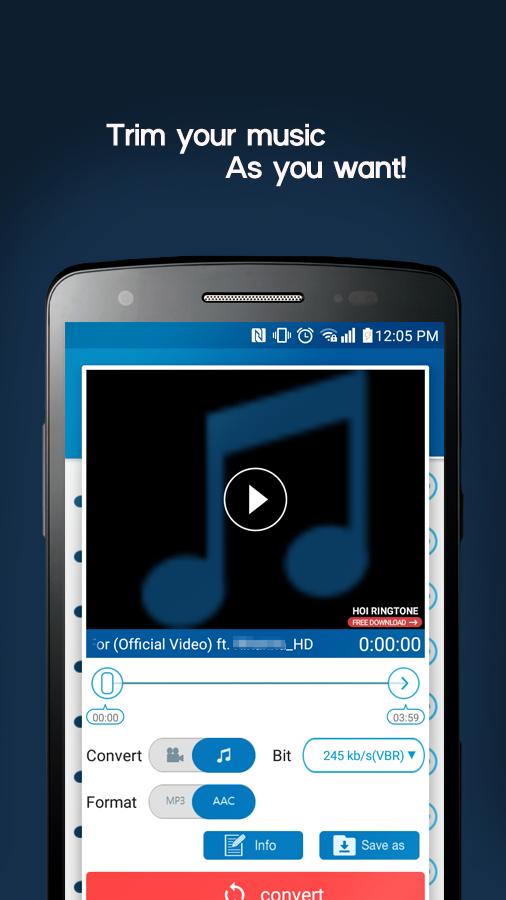
Trim audio for tonesYou can cut and trim audio with precision to create ringtones, alarms, and notification sounds. Set clean start and end points to capture the exact part you want. After trimming, save the clip so it is ready for use on your phone.
Resize videos for smaller filesVideo MP3 Converter lets you resize video files to reduce size or fit sharing limits. This function is helpful when a messaging service or upload has a cap on file size. You adjust settings, then save the resized video so it is easier to send.
Edit MP3 info and coverYou can edit MP3 metadata to keep your library organized. Change title, artist, and album details, then update the album cover artwork inside the app. This keeps tracks labeled correctly and makes your collection look consistent.
How to use Video MP3 Converter
This quick guide shows the basic flow for turning a video into audio and trimming a clip on Android. Use Video MP3 Converter APK to process files in a few straightforward steps.
- Open Video MP3 Converter, then choose a video from your device storage.
- Select an output format such as MP3, AAC, or OGG, and confirm your choice.
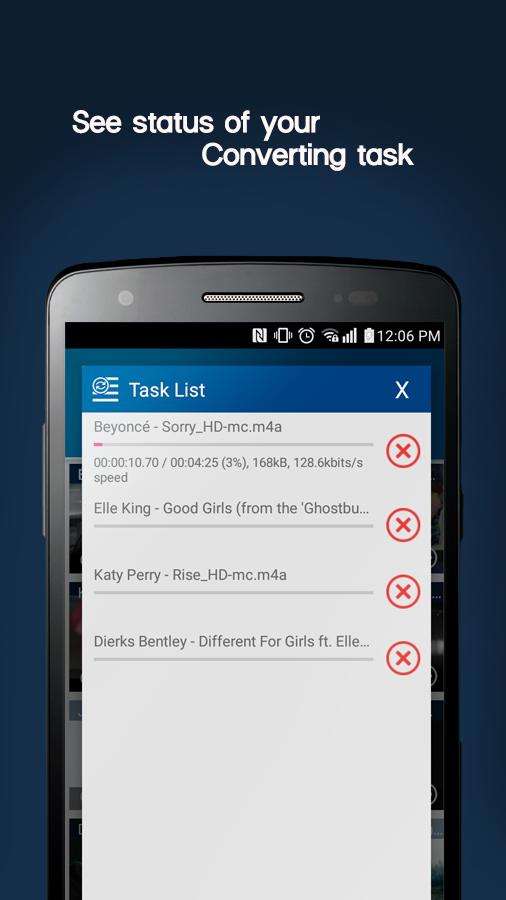
- Next, tap convert to start processing and wait until the audio file is ready.
- After that, open the audio trimmer, set the start and end points, then confirm the cut.
- Finally, save the file to your device. If you want a ringtone, save the clip and apply it through your phone settings.
Start converting with Video MP3 Converter
Video MP3 Converter focuses on quick conversion, simple trimming, video resizing, and clean MP3 tagging. To begin, install the app and process your first file with a few taps. Check the Video MP3 Converter latest version for the most stable experience.
For assistance or help, use the official link below.