Do you use your laptop as a media hub in your living room?
Do you find it annoying to go to your laptop every time you want to enter something on it?
Here is a solution for you!
Introducing WirelessKeyboard, a simple yet powerful app to turns your phone or tablet to a wifi-keyboard for your PC.
There are 4 basic modes:
1. Keyboard with mouse pad
2. Mouse pad
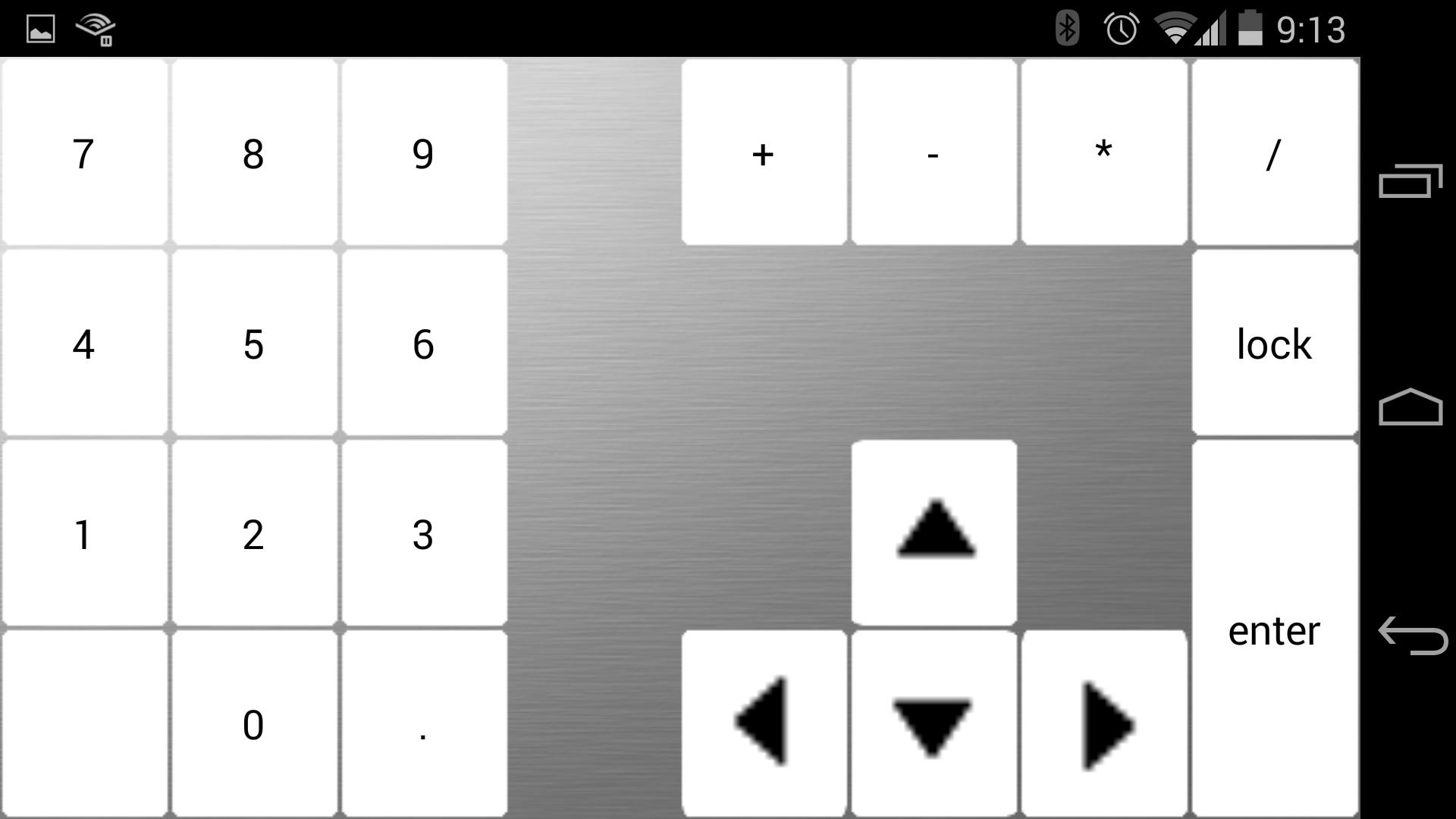
3. Number pad
4. Keyboard
This app can runs on phones and tablets. It supports Windows, Mac OS and Linux systems.
Setup Requirements:
1. To run this app, you need to install Java Runtime Environment. Click the link below to download and install.
http://www.oracle.com/technetwork/java/javase/downloads/index.html
2. After you install the Java Runtime Environment, you need to download the client app on your PC.
http://lab2apps.com/PCclient.zip
To run it, simply double click.
Tutorial:
If you have trouble setup the app, here is a tutorial
http://lab2apps.com/Tutorial.pdf
تازہ ترین ورژن
1.0اپ لوڈ کردہ
Omar Ezz El Din
Android درکار ہے
Android 3.2+
کٹیگری
مفت ٹولز ایپمواد کی درجہ بندی
Unrated · Warning – content has not yet been rated. Unrated apps may potentially contain content appropriate for mature audiences only.
رپورٹ کریں
فلیگ غیر موزوں ہےLast updated on Oct 15, 2015
اس ورژن میں معمولی بگ فکسز اور عمومی بہتریاں شامل ہیں۔ بہترین تجربے کے لیے تازہ ترین ورژن پر اپ ڈیٹ کریں۔





APKPure - ایک ملٹی پلیٹ فارم ایپ اسٹور جو بنیادی طور پر اینڈروئیڈ پر مرکوز ہے، جو وسیع ایپ سے متعلق مواد فراہم کرتا ہے۔ اپنی مرضی کی ایپ کو آسانی سے، تیزی سے اور محفوظ طریقے سے دریافت کریں، تیز اور موثر ڈاؤن لوڈز اور انسٹالیشنز کے ساتھ، جو آپ کی ضروریات کو پورا کرتے ہیں۔