
Do you use your laptop as a media hub in your living room?
Do you find it annoying to go to your laptop every time you want to enter something on it?
Here is a solution for you!
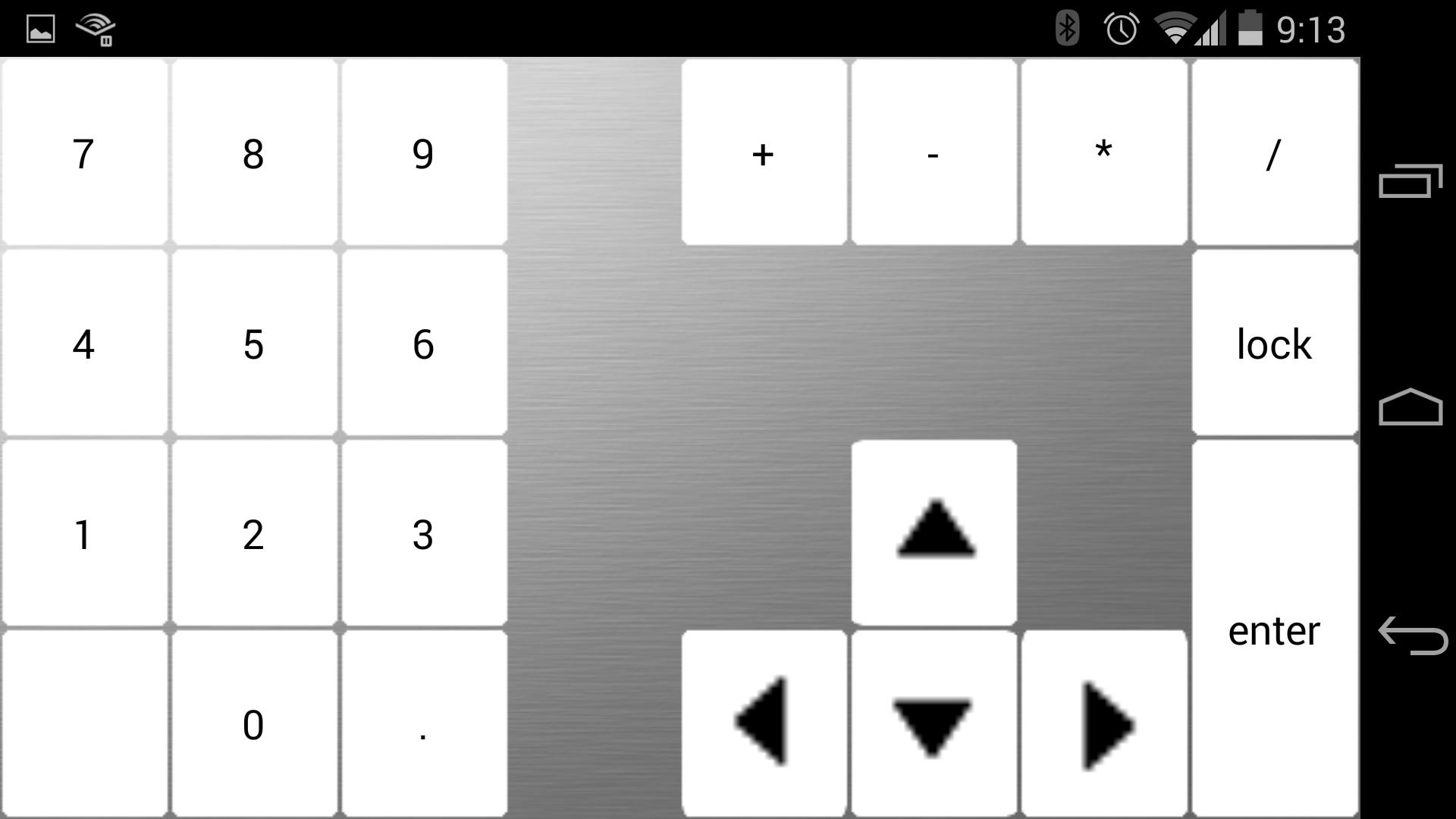
Introducing WirelessKeyboard, a simple yet powerful app to turns your phone or tablet to a wifi-keyboard for your PC.
There are 4 basic modes:
1. Keyboard with mouse pad
2. Mouse pad
3. Number pad
4. Keyboard
This app can runs on phones and tablets. It supports Windows, Mac OS and Linux systems.
Setup Requirements:
1. To run this app, you need to install Java Runtime Environment. Click the link below to download and install.
http://www.oracle.com/technetwork/java/javase/downloads/index.html
2. After you install the Java Runtime Environment, you need to download the client app on your PC.
http://lab2apps.com/PCclient.zip
To run it, simply double click.
Tutorial:
If you have trouble setup the app, here is a tutorial
http://lab2apps.com/Tutorial.pdf
เวอร์ชันล่าสุด
1.0อัปโหลดโดย
Omar Ezz El Din
ต้องใช้ Android
Android 3.2+
Category
ฟรี เครื่องมือ แอปการจัดประเภทเนื้อหา
Unrated · Warning – content has not yet been rated. Unrated apps may potentially contain content appropriate for mature audiences only.
รายงาน
ปักธงว่าไม่เหมาะสมLast updated on Oct 15, 2015
เวอร์ชันนี้มีการแก้ไขข้อบกพร่องเล็กน้อยและการปรับปรุงทั่วไป อัปเดตเป็นเวอร์ชันล่าสุดเพื่อประสบการณ์ที่ดีที่สุด





APKPure - ร้านค้าแอปพลิเคชันแบบมัลติแพลตฟอร์มที่มุ่งเน้นระบบ Android เป็นหลัก พร้อมให้บริการเนื้อหาที่เกี่ยวกับแอปอย่างครบครัน ค้นพบแอปที่คุณต้องการได้ง่าย รวดเร็ว และปลอดภัยยิ่งขึ้น พร้อมการดาวน์โหลดและติดตั้งที่รวดเร็วและมีประสิทธิภาพ