
Have you ever typed something and then accidentally erased it? Written down something important and couldn't find it again? App crashed and lost everything you wrote? With your own Type Machine, that's no problem.
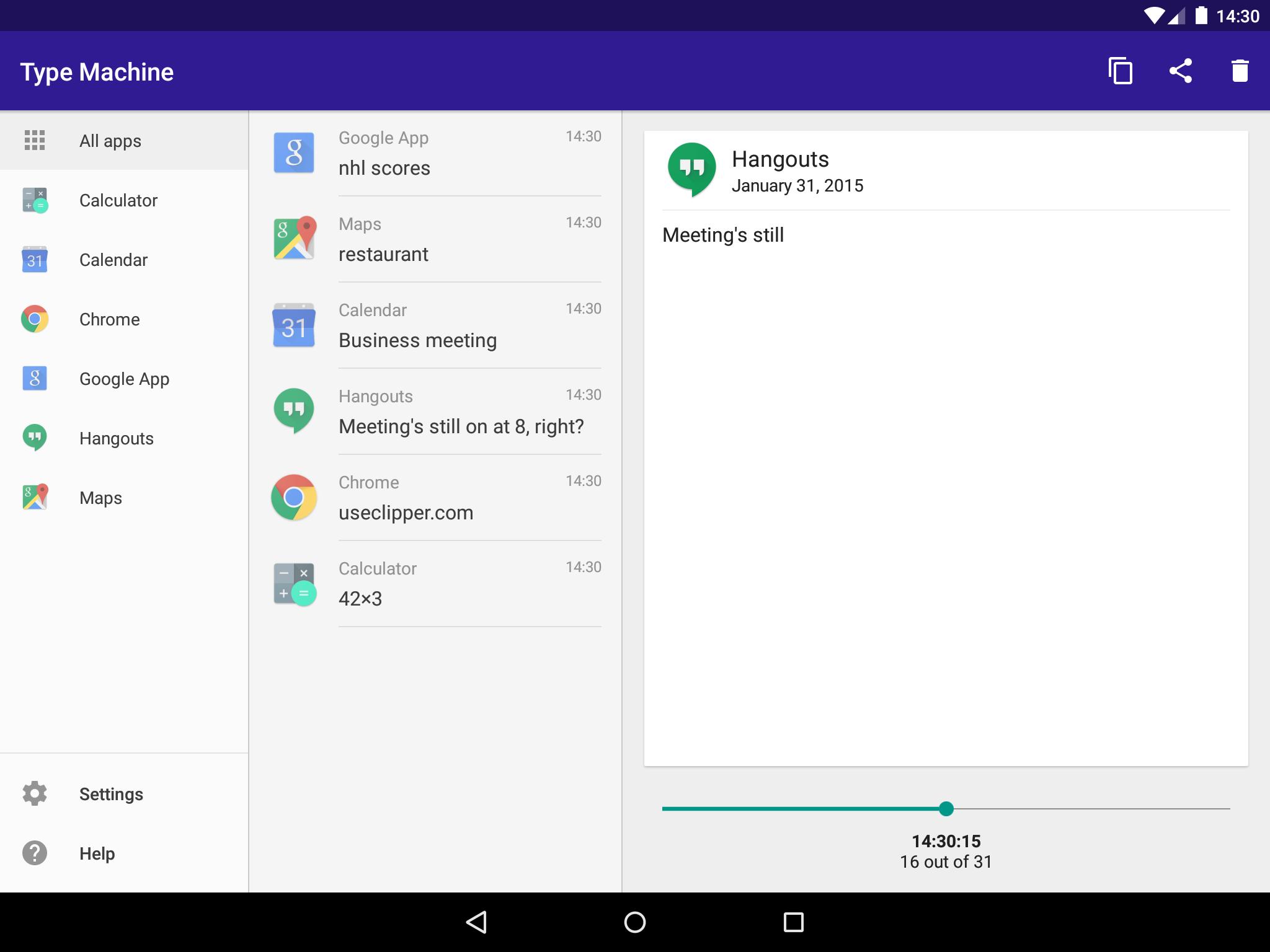
Type Machine saves everything you type in every app. Open it at any time to find old entries. Filter them by app. Drag the history slider to see what you typed letter by letter. Tap to copy. Never lose a piece of text again!
Go back in time. Download your very own Type Machine today.
✔ Completely automatic and seamless. Logs everything from every native Android app. Complete typing history.
✔ Stays out of the way until you need it. Simple to use when you do. Brings global undo to Android.
✔ Safe and private. No unnecessary permissions. Allows you to set a PIN lock on the history list. Automatic deletion of old entries.
✔ Configurable blacklist for apps. Type Machine won't collect what you don't want it to.
✔ Tablet-friendly user interface.
After installation, start Type Machine. Collection must be enabled from the device settings: instructions will be provided. Other accessibility services enabled on your device may interfere with functionality.
If you need help, or have any suggestions or complaints, please e-mail us at typemachine@rojekti.fi. Your feedback is very important to us.
Type Machine will function with almost every app that is built using the native Android frameworks. Password fields are not (and can not be) logged by Type Machine.
Type Machine uses Accessibility Services
Android Accessibility Services are used to collect device wide input history into Type Machine. Type Machine sees what you type in other apps using the Accessibility Service. Accessibility permissions are required to fulfill the core function of the app.
Saved data is stored on your device only and is not shared with anyone. It can be deleted within Type Machine at any time. Enable or disable Type Machine in the system Accessibility Settings to control collection of input history.
Other Permissions
✔ Run at startup for scheduled automatic deletion
✔ Show notifications for locking
✔ Start at device boot
Latest Version
2.2Requires Android
7.1
Category
Productivity AppContent Rating
Everyone
Report
Flag as inappropriateLast updated on Feb 9, 2026
This release includes minor bug fixes and general improvements. Update to the latest version for the best experience.




APKPure - A multi-platform app store primarily focused on Android, providing extensive app-related content. Discover the app you want easier, faster, and safer, with quick and efficient downloads and installations.