Package Name:com.toolboxesai.onscreenqr
SHA-256:917a4f7dc0ca16ebf7e79bc9e825b6d4b62997a9244ef454759bea532e5d4d66
Show More

ToolBoxesAi OnScreen QR — Scan QR Codes & Barcodes Directly From Your Screen.
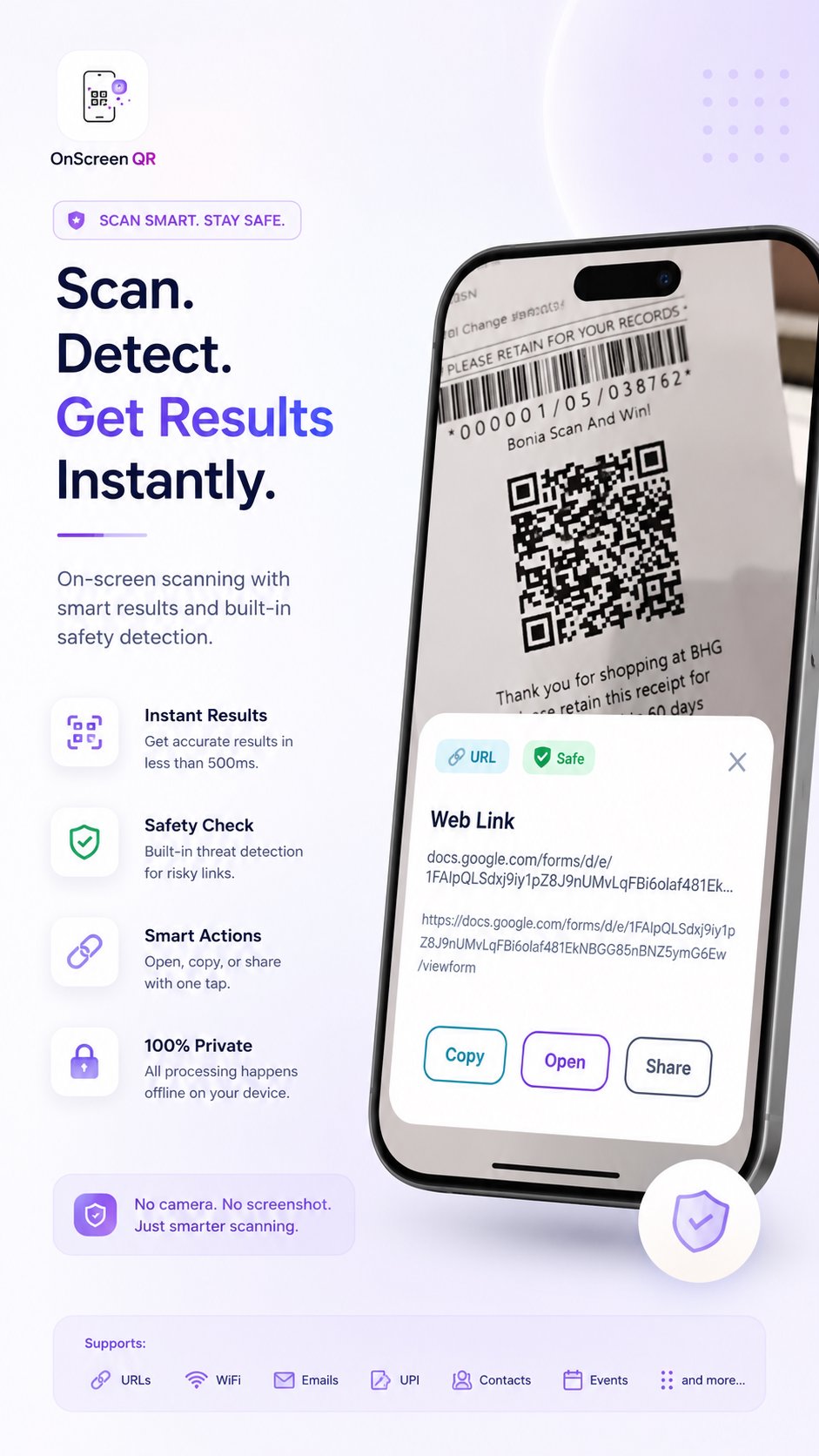
No camera. No screenshot. No internet. Just tap the floating bubble and instantly scan any QR code or barcode visible on your display — from any app, any screen, anytime. In Addition, optional Circle To Search feature requires internet to safely query Google and Google Lens.
🔍 HOW IT WORKS
Four simple steps. Start to result in under a second.
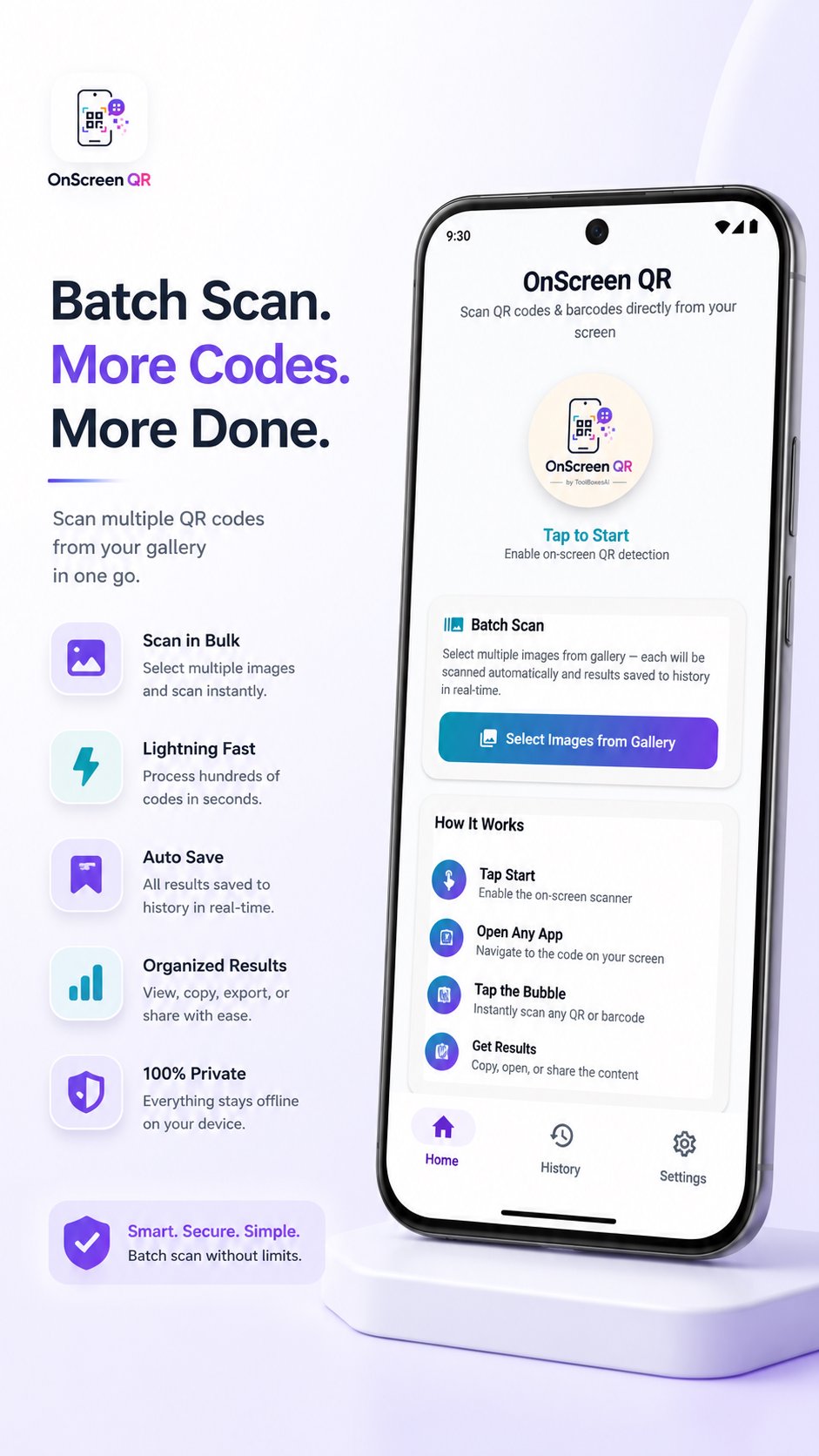
1. Grant Permission — Allow "Display Over Other Apps" so the floating bubble can appear on your screen
2. Tap Start — Enable the scanner from the app or your Quick Settings tile
3. Open Any App — Navigate to the screen displaying the code
4. Tap the Bubble — The floating button instantly captures, detects, and delivers your result.
⚡ FEATURES
🎯 Universal Detection
Auto-Detect, QR Only, or Barcode Only scan modes. Up to 97% accuracy with sub-500ms scanning speed.
🔎 Smart Parsing
Automatically identifies and categorizes URLs, WiFi networks, UPI payments, emails, phone numbers, calendar events, and contacts from every scan.
🛡️ Intelligent Threat Analyzer
Every scan is automatically evaluated for phishing links, suspicious domains, and payment scams using built-in offline pattern recognition — with instant visual safety indicators:
🟢 Safe — No threats detected
🟡 Caution — Verify before proceeding
🔴 Dangerous — Potential threat detected
⚙️ Fully Customizable
Haptic feedback, auto-copy, result notifications, and auto-dismiss timers (5s, 10s, 15s, or indefinite) — tailor everything to your workflow.
📦 Batch Scan
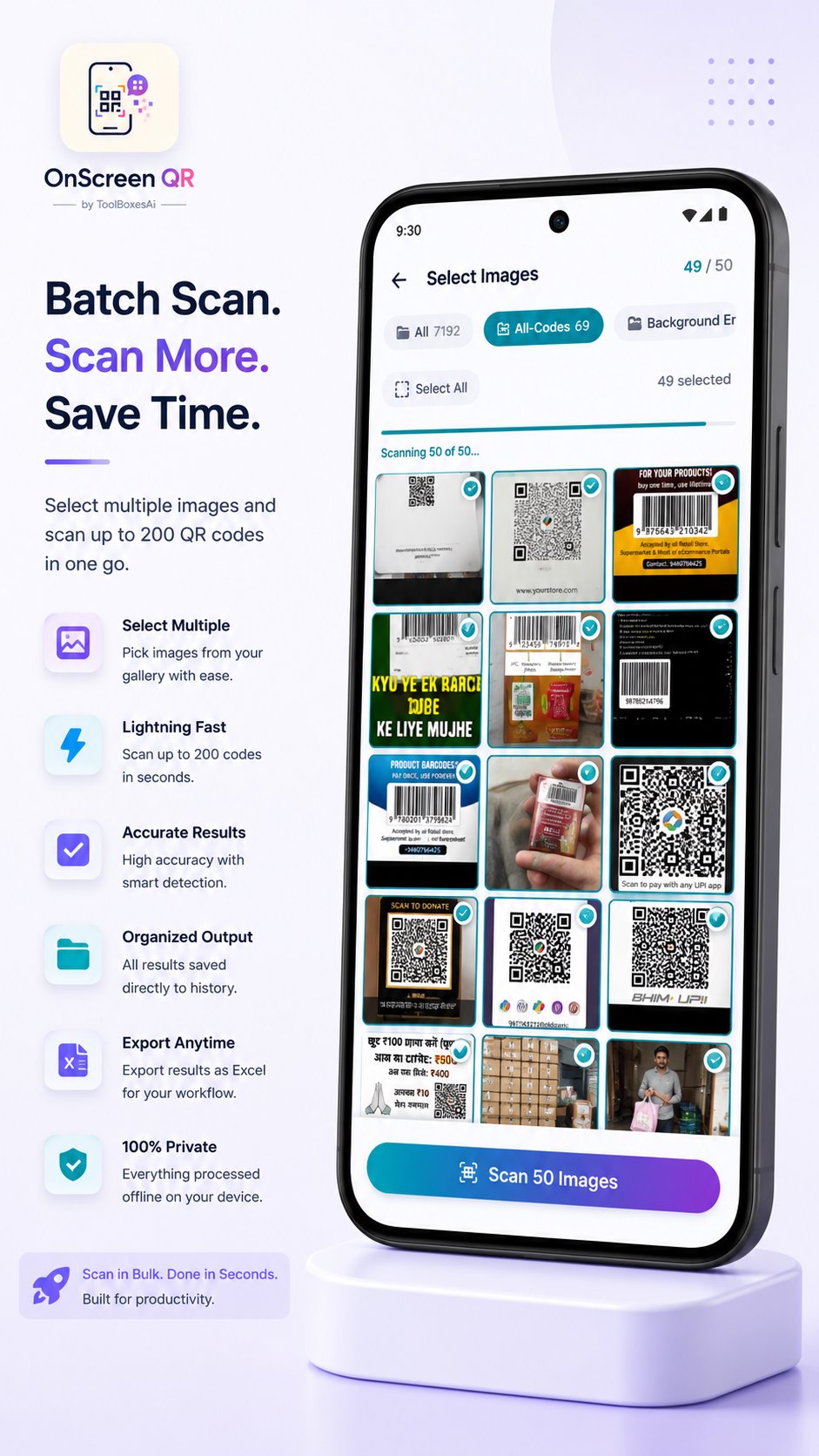
Scan multiple codes in one go — choose 10, 25, 50, 100, or 200 codes at once. Perfect for inventory, logistics, and bulk processing workflows.
📊 Excel Export
Export scan history into a well-structured Excel (.xlsx) file — fully categorized by type (URLs, WiFi, UPI, contacts, etc.) or as a flat list. Built for professionals who need organized records.
🔵Circle to Search (Optional)
Instantly searches for anything on your screen based on what you encircle, Great for searching anything from on any app, website or anywhere on screen.
🕑 Local History
All scans saved exclusively in an on-device local database. Review, copy, or delete entries anytime. Toggle history off completely if preferred — full control stays with you.
⚡ Quick Settings Tile
Trigger scans directly from your Android notification panel — no need to open the app.
📱 Wide Compatibility
Supports Android 7.0 (Nougat) and above across 7+ Android versions. Smooth and efficient on phones and tablets.
🔒 PRIVACY — NOT A FEATURE. THE FOUNDATION.
✓ 100% Offline Processing — No internet permission requested. No server lookups. Everything runs natively on your device except optional Circle To Search feature.
✓ Zero Data Collection — No personal data, usage analytics, crash reports, or telemetry of any kind collected, stored, or transmitted for QR and Barcode scanning.
✓ Zero Background Activity — Completely idle when not scanning. Never continuously watches or records your screen.
✓ Official APIs Only — Strictly uses official Android APIs. No Accessibility Services. No restricted APIs.
🖥️ PERMISSIONS — FULLY TRANSPARENT
- Screen Content Access — Detects codes visible on screen when you tap the scan button
- Display Over Apps — Required first-time permission that allows the floating scan bubble to appear over any app on your screen. This is the only setup step needed — grant it once and the bubble is ready forever
- Notifications — Displays scan results and scanner status
- Vibration — Haptic feedback on detection. Toggleable in settings.
- Internet — Required to run circle to search to query Google/Google Lens.
No camera permission. No location. No contacts. No microphone. Nothing invasive.
OnScreen QR by ToolBoxesAi leverages next-gen technology to supercharge your productivity while maintaining complete privacy. Zero tracking. Zero compromise.
🌐 onscreen-qr.toolboxesai.com
Latest Version
1.0.4Uploaded by
Ngọc Duyên
Requires Android
Android 7.0+
Category
Free Tools AppContent Rating
Everyone
Security Report
Check Now
Report
Flag as inappropriateLast updated on Oct 6, 2026
🎉 Introducing Circle to Search
We've added a powerful new tool to our OnScreen Qr scanner! Alongside our lightning-fast, completely offline QR and barcode detection, one can now use the brand-new Circle to Search feature.
Simply long-press the scanner bubble and draw a circle around anything on your screen to instantly find what you circled.
Whether you're scanning codes offline or looking something up online, OnScreen Qr makes it seamless and effortless.





APKPure - A multi-platform app store primarily focused on Android, providing extensive app-related content. Discover the app you want easier, faster, and safer, with quick and efficient downloads and installations.