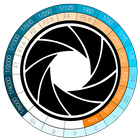
It's a tool for calculate the ratio between aperture (F-Stop) and exposure time (Shutter Speed) in Computer Graphics when using a physical camera (like Vray and other's rendering engine) or in Photography.
How To:
Click on the left or the right Stop-Disc's side until matching the F-stop values and the Shutter Speed you have previously set in your camera, or physical camera if you used a rendering engine.
Up to this point, you will get all the matching values on the Stop-Disc.
Choose the new F-Stop value on the Stop-Disc.
You will get the matching Shutter Speed value needed to get the same camera esposition's starting setting.
It's very useful if you want to get the F-Stop value in order to increase the Depth of Field.
Latest Version
1.0Uploaded by
Богдан Романов
Requires Android
Android 2.3.2+
Category
Free Photography AppContent Rating
Everyone
Report
Flag as inappropriateLast updated on Jul 31, 2015
This release includes minor bug fixes and general improvements. Update to the latest version for the best experience.



APKPure - A multi-platform app store primarily focused on Android, providing extensive app-related content. Discover the app you want easier, faster, and safer, with quick and efficient downloads and installations.