How to use application
PREREQUISITE:You mobile device must support USB-OTG.
1. In general you should set pins BOOT0 and BOOT1 in correct combination according to model of your CPU.
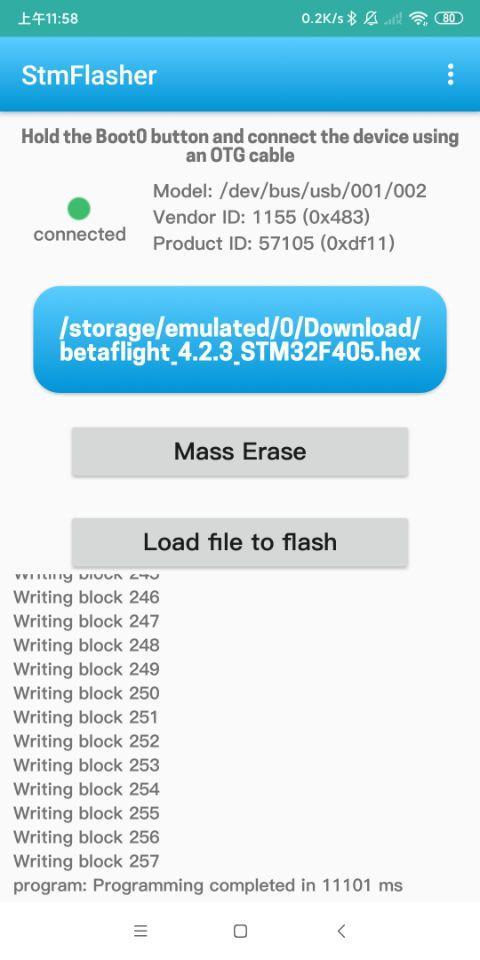
2.Hold the Boot0 button and connect the device using an OTG cable.
Functions:
- Get chipset info
- Erase memory
- Write firmware
- Load firmware
Supported firmware file format:
- Binary (.bin)
- Intel Hex (.hex)
- Device Firmware Upgrade(.dfu)
Latest Version
1.0Uploaded by
ปีเตอร์' รสกล้วยยย
Requires Android
Android 6.0+
Category
Free Tools AppContent Rating
Everyone
Report
Flag as inappropriateLast updated on Feb 15, 2021
Update the STM32 chipset easily and quickly
How to use application
PREREQUISITE:You mobile device must support USB-OTG.
1. In general you should set pins BOOT0 and BOOT1 in correct combination according to model of your CPU.
2.Hold the Boot0 button and connect the device using an OTG cable.
Functions:
- Get chipset info
- Erase memory
- Write firmware
- Load firmware
Supported firmware file format:
- Binary (.bin)
- Intel Hex (.hex)
- Device Firmware Upgrade(.dfu)




APKPure - A multi-platform app store primarily focused on Android, providing extensive app-related content. Discover the app you want easier, faster, and safer, with quick and efficient downloads and installations.