


Package Name:net.moemoe.tomorrow.GraffitiAnalogClock
SHA-256:7b68b0af7375f2b42dc3764618c93c5b9d81d9256cd061446ddd0d14c2e0aea4
Show More

[[ INFORMATION ]]
The price of this app was changed to $0. (June 2024)
-------------------------------------------------------------
# (Oppo, Xiaomi, Redmi, Realme, Infinix, Vivo, TCL etc.)
If the phone has a function that blocks the auto-startup of apps, please exclude this app.
# This app is a WIDGET. After installed, you need to place it on your home.
-------------------------------------------------------------
<> This is an analog clock widget, such as graffiti painted by freehand on your home screen.
Of course, every time redraw, will be completely different graffiti.
<> You can change the "Graffiti skill."
However, if you choose the lowest level, as the clock may not be practical.:-)
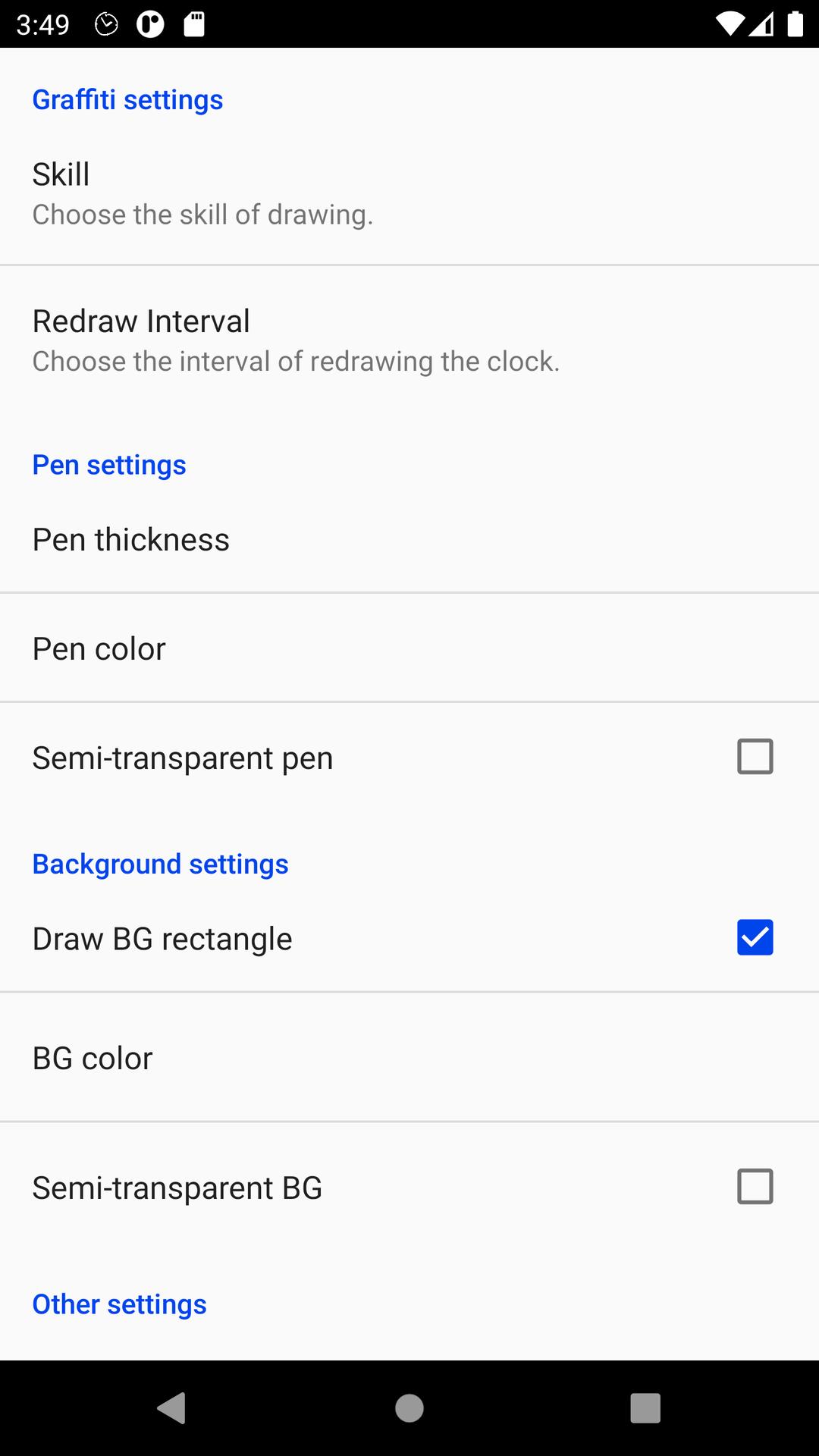
<> You can change the pen color, pen thickness, BG(background) color, and semi-transparent. Surely will match your home screen.
Without the BG, it looks like a "Graffiti" painted directly to the wallpaper!
<> Widget standard size is 2x2. You can change the size by long-tapping the widget.
Enjoy the "ANALOG feeling" of graffiti!!
-------------------------------------------------------------
[Settings]
- Drawing Skill
- Redraw interval
- Pen thickness and color
- BG color and semi-transparent
- Image quality
Latest Version
Varies with deviceUploaded by
Phạm Cường
Requires Android
Category
Free Lifestyle AppContent Rating
Everyone
Security Report
Check Now
Report
Flag as inappropriateLast updated on Nov 11, 2025
[NOTE] TROUBLE SHOOTING
- If the app stops while using, try "Prevent forced stop."
- ("Oppo" etc.) If the phone has a function that prohibits the auto-startup of apps, exclude this app.
- You can remove the notification by using "Notification icon setting."
[HISTORY]
v3.2.1
- Supported dark mode display. (Android 10 and later)
- Improved small problems.
v3.1.0
- Added Guide icon.
v3.0.0
- Added "Notification icon setting" and "Prevent forced stop" to Preferences.





APKPure - A multi-platform app store primarily focused on Android, providing extensive app-related content. Discover the app you want easier, faster, and safer, with quick and efficient downloads and installations.




![Simple Analog Clock [Widget] APK](https://image.winudf.com/v2/image1/bmV0Lm1vZW1vZS50b21vcnJvdy5teUFuYWxvZ0Nsb2NrMl9pY29uXzE1NjY5OTU4MjdfMDgw/icon.png?w=102&fakeurl=1)
![ComiPo! Battery Meter [Widget] APK](https://image.winudf.com/v2/image1/bmV0Lm1vZW1vZS50b21vcnJvdy5Db21pUG9CYXR0ZXJ5TWV0ZXJfaWNvbl8xNTY3MDA3MDg4XzA2Mw/icon.png?w=102&fakeurl=1)


![Fancy Analog Clock [Widget] APK](https://image.winudf.com/v2/image/bmV0Lm1vZW1vZS50b21vcnJvdy5GYW5jeUFuYWxvZ0Nsb2NrX2ljb25fMF9jNzBjYmI1ZQ/icon.png?w=102&fakeurl=1)










![Graffiti Analog Clock [Widget]](https://static.apkpures.xyz/www/static/imgs/lazy.png)
![Graffiti Analog Clock [Widget] icon](https://image.winudf.com/v2/image1/bmV0Lm1vZW1vZS50b21vcnJvdy5HcmFmZml0aUFuYWxvZ0Nsb2NrX2ljb25fMTY1ODgzMDY1NV8wNTc/icon.png?w=106&fakeurl=1 "Graffiti Analog Clock [Widget] icon")