


Scan Date:Jan 24, 2026
Show More
# (Oppo, Xiaomi, Redme, Realme, Infinix, Vivo, TCL etc.)
If the phone has a function that blocks the auto-startup of apps, exclude this app.
# This app is a WIDGET.
After installed, you need to place it on your home.
-------------------------------------------------------------
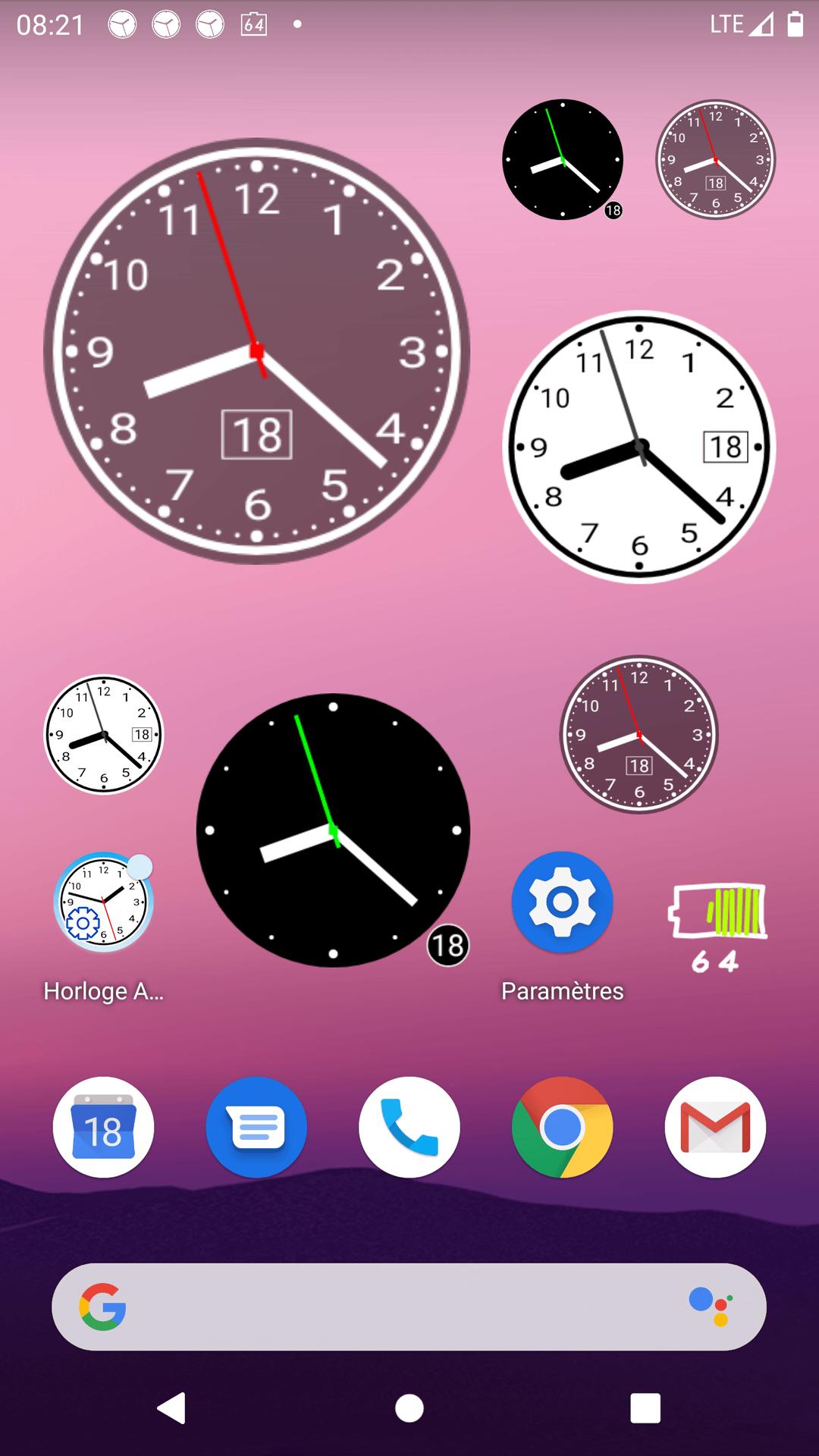
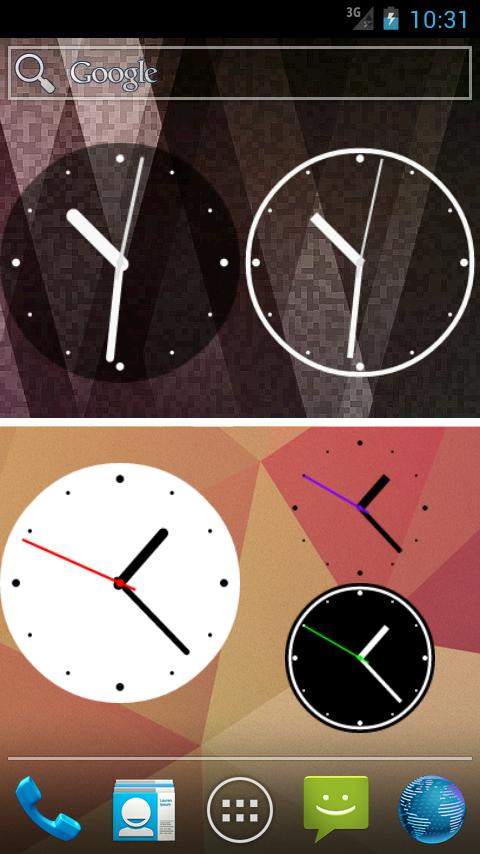
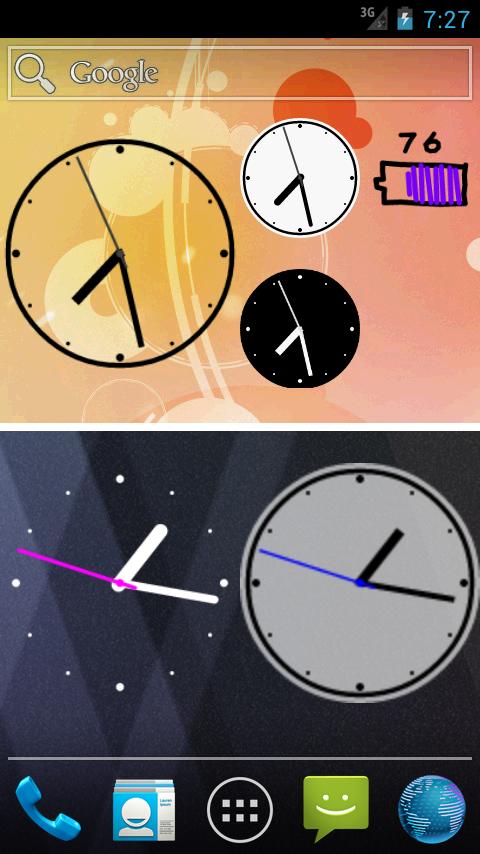
<> Very simple analog clock widget, supports second hand.
It's easy-to-read on your home.
<>Though it has second hand, battery consumption is low.
The clock will be stopping while the screen is off.
<> You can change some clockface settings, so surely it will match your home screen.
<> Widget size: 1x1, 2x2, 3x3
You can also change the size freely after set to the home.
-------------------------------------------------------------
[Settings]
- Use second hand
- Color of second hand
- Show hour numbers
- Change number text size
- Show hour and minute marks
- Change then hand thickness
- Show date
- Use clockface background and change transparency
- Dark Color Theme
- Drawing quality
etc.
-------------------------------------------------------------
MEMO:
- If the phone has a function that prohibits the auto-startup of apps, please exclude this app. (Oppo, Xiaomi, Redmi, Realme, Infinix, Vivo, TCL etc.)
- In rare case, widgets will not be added to the list. This is a problem of Android. In this case, re-install the app or reboot the phone.
- After you choose "Open Alarm setting" or "Do nothing" on "Tap action" setting, you will not be able to open the preference of this app. If you want to change settings, tap the app icon to open the preference.
- There are phones that does not sleep during charging. In this case, because even during charging continues to move second hand, it might seem like this app is consuming the battery. Usually it does not consume much battery.
-------------------------------------------------------------
Latest Version
5.4.2Uploaded by
Abdur Rahman
Requires Android
Android 10.0+
Category
Free Lifestyle AppContent Rating
Everyone
Security Report
Report
Flag as inappropriateLast updated on Jun 22, 2025
[NOTE] TROUBLE SHOOTING
- Oppo, Redme, Realme, Infinix, TCL etc.
If the phone has a function that blocks 'Auto Start' of apps, you must exclude this app.
- If the clock stops while using, use "Block the Stop" setting. (* Required for Android 12 and later.)
[HISTORY]
v5.4.2
- Fixed some bugs
v5.4.0
- Supported Android 15-16.




APKPure - A multi-platform app store primarily focused on Android, providing extensive app-related content. Discover the app you want easier, faster, and safer, with quick and efficient downloads and installations.



![ComiPo! Battery Meter [Widget] APK](https://image.winudf.com/v2/image1/bmV0Lm1vZW1vZS50b21vcnJvdy5Db21pUG9CYXR0ZXJ5TWV0ZXJfaWNvbl8xNTY3MDA3MDg4XzA2Mw/icon.png?w=102&fakeurl=1)


![Fancy Analog Clock [Widget] APK](https://image.winudf.com/v2/image/bmV0Lm1vZW1vZS50b21vcnJvdy5GYW5jeUFuYWxvZ0Nsb2NrX2ljb25fMF9jNzBjYmI1ZQ/icon.png?w=102&fakeurl=1)
![Graffiti Analog Clock [Widget] APK](https://image.winudf.com/v2/image1/bmV0Lm1vZW1vZS50b21vcnJvdy5HcmFmZml0aUFuYWxvZ0Nsb2NrX2ljb25fMTY1ODgzMDY1NV8wNTc/icon.png?w=102&fakeurl=1)









![Simple Analog Clock [Widget]](https://static.apkpures.xyz/www/static/imgs/lazy.png)
![Simple Analog Clock [Widget] icon](https://image.winudf.com/v2/image1/bmV0Lm1vZW1vZS50b21vcnJvdy5teUFuYWxvZ0Nsb2NrMl9pY29uXzE1NjY5OTU4MjdfMDgw/icon.png?w=106&fakeurl=1 "Simple Analog Clock [Widget] icon")