[[ INFORMATION ]]
The price of "Graffiti Analog Clock" (Full Spec version) was changed to $0.
Please use that from now on.
App pagge:
https://play.google.com/store/apps/details?id=net.moemoe.tomorrow.GraffitiAnalogClock
-------------------------------------------------------------
# This app is a WIDGET.
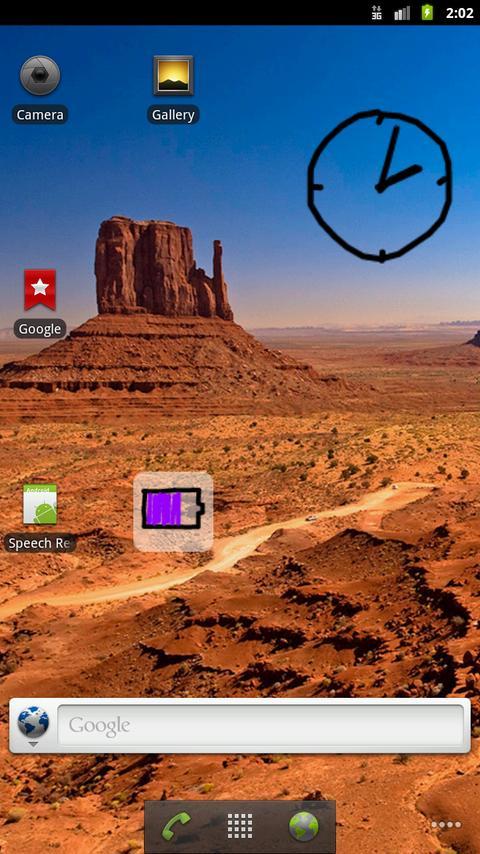
After installed, you need to place it on your home.
# ("Oppo" etc.) If the phone has a function that prohibits the auto-startup of apps, please exclude this app.
-------------------------------------------------------------
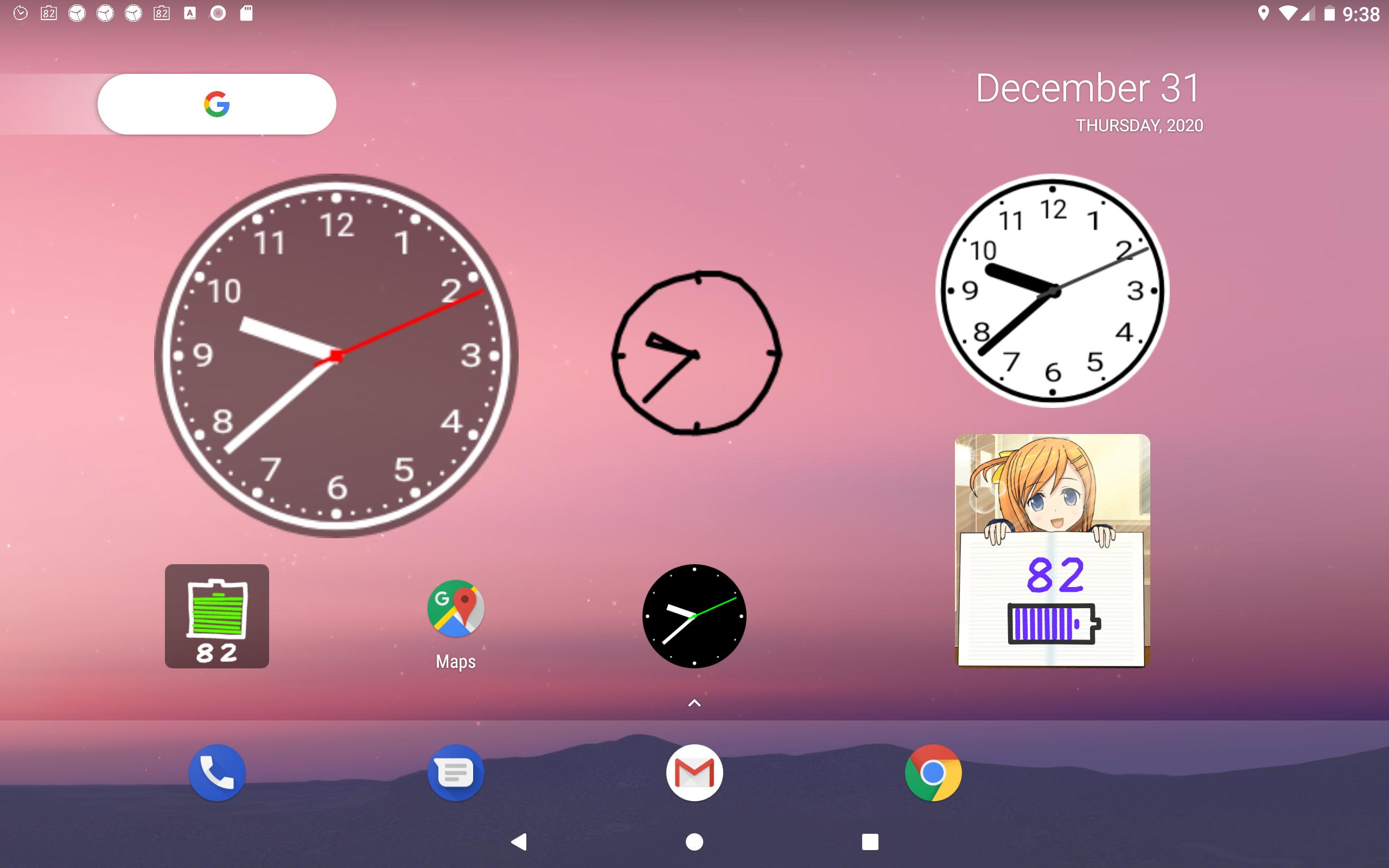
<> This is an analog clock widget, such as graffiti painted by freehand on your home screen.
Of course, every time redraw, will be completely different graffiti.
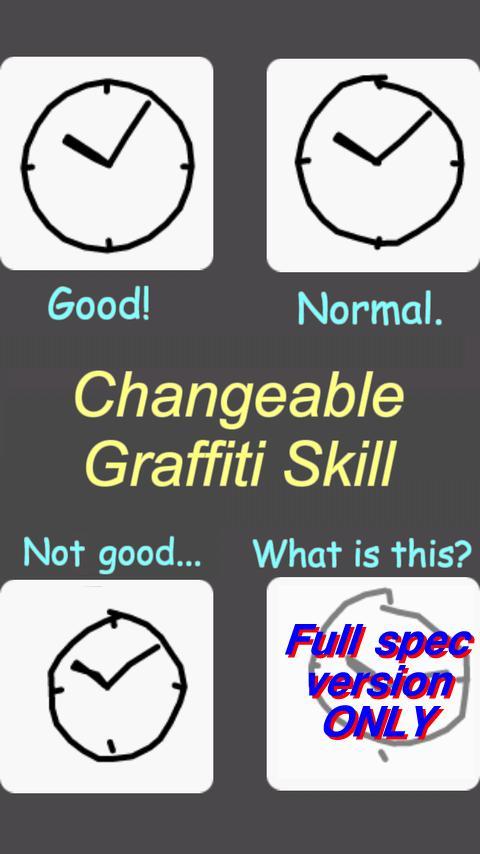
<> You can change the "Graffiti skill" from 3 levels (at LE version).
<> You can change the pen color, pen thickness, BG(background) color, and semi-transparent.
Without the BG, it looks like a "Graffiti" painted directly to the wallpaper!
<> Widget standard size is 2x2. You can change the size by long-tapping the widget.
Enjoy the "ANALOG feeling" of graffiti!!
* In this LE version, you can choose only 2 colors.
-------------------------------------------------------------
[Settings]
- "Skill": 3 levels,
- "Redraw interval": 10,20,30sec. and 1min.
- "Pen thickness": 7 steps, from thin ballpoint pen to thick marker pen.
- "Pen color": 2 colors, and semi-transparent.
- "BG color": 2 colors, and semi-transparent.
- "Quality": 3 levels.
- If you want to remove the notification, use "Notification icon setting." (*Android 8.0 and later)
- If the app stops while using, try to use "Prevent forced stop." (*Android 6.0 and later)
--------
## Information: There is also "Full Spec version"
Some settings will be able to use at "Full Spec version":
- Will be able to choose the 4th (lowest) sill level "What is this?."
- Will be able to choose "Pen color": 10 colors,
- Will be able to choose "BG color" from 5 colors.
"Graffiti Analog Clock" (Full Spec version) page on Google play is:
https://play.google.com/store/apps/details?id=net.moemoe.tomorrow.GraffitiAnalogClock
--------
Latest Version
3.2.1Uploaded by
Bernad Bernadus
Requires Android
Android 5.1+
Category
Free Lifestyle AppContent Rating
Everyone
Report
Flag as inappropriateLast updated on Aug 3, 2022
[NOTE] TROUBLE SHOOTING
- If the app stops while using, try "Prevent forced stop."
- ("Oppo" etc.) If the phone has a function that prohibits the auto-startup of apps, exclude this app.
- You can remove the notification by using "Notification icon setting."
[HISTORY]
v3.2.1
- Supported dark mode display. (Android 10 and later)
- Improved small problems.
- Renamed the app.
v3.1.0
- Added Guide icon.
v3.0.0
- Added "Notification icon setting" and "Prevent forced stop" to Preferences.




APKPure - A multi-platform app store primarily focused on Android, providing extensive app-related content. Discover the app you want easier, faster, and safer, with quick and efficient downloads and installations.




![Simple Analog Clock [Widget] APK](https://image.winudf.com/v2/image1/bmV0Lm1vZW1vZS50b21vcnJvdy5teUFuYWxvZ0Nsb2NrMl9pY29uXzE1NjY5OTU4MjdfMDgw/icon.png?w=102&fakeurl=1)

![ComiPo! Battery Meter [Widget] APK](https://image.winudf.com/v2/image1/bmV0Lm1vZW1vZS50b21vcnJvdy5Db21pUG9CYXR0ZXJ5TWV0ZXJfaWNvbl8xNTY3MDA3MDg4XzA2Mw/icon.png?w=102&fakeurl=1)


![Fancy Analog Clock [Widget] APK](https://image.winudf.com/v2/image/bmV0Lm1vZW1vZS50b21vcnJvdy5GYW5jeUFuYWxvZ0Nsb2NrX2ljb25fMF9jNzBjYmI1ZQ/icon.png?w=102&fakeurl=1)
![Graffiti Analog Clock [Widget] APK](https://image.winudf.com/v2/image1/bmV0Lm1vZW1vZS50b21vcnJvdy5HcmFmZml0aUFuYWxvZ0Nsb2NrX2ljb25fMTY1ODgzMDY1NV8wNTc/icon.png?w=102&fakeurl=1)









