Package Name:com.ekramigb.caculator
SHA-256:ad37d0aa34649f948f3c9168853ad98ee3d97130e7f4f8f79a23cd2dbe99b7e6
Show More
About App
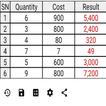
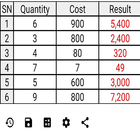
• Just enter the quantity, press the multiplication process button, enter the cost, and press the multiplication process button. The result and the total will be calculated in instant.
• Repeat the process for all costs and quantities on the invoice and the final total will be calculated.
• You can then save the invoice with a name and it will be included in a new list with the date and time of saving the invoice.
• You can review the invoice at any time for modification or deletion.
• You can also add the received amount from the invoice value, and the application will record the received amount and it will be saved in a new list at the time of receiving the amount. It also calculates the remaining amount of the invoice value.
Latest Version
10.0.5Uploaded by
Rupesh Kumar
Requires Android
Android 6.0+
Category
Free Tools AppContent Rating
Everyone
Security Report
Check Now
Report
Flag as inappropriateLast updated on Aug 1, 2025
- The account statement has been added to facilitate checking and reviewing invoices.
- Payments have been integrated with the invoice list to make it easier to know the remaining balances.
- You can now add payments directly and link them to the customer.
- Some bugs have been fixed.



APKPure - A multi-platform app store primarily focused on Android, providing extensive app-related content. Discover the app you want easier, faster, and safer, with quick and efficient downloads and installations.